TL;DR:
- AI meeting assistants provide real-time support by automating note-taking, prompting responses, and highlighting key details during remote interviews, reducing cognitive overload. They enhance candidates’ confidence and efficiency but require careful attention to privacy, bias, and proper use to emphasize genuine communication skills. Selecting and configuring the right tool, practicing beforehand, and maintaining human judgment are essential for maximizing benefits and avoiding over-reliance.
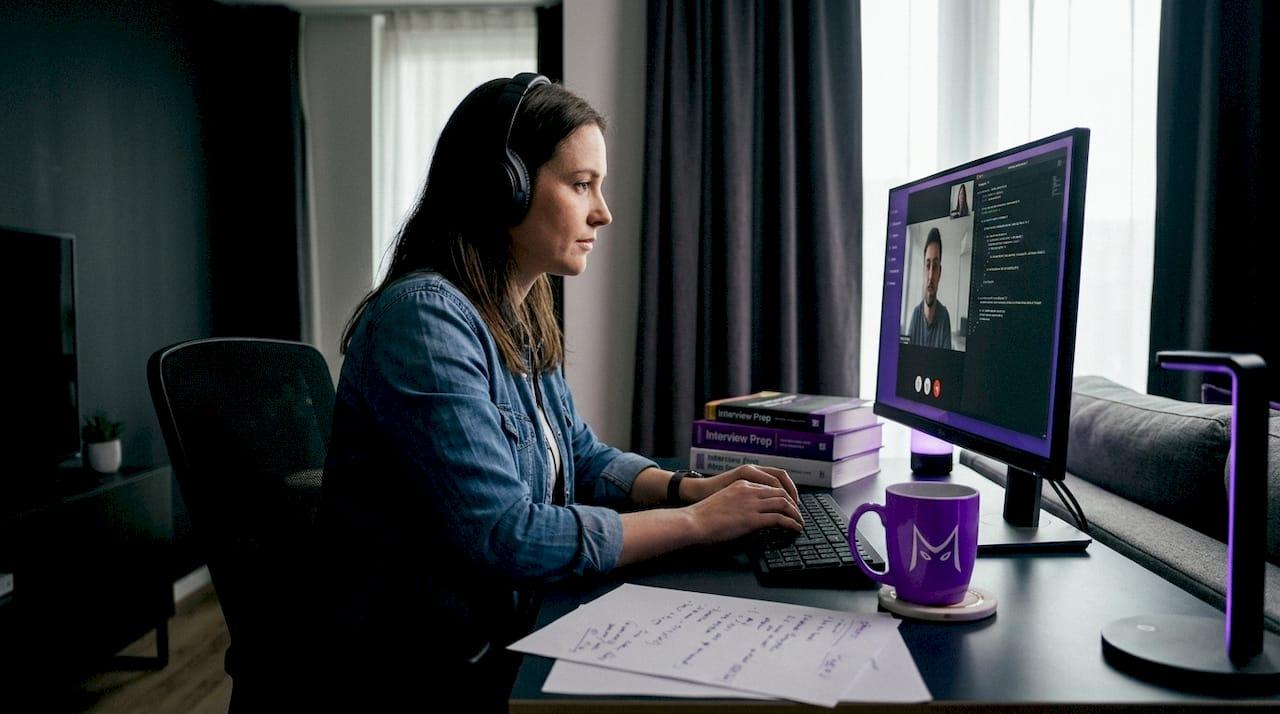
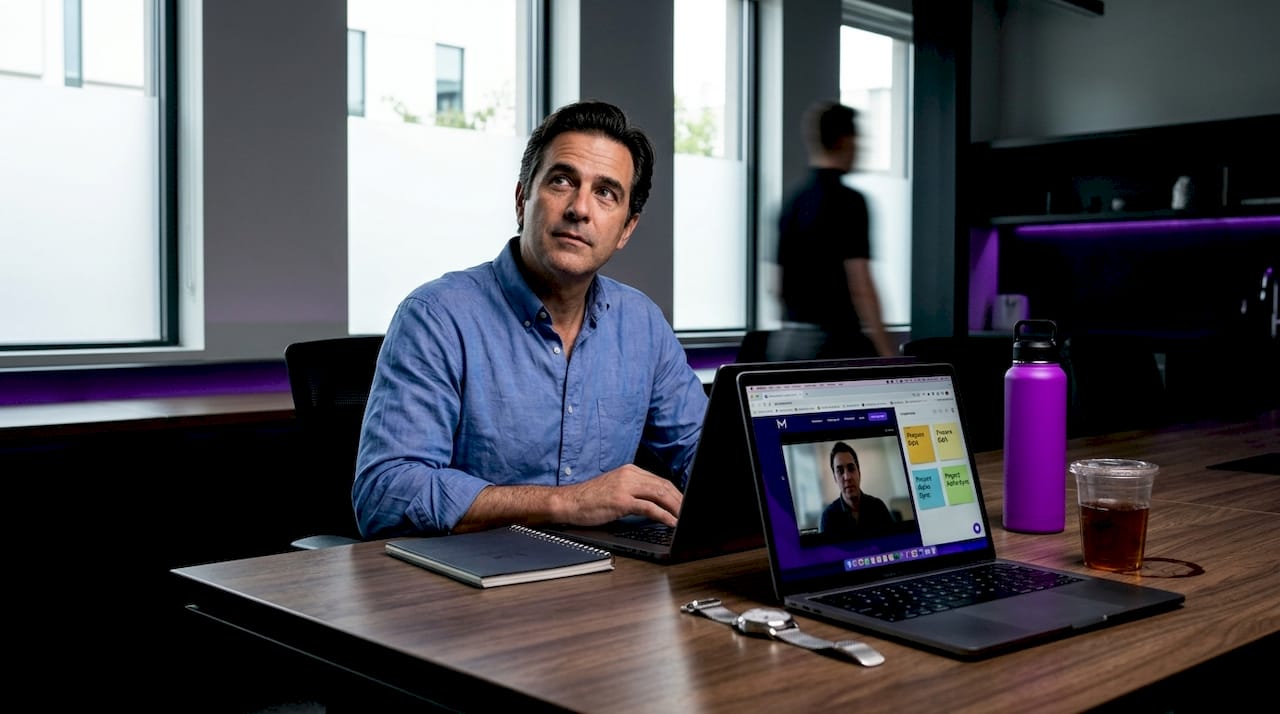
Remote interviews feel deceptively simple until you’re in one. You’re answering a behavioral question, trying to remember a specific project detail, watching your own face on camera, and reading the interviewer’s expression all at once. Many candidates report feeling overwhelmed by this kind of information overload, and traditional prep methods like flashcards and mock runs can’t help you when your mind goes blank mid-sentence. What most job seekers haven’t considered yet is that AI meeting assistants offer real-time support right when you need it most, quietly working in the background while you focus on performing your best.
Table of Contents
- How AI meeting assistants transform remote interviews
- The main benefits: From performance boosts to confidence
- Limitations and concerns: Bias, privacy, and the human factor
- Practical steps: Making the most of your AI meeting assistant
- Why AI meeting assistants aren’t a silver bullet (And what actually matters)
- Ready to boost your interviews with AI? Next steps with MeetAssist
- Frequently asked questions
Key Takeaways
| Point | Details |
|---|---|
| Real-time support | AI meeting assistants help job seekers stay focused and confident during remote interviews. |
| Efficiency and consistency | Automation of routine tasks and consistent prompts reduce distractions and human error. |
| Human oversight required | AI tools improve interviews but need human judgment to avoid bias and ensure fairness. |
| Privacy awareness | Candidates should always check privacy settings and tool policies before use. |
| AI is a co-pilot | Best results come from blending smart AI use with essential human qualities and preparation. |
How AI meeting assistants transform remote interviews
With growing interest in interview assistance, it’s essential to understand what AI meeting assistants actually do and where their value lies for candidates.
An AI meeting assistant is software that runs alongside your video call and listens to the conversation in real time. It generates live suggestions, captures notes automatically, tracks follow-up items, and can surface relevant prompts based on what’s being discussed. You don’t have to pause and think “what was that metric I mentioned in my last role?” because the assistant already noted it. Learning more about the AI role in remote meetings shows just how fast these tools have matured over the past two years.
Here’s what AI meeting assistants typically handle for you:
- Real-time transcription so you can review what was said without taking notes yourself
- Answer prompt generation based on the current question or topic
- Key point highlighting to flag important details you might want to circle back to
- Automatic follow-up tracking so nothing falls through after the call ends
- Resume and context integration so suggestions feel relevant to your specific background
The pain points these features address are very real. Multi-tasking in a remote interview splits your cognitive load badly. You’re simultaneously processing audio, formulating responses, managing your body language on camera, and trying to recall specific numbers or project names under pressure. Nerves make recall harder, and missing a key cue from the interviewer can cost you the offer.
One important nuance worth noting: AI can improve consistency in how interviews are structured and questions are standardized, but it requires human review to ensure fairness. Standardization helps reduce arbitrary variance, but it doesn’t automatically eliminate bias from the process. AI is a tool, not a guarantee.
The practical productivity gains that come with AI automation are well documented in workplace contexts, and interview settings are no different. When routine mental tasks get offloaded to a tool, you have more cognitive bandwidth for the things that actually win offers: storytelling, composure, and genuine connection.
Understanding the full range of AI interview assistance features available today helps you pick the right tool for your specific situation, whether you’re prepping for a behavioral panel or a live coding challenge.
The main benefits: From performance boosts to confidence
Understanding their capabilities, let’s dive into exactly how AI assistants can make a difference in your interview experience.
The most immediate benefit most candidates notice is confidence. When you know there’s a safety net catching key details and surfacing relevant prompts, you stop mentally scrambling and start actually listening. That shift from survival mode to conversation mode is significant. Interviewers notice it too.
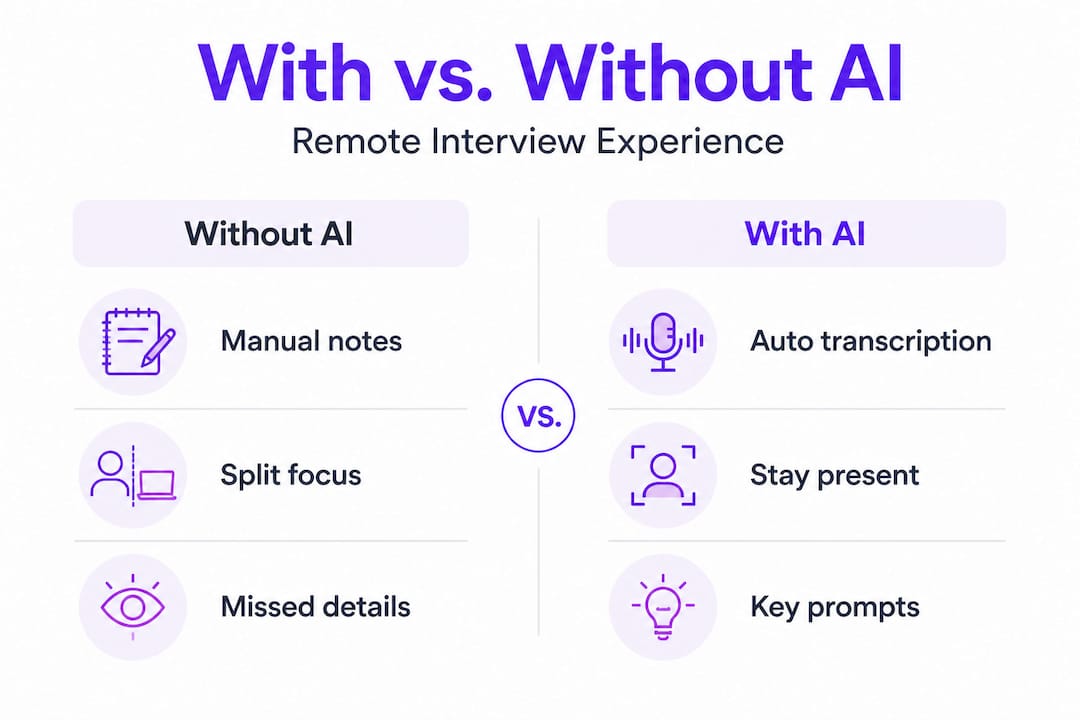
Here’s a quick comparison of the interview experience with and without AI assistance:
| Area | Without AI assistant | With AI assistant |
|---|---|---|
| Note-taking | Manual, splits attention | Automatic, hands-free |
| Recall under pressure | Relies on memory alone | Prompted with relevant context |
| Follow-up tracking | Easy to forget post-call | Automatically captured |
| Answer structure | Improvised on the spot | Supported by real-time prompts |
| Confidence level | Often drops mid-interview | Stays more consistent |
| Post-interview review | Vague recollections | Clear transcript available |
For technical candidates, the accuracy benefit is especially valuable. If you’re mid-explanation of a system design and the interviewer asks a clarifying question, an AI assistant that’s tracking the thread can surface the relevant point you made two minutes ago. You don’t lose your train of thought.
Time savings also add up. Instead of spending 20 minutes after the call reconstructing what was said and what you promised to send, you have an organized transcript and a follow-up list ready. Tools that save time through AI productivity in business settings apply the same logic here: less time on admin means more energy for what matters.
“The difference between a good interview and a great one often comes down to presence. AI assistance frees you to actually be present instead of managing mental overhead.”
Using AI support for Microsoft Teams interviews or Google Meet sessions can make a measurable difference depending on how distracted you normally feel during remote calls.
Pro Tip: Customize your AI assistant’s answer style before the interview. If the role requires a lot of behavioral questions, set it to STAR method format. For technical roles, switch to bullet points so suggestions are scannable at a glance.
One honest caveat: most published evidence supporting specific performance gains from AI interview assistants comes from product blogs or individual user reports, not rigorous controlled studies. That doesn’t mean the tools don’t work. It means you should evaluate them on your own experience rather than relying solely on vendor claims. Trial periods and mock interview sessions are your best source of truth.
Limitations and concerns: Bias, privacy, and the human factor
While AI meeting assistants are powerful, no tool is perfect. It’s just as important to understand their potential pitfalls and limits.
1. Bias doesn’t disappear with AI. Algorithmic tools can shift where bias occurs rather than eliminating it. A tool that surfaces prompts based on common interview patterns may inadvertently reinforce certain response styles over others. Research consistently shows that bias in algorithmic hiring processes requires ongoing human oversight and regular audits. If you’re using AI to prep your answers, make sure you’re also letting your genuine voice and perspective come through.
2. Privacy varies significantly by tool. Some AI meeting assistants record and store audio or video to generate transcripts. Others process everything in real time and discard the raw stream afterward. The difference matters. Before you run an AI assistant in a live interview, you need to know exactly what data it captures, how long it retains it, and whether any of it is used to train models.
3. Recruiter permissions are a gray area. Not all companies allow candidates to use AI tools during interviews. Some job descriptions now explicitly prohibit them. Others haven’t addressed it at all.
Here’s a practical checklist to protect yourself:
- Read the AI tool’s privacy policy before downloading or signing up
- Check whether the tool records audio, video, or only text transcripts
- Ask your recruiter or HR contact whether AI assistance tools are permitted
- Run a test session with a trusted friend to verify what the tool captures
- Delete any stored session data after each interview if your tool allows it
“Transparency matters. Using a tool discreetly is different from using one deceptively. Know the rules before you sit down.”
Human judgment still has a critical role. AI can handle structure and recall, but reading a room, adjusting tone mid-conversation, picking up on an interviewer’s frustration or enthusiasm, and responding with genuine empathy are skills no current tool can replicate. High-stakes interviews, particularly those involving executive roles or sensitive positions, depend heavily on those human signals.
Pro Tip: Always check your AI tool’s privacy settings before a live interview session and confirm with your recruiter whether AI assistance is allowed. It takes five minutes and protects you from awkward situations.
For more guidance on staying protected while using these tools, check out practical remote interview assistance tips and detailed AI interview privacy guidelines to understand what you should be asking of any tool you use.
Practical steps: Making the most of your AI meeting assistant
Armed with a balanced view, you’re ready to take the next step. Here’s how to choose and get the most out of AI interview support.
Choosing the right tool starts with evaluating three things: privacy practices, reliability during live calls, and actual user reviews from candidates in similar roles. Don’t skip the review research step. As independent testing shows, feature claims from vendors don’t always match real-world performance. Focus on what actually helps in a live interview setting.
Here’s a feature matrix to guide your comparison:
| Feature | Why it matters | What to look for |
|---|---|---|
| Real-time transcription | Reduces cognitive load | Low latency, high accuracy |
| Privacy controls | Protects your data | No audio/video recording, encrypted streams |
| Answer style options | Matches interview format | STAR, bullet points, concise, detailed |
| Resume integration | Personalizes suggestions | Uploads cleanly, references correctly |
| Platform compatibility | Works in your interview tool | Google Meet, Teams, Zoom support |
| Phone Mode or screen invisibility | Keeps interface discreet | No visible overlay during screen share |
Once you’ve selected a tool, here’s a step-by-step setup process:
- Pre-interview setup: Upload your resume, set your preferred answer style, and test the tool on a mock call at least 24 hours before your real interview
- Day-of preparation: Check your microphone input, confirm the AI is receiving audio correctly, and do a five-minute warm-up session
- During the interview: Glance at suggestions when helpful, but keep primary attention on the interviewer, not the screen
- Post-interview review: Export the transcript, review what went well and what didn’t, and update your answer prompts for next time
Read more about using AI in interviews effectively and explore broader AI job interview strategies to build a complete preparation system rather than relying on any single tool.
Pro Tip: Run at least two full mock interviews with your AI assistant before the real thing. You need to feel comfortable glancing at suggestions without breaking eye contact or losing your conversational flow.
Resources like step-by-step AI productivity guides can also help you think about how to systematically integrate AI tools into your broader preparation routine rather than treating them as a one-off fix.
The goal isn’t to have the AI answer for you. It’s to remove enough friction that your actual skills and personality can shine through more clearly and consistently.
Why AI meeting assistants aren’t a silver bullet (And what actually matters)
Here’s something that most articles about AI interview tools won’t say directly: the biggest mistake candidates make isn’t using these tools. It’s over-trusting them.
We’ve watched a pattern emerge with job seekers who adopt AI assistance. The initial results are often strong because the tool handles cognitive overhead and the candidate feels less anxious. Then some candidates start following suggestions too closely. They stop trusting their own instincts. When the AI surfaces a response that doesn’t quite fit the specific direction of the conversation, they use it anyway because it feels safer than improvising.
That’s where things go wrong. An interviewer asking a nuanced follow-up question that slightly reframes the original topic needs a flexible, contextually aware human response. The AI suggestion, generated a beat earlier, may no longer fit. Reading that shift and adapting in real time is a purely human skill.
The conventional wisdom is that tech replaces human edge. The reality is that AI can standardize and support but genuinely cannot replace human judgment in a high-stakes live conversation. The candidates who do best with AI assistance are the ones who use it as a co-pilot: something that handles the administrative and recall functions so their human skills get more room to operate.
Authenticity is still your biggest competitive advantage. No two candidates have the same combination of experiences, communication style, and perspective. AI helps you surface and articulate those things more effectively. It doesn’t create them for you.
Build the habit of reviewing your AI-assisted sessions critically. After each mock or live interview, ask yourself: where did the suggestions help? Where did they distract? Adjust your settings, your prompts, and your glance frequency until the tool feels genuinely invisible and helpful rather than like a crutch.
For building the remote interview confidence that actually holds up under pressure, there’s no shortcut that replaces structured practice combined with smart tool use.
Ready to boost your interviews with AI? Next steps with MeetAssist
If you’ve been nodding along to everything above and want to put it into practice, MeetAssist is built exactly for what we’ve been describing. It’s a Chrome extension that delivers real-time AI suggestions during live interviews on Google Meet, Microsoft Teams, Zoom, and other web-based platforms.

What makes it especially practical for technical candidates is Phone Mode: scan a QR code and everything moves to your phone. No overlay on your screen, no visible interface during screen sharing, just clean and discreet real-time support. You can also remotely analyze any active Chrome tab from your phone, including live coding challenges and online assessments, even in tabs where the extension isn’t running. Explore AI interview assistant alternatives to see how MeetAssist compares, or jump straight to the how to use MeetAssist guide to set up in under ten minutes. Pricing is a one-time purchase with no subscription required.
Frequently asked questions
Do AI meeting assistants work for technical coding interviews?
Yes, AI meeting assistants can provide real-time code suggestions, note-taking, and context management, helping you focus and communicate clearly during technical interviews. Tools with tab analysis features can even capture and analyze your live coding challenge window directly.
Are AI meeting assistants safe to use in interviews?
AI meeting assistants can help, but you should always review privacy settings and ask your interviewer if such tools are allowed before using them. Privacy practices vary widely between tools, so check what data is captured and how it’s stored before any live session.
Can using AI in interviews remove bias and make hiring fairer?
AI can make interviews more consistent, but it can’t fully eliminate bias on its own. Human oversight remains essential because algorithmic tools can shift where bias occurs rather than removing it entirely.
How do I choose the best AI meeting assistant for interviews?
Compare privacy policies, platform reliability, and interview-specific features, then test the tool in mock interviews before going live. Look for features that improve actual performance in your specific interview format rather than just impressive-sounding capabilities on a product page.
Recommended
- Remote interview assistance for confident job success 2026 – MeetAssist | MeetAssist
- AI in remote meetings: unlock success in 2026 | MeetAssist
- MeetAssist
- How to improve interview performance in 2026: remote & AI | MeetAssist
- Best AI Career Tools for Developers | Accelerate Your Pivot to AI Engineering
Looking for help with your next interview? MeetAssist provides real-time AI assistance during your video interviews on Google Meet, Zoom, and Teams. Browse our interview preparation guides to get started.