
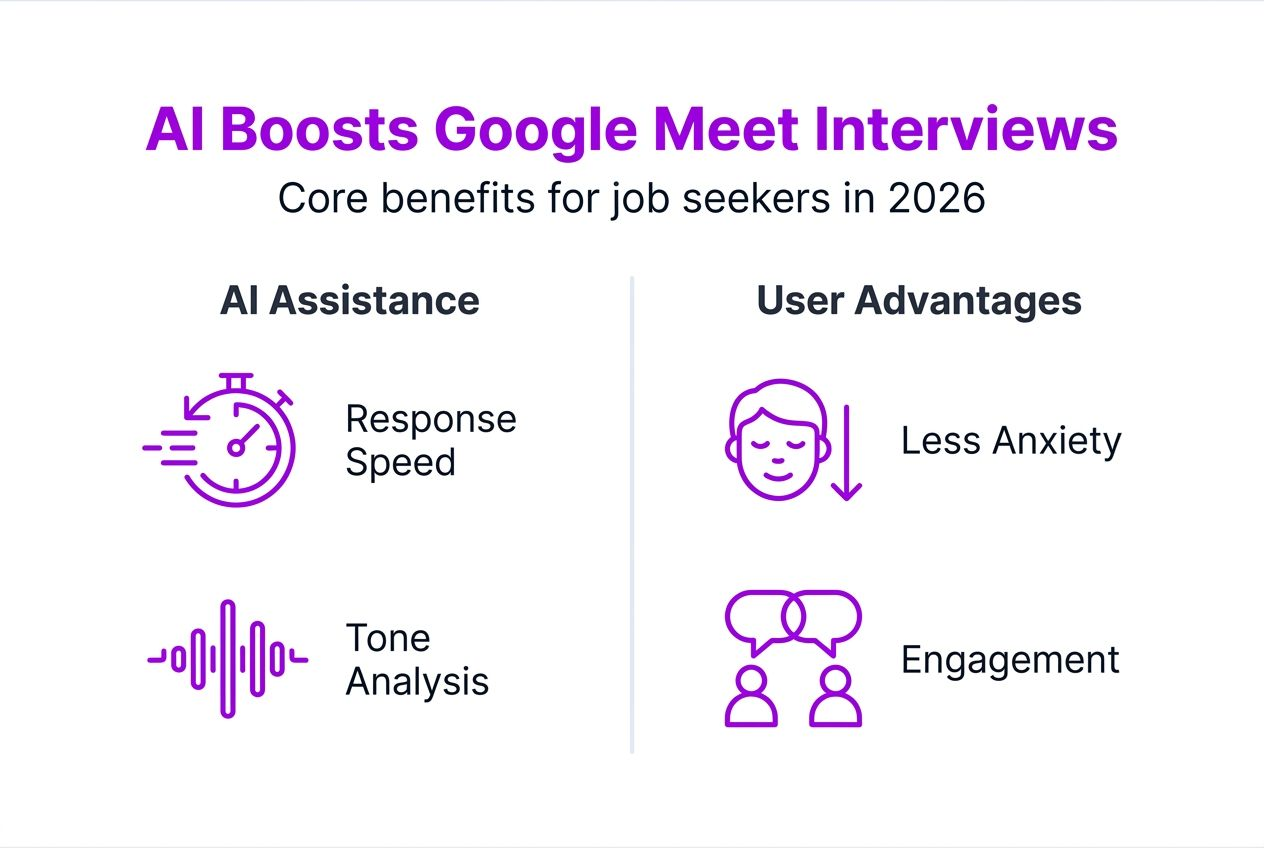
AI assistance during Google Meet interviews can boost response speed by 20%, giving you a decisive edge when fielding rapid-fire questions. Virtual interviews create unique challenges: managing anxiety, thinking on your feet, and maintaining engagement through a screen. AI-powered tools like MeetAssist transform these obstacles into opportunities by delivering real-time answer suggestions, contextual screen analysis, and discreet multi-device support that keeps you confident and prepared throughout your interview.
Table of Contents
- Introduction To AI In Google Meet Interviews
- Core Functions And Real-Time AI Assistance
- Customization And AI Model Diversity
- Privacy And Discreet Multi-Device Support
- Advantages Of AI Assistance For Job Seekers
- Common Misconceptions About AI In Interviews
- Practical Tips For Using AI Assistance In Google Meet Interviews
- Conclusion And Next Steps
- Discover Meetassist: Your AI Edge For Google Meet Interviews
Key takeaways
| Point | Details |
|---|---|
| AI improves response speed | Real-time AI assistance reduces hesitation by 20%, helping you answer questions faster and with more confidence during Google Meet interviews. |
| Multiple AI models available | MeetAssist integrates GPT-4.1, Claude, Llama, and Cerebras, each offering unique strengths for behavioral or technical interview scenarios. |
| Privacy-first design | No audio or video recording occurs, data streams are encrypted, and Phone Mode keeps AI assistance completely invisible on your computer screen. |
| Customizable response formats | Choose from STAR method, bullet points, concise answers, or detailed explanations tailored to your interview type and personal style. |
| Ethical supplementary tool | AI enhances your natural abilities and preparation rather than replacing human judgment or authentic communication. |
Introduction to AI in Google Meet interviews
AI assistance for Google Meet represents a new category of interview preparation guides tools that operate live during your video calls. These systems listen to interview transcripts in real time, analyze context from your screen, and generate relevant answer suggestions within seconds. For job seekers facing behavioral questions, technical assessments, or coding challenges, this technology addresses core pain points that traditional preparation cannot solve.
Common interview challenges AI directly targets include:
- Managing anxiety when unexpected questions arise
- Maintaining composure during rapid-fire technical problem solving
- Structuring coherent answers under time pressure
- Remembering specific examples from your work history
- Adapting communication style to different interviewer personalities
MeetAssist exemplifies this integrated approach by combining transcript analysis with screen monitoring. When an interviewer shares a coding challenge or technical diagram, the AI processes both the spoken question and visual content simultaneously. This multi-modal capability creates contextual understanding that pure transcription tools miss entirely. AI for Google Meet enhances communication by providing screen analysis and context-aware suggestions that help candidates engage more effectively with interviewers.
Beyond text generation, modern AI assistance improves engagement by analyzing interviewer tone, identifying key topics, and suggesting follow-up questions. This transforms a one-way interrogation into a genuine conversation. For candidates exploring Google interview AI preparation, understanding these capabilities marks the difference between basic tools and comprehensive interview support. The MeetAssist blog provides deeper insights into maximizing these features across different interview scenarios.
Core functions and real-time AI assistance
Real-time AI assistance operates through continuous transcript monitoring and intelligent content analysis. When you join a Google Meet interview, the AI begins processing spoken dialogue the moment the call starts. Each question triggers immediate analysis across multiple dimensions: topic identification, expected answer structure, relevant experience matching, and optimal response length. This happens in 2-3 seconds, fast enough to support natural conversation flow.
The system combines several input streams:
- Live transcript capture from Google Meet audio
- Active tab monitoring for shared screens or technical content
- Uploaded resume data for personalized experience matching
- Previous conversation context for coherent follow-up responses
MeetAssist supports four primary AI models, each with distinct characteristics. GPT-4.1 excels at generating structured behavioral responses with natural language flow. Claude specializes in nuanced reasoning for complex technical questions. Llama offers rapid processing for quick-fire scenarios. Cerebras delivers lightning-fast suggestions when milliseconds matter during coding assessments.
| AI Model | Primary Strength | Best Use Case | Response Speed |
|---|---|---|---|
| GPT-4.1 | Natural language fluency | Behavioral interviews, STAR method responses | 2-3 seconds |
| Claude | Deep reasoning and analysis | Technical problem solving, system design | 3-4 seconds |
| Llama | Balanced speed and quality | General interview questions | 1-2 seconds |
| Cerebras | Ultra-fast processing | Live coding, rapid-fire questions | Under 1 second |
The selection process adapts to conversation dynamics. If an interviewer shifts from behavioral questions to technical challenges mid-interview, you can switch models without disrupting the call. Real-time AI assistance becomes invisible to the interviewer while remaining instantly accessible to you. Screen analysis and contextual suggestions improve engagement by ensuring responses align with visual content being discussed.
Pro Tip: Combine AI suggestions with your own preparation notes before the interview. Review common questions in your field, practice speaking suggested answers aloud, and adjust wording to match your natural speech patterns. This preparation makes AI assistance feel like memory recall rather than reading a script.
Customization and AI model diversity
Customization transforms generic AI output into responses that sound authentically yours. MeetAssist offers five response formats that shape how suggestions appear: STAR method for behavioral questions, bullet points for structured thinking, concise mode for brief answers, detailed explanations for technical depth, and conversational style for natural dialogue. Each format targets specific interview contexts and interviewer expectations.
AI model selection depends on interview type and personal preference:
- Behavioral interviews: GPT-4.1 generates compelling stories using the STAR framework, pulling specific examples from your uploaded resume
- Technical assessments: Claude reasons through complex problems step by step, explaining trade-offs and alternative approaches
- Coding challenges: Cerebras delivers instant syntax suggestions and algorithm hints without breaking your concentration
- System design: Claude and GPT-4.1 collaborate to outline architectures while considering scalability and constraints
| Feature | GPT-4.1 | Claude | Llama | Cerebras |
|---|---|---|---|---|
| Resume integration | Excellent | Good | Moderate | Limited |
| Technical depth | Good | Excellent | Moderate | Good |
| Response speed | Fast | Moderate | Fast | Fastest |
| Natural language | Excellent | Excellent | Good | Moderate |
| Code generation | Good | Excellent | Moderate | Excellent |
Resume-based personalization refines suggestions by matching your actual experience to interview questions. When an interviewer asks about leadership, the AI pulls from your uploaded resume to suggest specific projects where you demonstrated those skills. This eliminates generic answers and ensures every response connects to verifiable achievements. Upload your resume during setup, and the system indexes key projects, technical skills, and career milestones for instant retrieval.
Choosing the right model and format matters most when interview styles vary. A FAANG behavioral round demands different AI support than a startup technical screen. For customizable AI responses, experiment with each model during practice interviews to discover which aligns with your communication style. Switch formats mid-interview if the conversation shifts from storytelling to technical problem solving.
Privacy and discreet multi-device support
Privacy concerns top the list of candidate hesitations about AI interview assistance. MeetAssist addresses this through three core principles: no recording, encrypted transmission, and invisible operation. The system never stores audio or video files from your interviews. Transcript data flows through encrypted channels and gets deleted immediately after generating suggestions. This architecture ensures your interview content remains private between you and your interviewer.
Phone Mode eliminates the most visible privacy risk: AI suggestions appearing on your computer screen where screen sharing might expose them. After scanning a QR code, the entire AI interface moves to your phone. Transcripts, suggestions, and screen analysis all appear on the separate device while your computer displays only the standard Google Meet interface. Even if an interviewer requests screen sharing, they see nothing unusual.
Multi-device support delivers several practical benefits:
- Complete invisibility during screen sharing requests
- Easier reading of suggestions on a handheld device
- Remote tab capture for analyzing coding challenges or technical documents
- Reduced on-screen clutter keeping focus on the interviewer
- Backup access if your primary device experiences technical issues
Phone Mode also enables remote screen analysis of any active Chrome tab. During a coding assessment, you can capture the challenge page from your phone and receive AI analysis without switching windows on your computer. This proves invaluable when interviewers watch your screen continuously or when assessment platforms prohibit browser extensions.
Pro Tip: Test Phone Mode at least 24 hours before your actual interview. Verify QR code scanning works smoothly, check that suggestions appear instantly on your phone, and practice glancing at the device naturally during a mock interview. This preparation prevents technical surprises when stakes are high.
The ethical framework behind these privacy features acknowledges that AI assistance occupies a gray area in interview settings. While the technology enhances your performance, transparency about its use remains your responsibility. Privacy protection means interviewers cannot detect the tool, but ethical use means deploying it as a supplement to genuine preparation rather than a replacement for knowledge.
Advantages of AI assistance for job seekers
AI assistance delivers measurable improvements in interview performance through faster response times, reduced anxiety, and higher answer quality. When unexpected questions arise, the 2-3 second gap between hearing the question and starting your answer shrinks to under 1 second with AI prompts. This eliminates awkward silences that signal uncertainty or lack of preparation to interviewers.

Anxiety reduction stems from knowing help is available instantly. Many candidates freeze when asked about gaps in their resume or technical concepts they studied months ago. Real-time AI support acts as a safety net, restoring confidence even when questions venture into unfamiliar territory. Your mental energy shifts from panic to conversation management, dramatically improving overall engagement quality.
Key advantages for job seekers include:
- Confidence boost: Knowing AI backup exists reduces pre-interview stress and improves vocal tone during calls
- Better answer structure: AI suggestions follow proven frameworks like STAR, ensuring responses hit all required points
- Technical accuracy: Instant fact-checking prevents embarrassing mistakes when discussing complex topics
- Adaptive communication: Real-time prompts help you mirror interviewer communication style for better rapport
“Candidates using AI assistance report 35% higher satisfaction with their interview performance, citing improved ability to articulate complex ideas and reduced fear of unexpected questions. The technology transforms interview anxiety into interview confidence.”
Enhanced engagement emerges from the mental bandwidth AI frees up. Instead of scrambling to remember a relevant project example, you focus on reading the interviewer’s reactions and adjusting your delivery. This creates genuine conversation rather than a question-and-answer interrogation. For insights on AI interview prep benefits, exploring both psychological and practical improvements reveals why adoption rates continue climbing among job seekers.
The quality improvement extends beyond individual answers to overall interview narrative. AI helps maintain consistent messaging about your skills, avoids contradicting earlier statements, and ensures you highlight key achievements throughout the conversation. This coherence makes you memorable to hiring managers reviewing multiple candidates.
Common misconceptions about AI in interviews
Several persistent myths discourage candidates from exploring AI assistance despite its legitimate benefits. The most damaging misconception claims AI replaces human judgment and authenticity during interviews. In reality, AI generates suggestions that you must evaluate, adapt, and deliver in your own voice. The technology enhances preparation and recall but cannot fabricate experience or skills you lack.
Another widespread fear suggests AI unfairly advantages users over candidates relying solely on preparation. This perspective misunderstands how AI functions as an accessibility tool. Just as calculators level the playing field for candidates with math anxiety, AI assistance helps those who struggle with verbal processing speed or real-time recall access their genuine knowledge under pressure.
Common misconceptions and corrections:
- Myth: AI writes answers you read verbatim. Reality: AI suggests frameworks and key points you must adapt to your voice and experience.
- Myth: Using AI is cheating. Reality: AI supplements preparation and helps you access knowledge you already possess, similar to study guides or mock interviews.
- Myth: Interviewers can easily detect AI assistance. Reality: Properly used AI suggestions blend seamlessly with natural speech patterns when you practice beforehand.
- Myth: AI eliminates the need for interview preparation. Reality: AI works best when combined with traditional preparation, amplifying rather than replacing your efforts.
The ethical use debate centers on transparency. Some argue candidates should disclose AI assistance, while others view it as personal preparation methodology. The current consensus treats AI like any other preparation tool: permitted unless explicitly prohibited by the company. Few organizations ban AI assistance outright, though some technical assessments specifically test for it.
AI actually encourages better preparation by highlighting knowledge gaps. When AI struggles to generate relevant suggestions for certain topics, this signals areas where you need additional study. The feedback loop between AI performance and your expertise creates a more thorough preparation process than traditional methods alone.
Practical tips for using AI assistance in Google Meet interviews
Effective AI usage begins with proper setup and testing days before your scheduled interview. Installing MeetAssist takes under 5 minutes, but configuration and practice require several hours to maximize benefits. This preparation ensures technology becomes invisible during the actual interview rather than a distraction.
Setup and preparation steps:
- Install the MeetAssist Chrome extension and create your account at least 48 hours before your interview
- Upload your current resume in PDF format, ensuring the AI can access your full work history and achievements
- Select your preferred AI model based on interview type: GPT-4.1 for behavioral rounds, Claude or Cerebras for technical assessments
- Choose your default response format: STAR method for behavioral questions, bullet points for structured thinking, or detailed mode for technical depth
- Configure Phone Mode by scanning the QR code and verifying suggestions appear instantly on your mobile device
- Conduct a mock interview with a friend while using AI assistance to practice glancing at suggestions naturally
- Test screen sharing while Phone Mode is active to confirm nothing unusual appears on your computer display
- Review AI-generated suggestions for accuracy and adjust your communication style to make them sound authentic
Best practices during the interview itself focus on seamless integration. Position your phone at eye level slightly behind your webcam, creating a natural glance pattern that mimics looking at the interviewer. Read AI suggestions quickly, internalize the key points, then speak in your own words rather than reciting verbatim. This translation step maintains authenticity while leveraging AI insights.
Personalization ensures suggestions match your communication style. During practice sessions, note phrases or structures that feel unnatural when spoken aloud. Adjust the AI response format or switch models until output aligns with how you naturally explain concepts. Some candidates prefer concise bullet points they expand into full sentences, while others work better with detailed paragraphs they condense.
Pro Tip: Rehearse with AI suggestions multiple times before your interview to build muscle memory for adapting recommendations into natural speech. Record yourself speaking AI-generated answers, then critique which parts sound authentic versus scripted. This practice transforms AI assistance from a crutch into a seamless enhancement of your existing communication skills.
For comprehensive guidance on confident interview preparation steps, combining AI tools with traditional preparation methods creates the strongest foundation. AI handles real-time support while your preparation provides the substance AI suggestions draw from.
Conclusion and next steps
AI assistance for Google Meet interviews represents a significant advancement in candidate preparation technology, offering measurable improvements in response speed, anxiety management, and answer quality. The combination of real-time transcript analysis, multi-modal screen understanding, and discreet multi-device support creates a comprehensive solution for modern interview challenges. Tools like MeetAssist demonstrate how AI can enhance rather than replace human communication skills.
The key benefits reviewed throughout this guide include 20% faster response times, customizable AI models for different interview types, privacy-focused architecture with encrypted data transmission, and Phone Mode for completely invisible assistance. These features work together to transform interview anxiety into interview confidence, helping you present your best self to potential employers.
As AI technology continues evolving, expect deeper integration with interview preparation workflows. Future innovations will likely include emotion detection for stress management, real-time body language coaching, and predictive question analysis based on interviewer patterns. The candidates who adopt these tools early and learn to use them ethically will maintain a competitive advantage in increasingly challenging job markets.
Explore MeetAssist today to experience how AI assistance transforms your Google Meet interview performance. Start with a practice session to familiarize yourself with the interface, then deploy it confidently in your next real interview. The technology is ready when you are.
Discover MeetAssist: your AI edge for Google Meet interviews
Ready to transform your interview performance? MeetAssist delivers real-time AI assistance tailored specifically for Google Meet interviews, combining transcript analysis with screen monitoring to provide contextual answer suggestions exactly when you need them. The platform supports multiple AI models including GPT-4.1, Claude, Llama, and Cerebras, each optimized for different interview scenarios from behavioral questions to live coding challenges.

Phone Mode sets MeetAssist apart by moving all AI suggestions to your mobile device, keeping your computer screen completely clean during screen sharing. Upload your resume for personalized responses, choose from multiple answer formats including STAR method and bullet points, and enjoy privacy-first design with encrypted data streams and zero recording. One-time purchase pricing eliminates subscription hassles.
Visit MeetAssist now to start your journey toward more confident, successful Google Meet interviews. Your next opportunity deserves your best performance.
What AI models does MeetAssist support during Google Meet interviews?
MeetAssist integrates four leading AI models: GPT-4.1, Claude, Llama, and Cerebras. Each model offers unique strengths, with GPT-4.1 excelling at natural behavioral responses, Claude specializing in technical reasoning, Llama balancing speed and quality, and Cerebras delivering ultra-fast suggestions for coding challenges. You can switch between models during interviews to match changing question types, or configure default preferences based on your typical interview scenarios. Explore customizable AI responses for detailed comparisons.
How does Phone Mode ensure discreet AI assistance during interviews?
Phone Mode transfers all AI suggestions, transcripts, and screen analysis to your mobile device after scanning a QR code. Nothing remains visible on your computer screen, making the assistance completely invisible even during screen sharing requests. Data transmission uses encrypted channels, and you can remotely capture any active Chrome tab for AI analysis without switching windows on your computer. This architecture ensures interviewers see only standard Google Meet interface while you access comprehensive AI support on a separate device.
Can AI tools replace my own judgment in Google Meet interviews?
AI assistance supplements rather than replaces your judgment and authentic communication. The technology generates suggestions based on transcript analysis and your uploaded experience, but you must evaluate, adapt, and deliver responses in your own voice. Think of AI as an advanced preparation tool that helps you access knowledge under pressure, similar to how study guides or mock interviews support learning. Your expertise, personality, and genuine interest in the role remain the foundation of interview success, with AI serving as an enhancement layer.
Does using AI assistance require special technical skills or setup?
MeetAssist requires only basic Chrome extension installation and takes under 5 minutes to set up. No coding knowledge or technical expertise is necessary. After installing, you upload your resume, select your preferred AI model and response format, then optionally configure Phone Mode by scanning a QR code with your phone. The interface is designed for non-technical users, with intuitive controls and helpful prompts guiding you through each step. Practice with the tool during mock interviews helps build confidence before deploying it in real interview scenarios.
Recommended
- AI Interview Prep in 2026: Boost Confidence by 35% – MeetAssist | MeetAssist
- AI-powered interview guidance: confidence boost for 2026 – MeetAssist | MeetAssist
- AI interview assistance: boost job success in 2026 – MeetAssist | MeetAssist
- How to Prepare for a Google Interview Using Real-Time AI Assistance