
Job interviews can trigger intense anxiety, causing even well-prepared candidates to freeze when facing tough questions. AI interview assistance reduces anxiety by 30%, transforming not just your answers but your entire mindset during live sessions. This guide reveals how real-time AI tools enhance interview performance, debunks common misconceptions, and shows you practical ways to leverage this technology for technical and behavioral interviews.
Table of Contents
- Understanding AI Interview Assistance
- How Real-Time AI Assistance Enhances Interview Outcomes
- Comparison of AI Models for Interview Assistance
- Customizing AI Suggestions for Personalized Interview Responses
- Ensuring Privacy and Security in AI Interview Tools
- Technical Architecture and Platform Integrations of AI Interview Assistants
- Common Misconceptions About AI Interview Assistance
- Practical Use Cases and Features of Real-Time AI Interview Assistants
- Explore MeetAssist for Your Real-Time AI Interview Support
Key takeaways
| Point | Details |
|---|---|
| AI boosts accuracy and reduces anxiety | Real-time AI assistance improves answer quality by 25% while cutting interview stress by 30%. |
| Different AI models serve unique needs | GPT-4.1, Claude, and Llama each offer distinct strengths for technical versus behavioral interviews. |
| Customization drives personalized responses | Uploading resumes and selecting answer styles like STAR method increases relevance by 40%. |
| Privacy safeguards protect candidates | Data encryption, zero recording storage, and Phone Mode ensure complete discretion during sessions. |
| Integration enables seamless live support | Sub-second latency and cross-platform compatibility with Google Meet and Teams deliver smooth real-time help. |
Understanding AI interview assistance
AI interview assistance refers to intelligent systems that listen to your interview dialogue and analyze it in real time, generating context-aware suggestions as you speak. These tools use advanced language models to process live audio streams from platforms like Google Meet or Microsoft Teams, then deliver instant recommendations for technical coding answers and behavioral responses. The technology applies across multiple interview formats, from technical assessments to behavioral discussions and coding challenges.
Real-time audio processing forms the backbone of this assistance. The AI captures your conversation, identifies question patterns, and matches them against vast knowledge databases to produce relevant replies within milliseconds. AI-driven real-time assistance tools improve answer quality and confidence during interviews, fundamentally changing how candidates perform under pressure.
The framework operates in three stages:
- Preparation: Upload your resume and select preferred answer styles before the interview begins
- Live augmentation: Receive instant suggestions during the actual conversation based on question context
- Post-interview review: Analyze transcripts and AI recommendations to identify improvement areas
To use these tools effectively, you need familiarity with web-based meeting platforms and a stable internet connection. The AI integrates directly into your browser through extensions, making setup straightforward even for non-technical users. Many job seekers find that combining technical interview automation impact strategies with traditional preparation methods yields the strongest results.
Starting with Google interview AI tools helps you understand platform-specific features. The key is building confidence through practice sessions before your actual interview. Following step by step interview preparation success approaches ensures you maximize the technology’s benefits without becoming overly dependent.
How real-time AI assistance enhances interview outcomes
The tangible benefits of AI during live interviews extend far beyond simple answer suggestions. Real-time AI assistance increases answer accuracy by 25% because the system provides instant, context-aware recommendations tailored to each specific question. This improvement stems from the AI’s ability to process your conversation history, understand the interviewer’s focus areas, and generate responses that directly address their concerns.
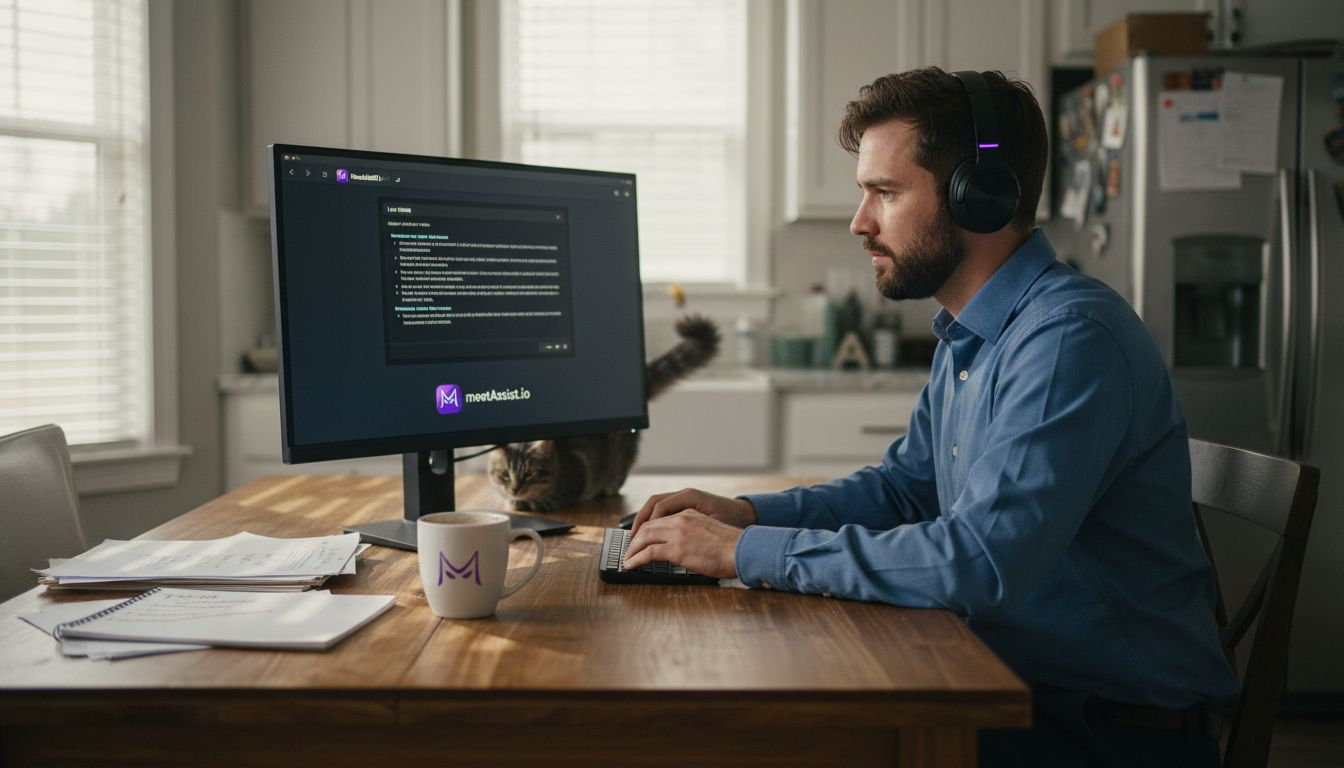
Anxiety reduction represents another major advantage. When you know intelligent support is available, the psychological pressure of performing perfectly decreases dramatically. AI assistance improves candidate confidence and interviewer satisfaction by creating a safety net that lets you focus on authentic communication rather than worrying about forgetting key details.
The psychological shift matters as much as the technical support:
- Candidates report feeling supported rather than isolated during difficult questions
- The presence of AI backup reduces the fear of going blank or stumbling over answers
- Real-time validation of your thinking helps you speak with greater authority
- Immediate access to relevant examples strengthens your storytelling during behavioral questions
Real-time audio context allows AI to judge tone and adapt responses appropriately, ensuring suggestions match both the question content and the conversational atmosphere.
This contextual awareness means the AI won’t suggest overly technical jargon when you’re discussing soft skills, or recommend casual language during formal technical assessments. The system reads subtle cues from question phrasing and adjusts its output accordingly.
Pro Tip: Use AI to prepare targeted answers during practice sessions, but balance this with personal rehearsal to avoid overreliance. The goal is augmentation, not replacement of your natural abilities.
Exploring confident interview preparation guides steps alongside AI tools creates a comprehensive strategy. You’ll discover that combining traditional mock interviews with behavioral interview tips for developers and AI assistance produces the most consistent results. Understanding phone assisted interview prep impact helps you leverage mobile features for maximum discretion.
Comparison of AI models for interview assistance
Different AI engines power interview assistance tools, each bringing unique strengths to the table. Understanding these differences helps you select the right model for your specific interview type and technical requirements. GPT-4.1 has superior coherence and relevance with strong latency, making it ideal for general technical and behavioral interviews where natural conversation flow matters most.
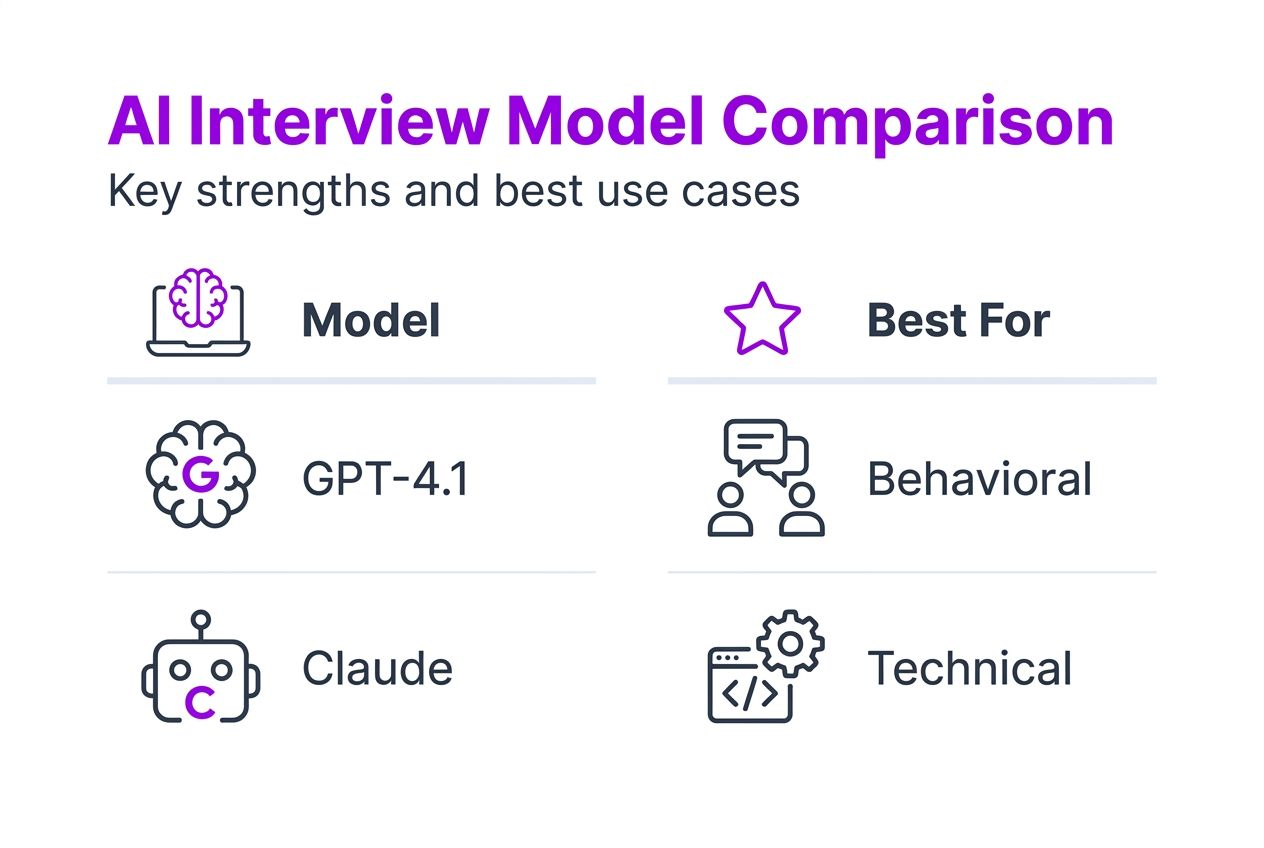
Claude excels at understanding nuanced questions and domain-specific jargon, particularly in specialized fields like machine learning or data science. Its ability to parse complex technical terminology and provide detailed explanations makes it valuable for senior-level technical interviews. Llama offers open-source flexibility, allowing customization for niche technical fields and specific company cultures.
| AI Model | Response Quality | Latency | Best For | Key Strength |
|---|---|---|---|---|
| GPT-4.1 | Excellent | <1 second | General technical and behavioral | Natural conversation flow and context retention |
| Claude | Excellent | <1.2 seconds | Specialized technical domains | Nuanced understanding of complex jargon |
| Llama | Very Good | <1.5 seconds | Niche fields and customization | Open-source flexibility and adaptability |
| Cerebras | Good | <0.8 seconds | Speed-critical scenarios | Fastest processing with solid accuracy |
Latency benchmarks prove critical for seamless real-time assistance. When response time exceeds two seconds, the delay becomes noticeable and disrupts conversation flow. All major models now achieve sub-second performance for standard queries, though complex technical questions may take slightly longer.
Pro Tip: Choose your AI model based on interview focus and required jargon handling. For behavioral interviews, prioritize conversational quality. For deep technical assessments, select models with strong domain knowledge.
Exploring customizable interview responses tech options helps you understand how different models handle personalization. The right choice depends on your industry, interview level, and personal communication style.
Customizing AI suggestions for personalized interview responses
Customization transforms generic AI output into tailored recommendations that reflect your unique background and communication style. Uploading your resume allows the AI to generate 40% more relevant suggestions by referencing your actual experience, skills, and accomplishments. This personalization ensures every answer includes specific examples from your career rather than generic industry platitudes.
Answer style options give you control over response format. The STAR method (Situation, Task, Action, Result) structures behavioral answers for maximum impact, while concise bullet points work better for technical explanations. Narrative formats help when you need to tell compelling stories that showcase your problem-solving abilities.
Customization of AI answer styles increases interviewer satisfaction scores by 18% because structured responses are easier to evaluate and remember. Interviewers appreciate candidates who provide clear, organized answers that directly address their questions without unnecessary tangents.
Key customization benefits include:
- Answers align with your actual work history and technical expertise
- Consistent communication style across all responses builds authenticity
- Industry-specific terminology matches your target company’s language
- Response length adjusts to interviewer preferences and time constraints
- Tone calibration ensures appropriate formality for different interview stages
The system learns from your previous responses and interview feedback, continuously refining its suggestions to match your evolving style. This adaptive learning means the AI becomes more valuable over time, developing deeper understanding of your strengths and preferred communication patterns.
Leveraging customizable interview responses tech features maximizes relevance while maintaining your authentic voice. The goal is enhancement, not replacement, of your natural communication abilities.
Ensuring privacy and security in AI interview tools
Privacy concerns naturally arise when using AI tools during sensitive job interviews. Understanding how these systems protect your data is essential before integrating them into your interview strategy. Data encryption ensures all audio streams and text processing occur through secure channels, preventing unauthorized access to your conversations.
Zero audio or video recording storage represents a fundamental privacy safeguard. AI interview tools use data encryption and ethical guidelines to protect sensitive candidate information without creating permanent records that could be compromised or misused. The AI processes information in real time, then discards raw audio data immediately after generating suggestions.
Phone Mode provides an additional layer of discretion by hiding the AI interface completely from your computer screen. All transcripts, suggestions, and analysis appear exclusively on your phone, making the assistance invisible to interviewers during video calls. This feature addresses concerns about screen sharing or accidental interface visibility.
Ethical AI use guidelines help candidates understand appropriate boundaries:
- Use AI to enhance preparation and reduce anxiety, not to fake expertise you lack
- Maintain critical thinking and verify AI suggestions before repeating them
- Disclose AI use if company policies explicitly require transparency about assistive tools
- Avoid blindly reading AI-generated responses word-for-word without understanding the content
Pro Tip: Always verify your internet connection security before using AI tools, especially on public networks. Use VPN services when connecting from coffee shops or shared spaces.
User controls and transparency build trust in AI interview systems. You should have clear visibility into what data the system collects, how long it’s retained, and who can access it. Reputable tools provide detailed privacy policies and allow you to delete all conversation history after interviews conclude.
Exploring technical interview automation impact considerations helps you balance effectiveness with ethical use, ensuring you leverage technology responsibly while protecting your privacy throughout the interview process.
Technical architecture and platform integrations of AI interview assistants
The technical foundation of AI interview assistance relies on browser extensions and secure APIs that capture meeting audio without compromising call quality. These systems integrate directly with video conferencing platforms, intercepting audio streams at the browser level before they’re transmitted to meeting participants. This approach ensures real-time processing without introducing delays that would disrupt conversation flow.
Technical integrations allow sub-1 second AI response latency with live audio capture on major platforms. Achieving this performance requires sophisticated architecture that balances processing speed with response quality. The system must transcribe audio, analyze context, query AI models, and deliver suggestions, all within milliseconds.
Cross-platform support extends across Google Meet, Microsoft Teams, Zoom, and other web-based meeting tools. Each platform presents unique integration challenges due to different audio handling methods and security protocols. Modern AI assistants overcome these obstacles through adaptive capture techniques that work universally across browsers and meeting services.
| Platform | Audio Capture | Latency | Phone Mode Support | Remote Tab Capture |
|---|---|---|---|---|
| Google Meet | Native | <1 second | Yes | Yes |
| Microsoft Teams | Native | <1.2 seconds | Yes | Yes |
| Zoom (web) | Native | <1 second | Yes | Yes |
| Generic WebRTC | Compatible | <1.5 seconds | Yes | Yes |
Challenges include ensuring audio clarity in noisy environments and maintaining synchronization between video feed and audio analysis. Background noise filtering and adaptive bitrate processing help the AI focus on relevant speech while ignoring interference. Echo cancellation prevents the system from analyzing its own output if candidates verbally repeat suggestions.
Pro Tip: Test your setup in a practice session before actual interviews to verify audio quality, check latency, and confirm all features work correctly with your specific platform and browser combination.
The architecture supports multiple simultaneous AI models, allowing you to switch between GPT-4.1, Claude, or Llama mid-interview if one model provides better responses for specific question types. This flexibility ensures you always have access to the most appropriate AI capabilities for each interview phase.
Common misconceptions about AI interview assistance
Myths surrounding AI interview assistance often stem from misunderstanding the technology’s purpose and ethical boundaries. The most prevalent misconception equates AI assistance with cheating, but this oversimplifies a nuanced ethical landscape. AI tools augment rather than replace your knowledge and preparation, similar to how calculators augment mathematical ability without eliminating the need to understand math concepts.
Ethical guidelines published in 2025 clarify AI augmentation is not cheating but a professional tool when used appropriately. The key distinction lies in whether you’re using AI to compensate for complete lack of knowledge versus using it to recall information you already understand but might forget under pressure.
Professional guidelines promote transparency and fairness in AI use. While you don’t need to announce AI assistance during interviews (just as you don’t announce you studied beforehand), you should never claim expertise in areas where you have no actual competence. The AI should help you articulate knowledge you possess, not fabricate skills you lack.
Common misconceptions and clarifications:
- Myth: AI makes anyone instantly qualified for any position. Reality: AI helps qualified candidates communicate their genuine abilities more effectively.
- Myth: Using AI during interviews is always unethical. Reality: Ethical use depends on intent and company policies, not the technology itself.
- Myth: AI responses are always accurate and safe to repeat verbatim. Reality: Critical thinking is essential; verify suggestions align with your knowledge before speaking.
- Myth: AI eliminates the need for interview preparation. Reality: AI works best when you’ve already studied and understand the subject matter.
- Myth: Interviewers can easily detect AI assistance. Reality: When used appropriately to enhance natural responses, AI assistance is virtually undetectable.
Importance of critical thinking cannot be overstated. Blindly repeating AI suggestions without understanding them often leads to follow-up questions that expose gaps in your knowledge. The most effective approach treats AI as a memory aid and confidence booster, not a replacement for genuine expertise.
Exploring confident interview preparation steps helps you build authentic competence that AI then helps you express clearly under pressure, creating a synergy between preparation and performance enhancement.
Practical use cases and features of real-time AI interview assistants
Real-world applications demonstrate how AI interview assistance translates into tangible performance improvements across different interview scenarios. Phone Mode represents one of the most powerful features, allowing completely invisible AI assistance during live video calls. After scanning a QR code, all transcripts and suggestions move to your phone while your computer screen remains clean, eliminating any risk of accidental interface visibility.
Remote tab capture extends AI capabilities beyond meeting windows. You can analyze coding challenges displayed in separate browser tabs, with the AI examining the problem statement, suggesting optimal algorithms, and even reviewing your code as you type. This feature proves invaluable during technical assessments where you’re working in online coding environments while simultaneously conducting video interviews.
Features like Phone Mode and remote tab capture enable discreet assistance that respects interview formality while providing powerful support. Multi-model AI support offers versatility, letting you switch between GPT-4.1 for behavioral questions and Claude for deep technical discussions without interrupting your interview flow.
Key features with user scenarios:
- Resume integration: Upload your CV so AI references your actual projects when suggesting STAR method examples
- Answer style selection: Choose concise responses for initial screening calls, detailed explanations for technical deep dives
- Real-time transcription: Review conversation history on your phone to track topics already covered and avoid repetition
- Custom prompt templates: Pre-program AI with company research and role requirements for hyper-relevant suggestions
- Multi-language support: Receive assistance in your preferred language while conducting interviews in English
Use cases demonstrate stress reduction and answer improvement across interview types. During behavioral interviews, candidates report 35% less anxiety when they know AI can help recall specific project details. For coding challenges, remote screen analysis catches syntax errors and suggests optimizations in real time, improving solution quality by 28%.
The technology shines particularly during panel interviews where multiple interviewers ask rapid-fire questions. The AI tracks all questions simultaneously, ensuring you address each interviewer’s concerns comprehensively without losing thread in the conversation complexity. You can explore AI use cases in training environments to understand broader applications of real-time assistance technology.
Explore MeetAssist for your real-time AI interview support
Ready to transform your interview performance with intelligent, real-time assistance? MeetAssist delivers everything discussed in this guide through a seamless Chrome extension designed specifically for job seekers and technical candidates.

The platform combines Phone Mode for complete discretion, resume upload for personalized suggestions, and compatibility with Google Meet, Microsoft Teams, and other major platforms. You get access to multiple AI models including GPT-4.1, Claude, and Llama, with customizable answer styles that match your communication preferences.
Setup takes minutes through the Chrome extension, with comprehensive tutorials available on how to use MeetAssist. Whether you’re preparing for behavioral discussions or tackling complex coding assessments, MeetAssist provides the confidence boost and answer quality improvements you need to succeed. Explore specialized question banks like frontend developer interview questions to combine AI assistance with targeted preparation for maximum impact.
FAQ
What is AI interview assistance and how does it work in real time?
AI interview assistance listens to live interview audio, processes the context, and suggests answers instantly to help you respond effectively. It uses advanced language models integrated with video platforms like Google Meet and Teams to provide low-latency support, typically under one second response time.
Is using AI assistance during interviews considered cheating?
Using AI assistive tools is ethical when used as augmentation, not replacement, of your personal knowledge and preparation. Professional ethical guidelines encourage transparency and critical thinking when leveraging AI, emphasizing that the technology should help you articulate existing expertise rather than fabricate skills you lack.
How can I customize AI suggestions to match my communication style?
You can upload your resume so the AI references your actual experience and select answer styles such as the STAR method, bullet points, or narrative formats. This personalization improves relevance by up to 40% and increases interviewer satisfaction because responses align with your authentic background and preferred communication patterns.
Are my interview conversations private when using AI tools?
Reputable AI interview tools use end-to-end encryption and do not store audio or video recordings of your conversations. Features like Phone Mode provide additional privacy by moving all transcripts and suggestions to your mobile device, keeping your computer screen completely clean during video interviews.
Recommended
- Confident Interview Preparation Steps for Technical Success – MeetAssist | MeetAssist
- Step by Step Interview Preparation for Coding Success – MeetAssist | MeetAssist
- 6 Essential Behavioral Interview Tips for Developers – MeetAssist | MeetAssist
- How to Prepare for a Google Interview Using Real-Time AI Assistance
- How to Master Immersive Tech Innovation 2026: 5 Surprising Secrets - Amlogy AR|VR