
AI Interview
Assistant
Get real-time AI suggestions during interviews — based on what you're asked and tailored to your resume.



AI Models
GPT-4.1, Claude, Llama, Cerebras & more
Auto Detection
Questions detected in real time
Phone Mode
View suggestions on your phone
Custom Prompts
Tailor responses to your style
41 Languages
Interview in your language
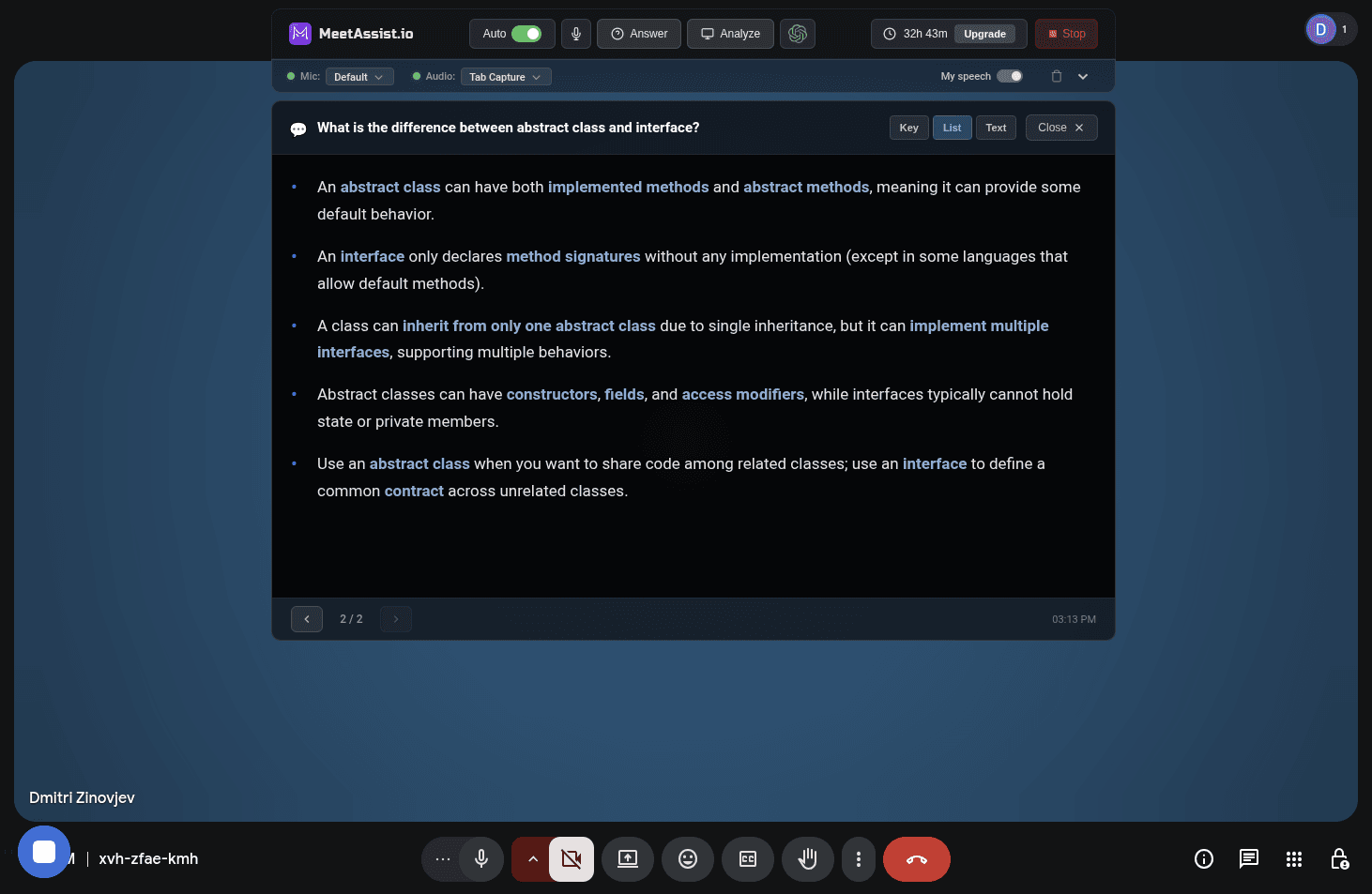
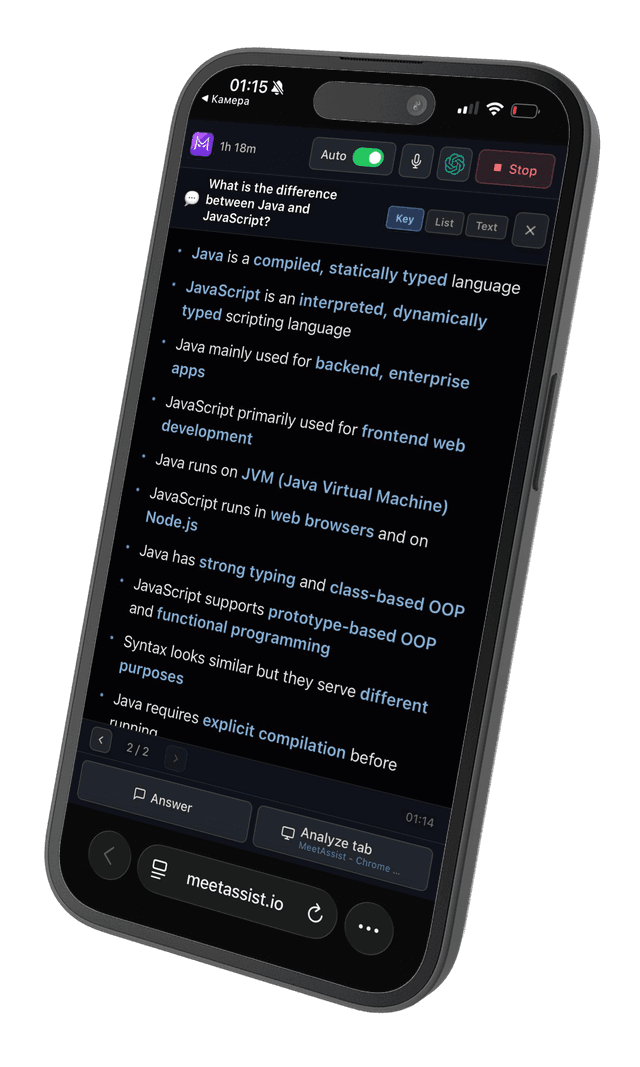
Phone Mode
View transcripts and AI suggestions on your phone. Keep your meeting screen clean and distraction-free.
Read more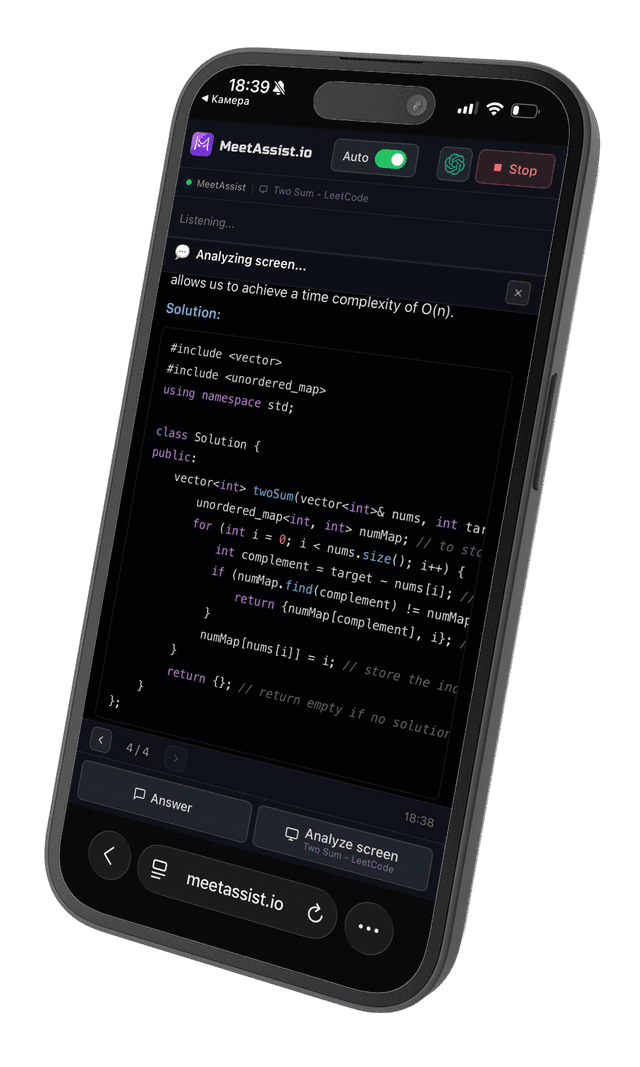
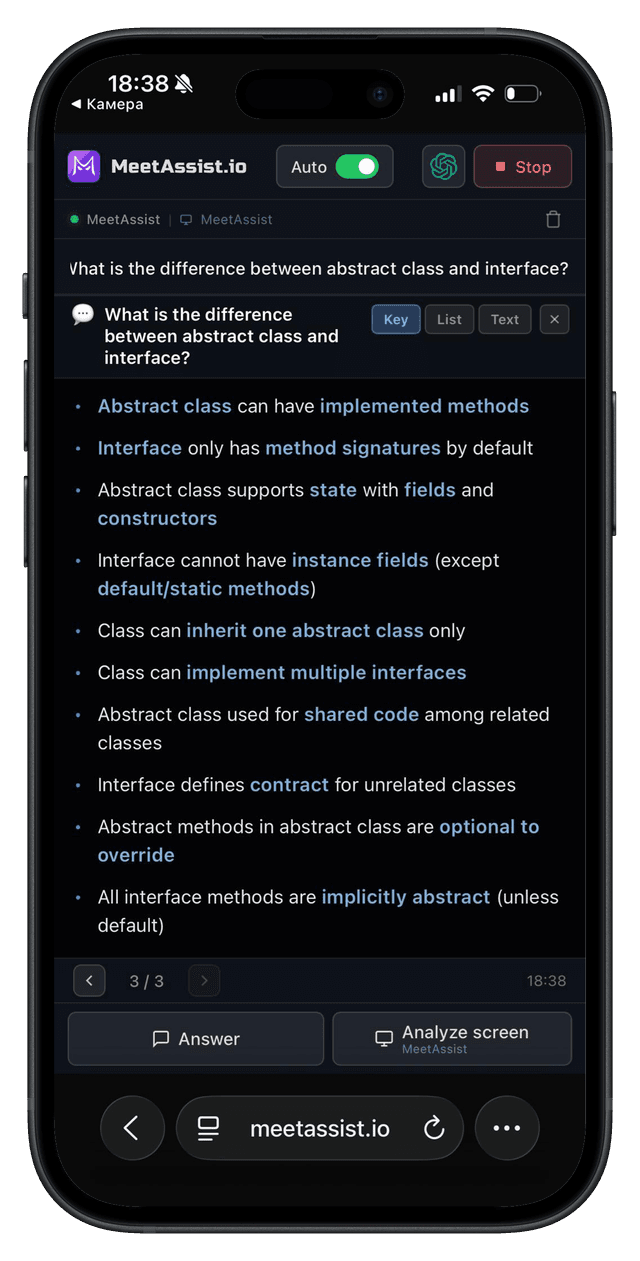

Clean Meeting Screen
Extension stays off your meeting screen after scanning. Keep your interface clean and focused.
Live Transcript Sync
Real-time transcripts and AI suggestions stream directly to your phone as the interview happens.
Analyze Any Tab
Capture and analyze any active Chrome tab — LeetCode, HackerRank, or any coding challenge — right from your phone.
How It Works
Set up in under a minute
Install the Extension
Add MeetAssist to Chrome from the Web Store. One click — no account needed.
 Add to Chrome
Join Any Web Meeting
Open Google Meet, Zoom, Microsoft Teams, or any other meeting platform in Chrome.
Click Start
Open the MeetAssist extension and hit Start. AI listens to questions and suggests answers in real time.
Step-by-step guides
How to Use AI Interview Assistant in Google Meet
Step-by-step guide with screenshots
How to Use MeetAssist Phone Mode
Sync to your phone, keep your screen clean
How to Use AI Interview Assistant in Zoom
Coming soon
How to Use AI Interview Assistant in Microsoft Teams
Coming soon
Core features
Real-time AI suggestions for interviews and meetings
AI Suggestions
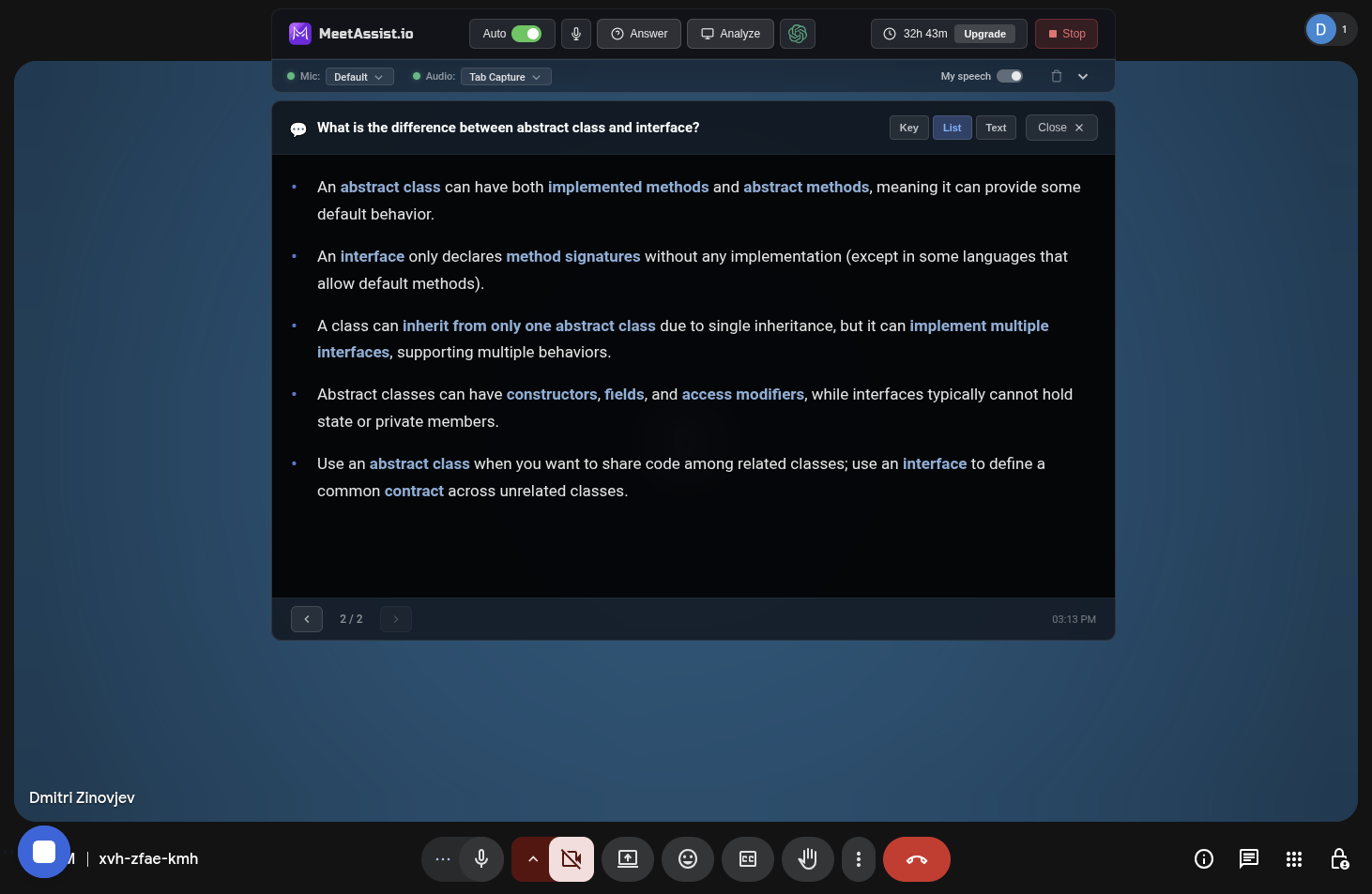
Real-time AI suggestions
AI listens to interview questions and generates contextual suggestions in real time — for both behavioral and technical rounds.
Phone Mode
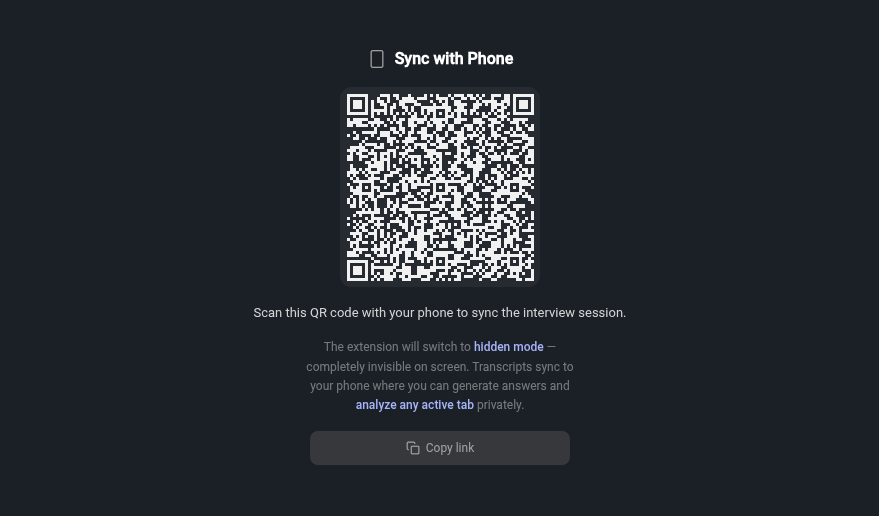
Sync with phone
Scan a QR code to connect your phone. View transcripts and AI suggestions directly on your phone — keep your meeting screen clean and distraction-free.
Technical Interviews
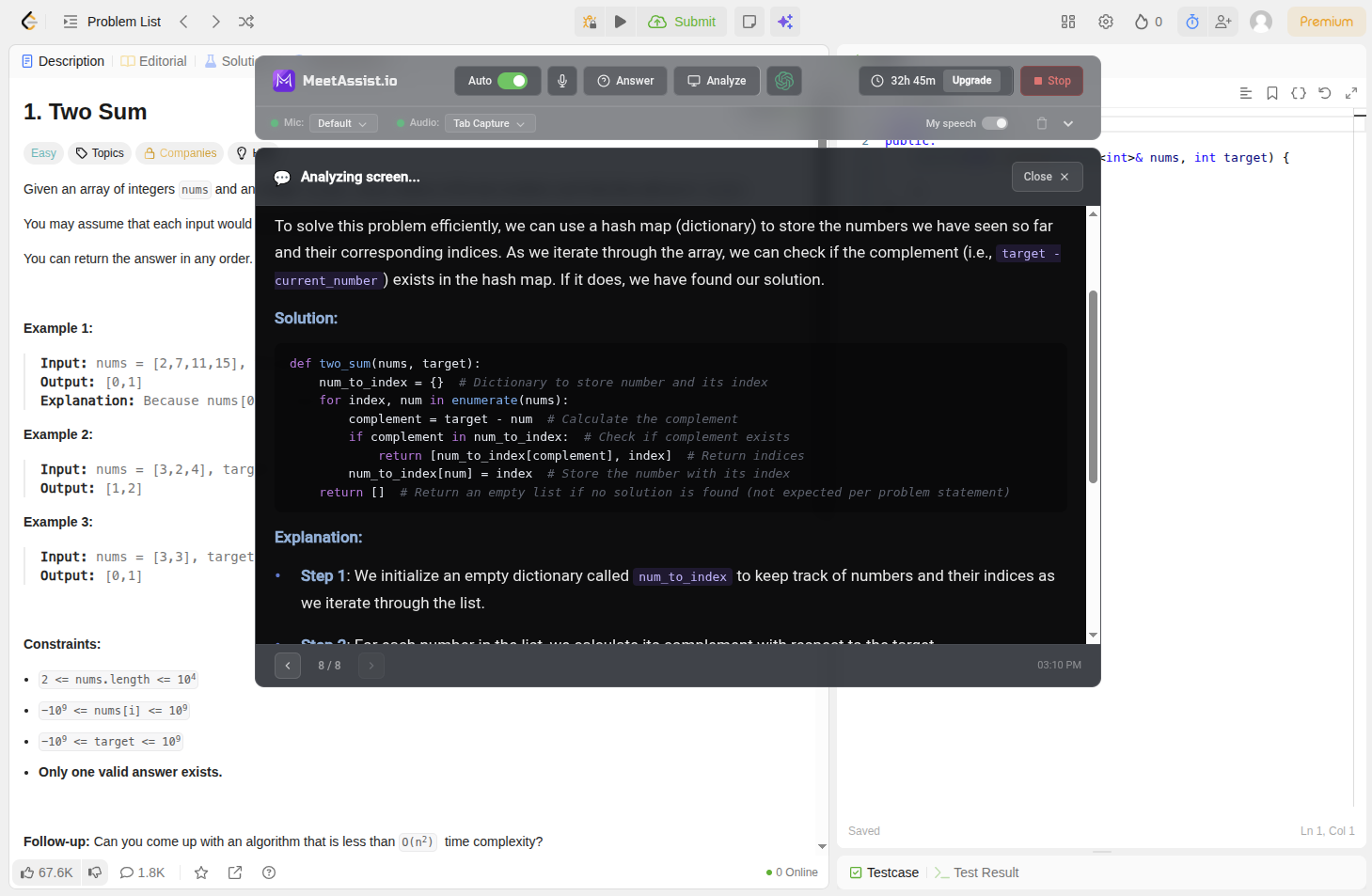
Coding challenges
AI hears the coding problem and generates step-by-step suggestions with explanations and time/space complexity analysis.
Analyze Any Tab
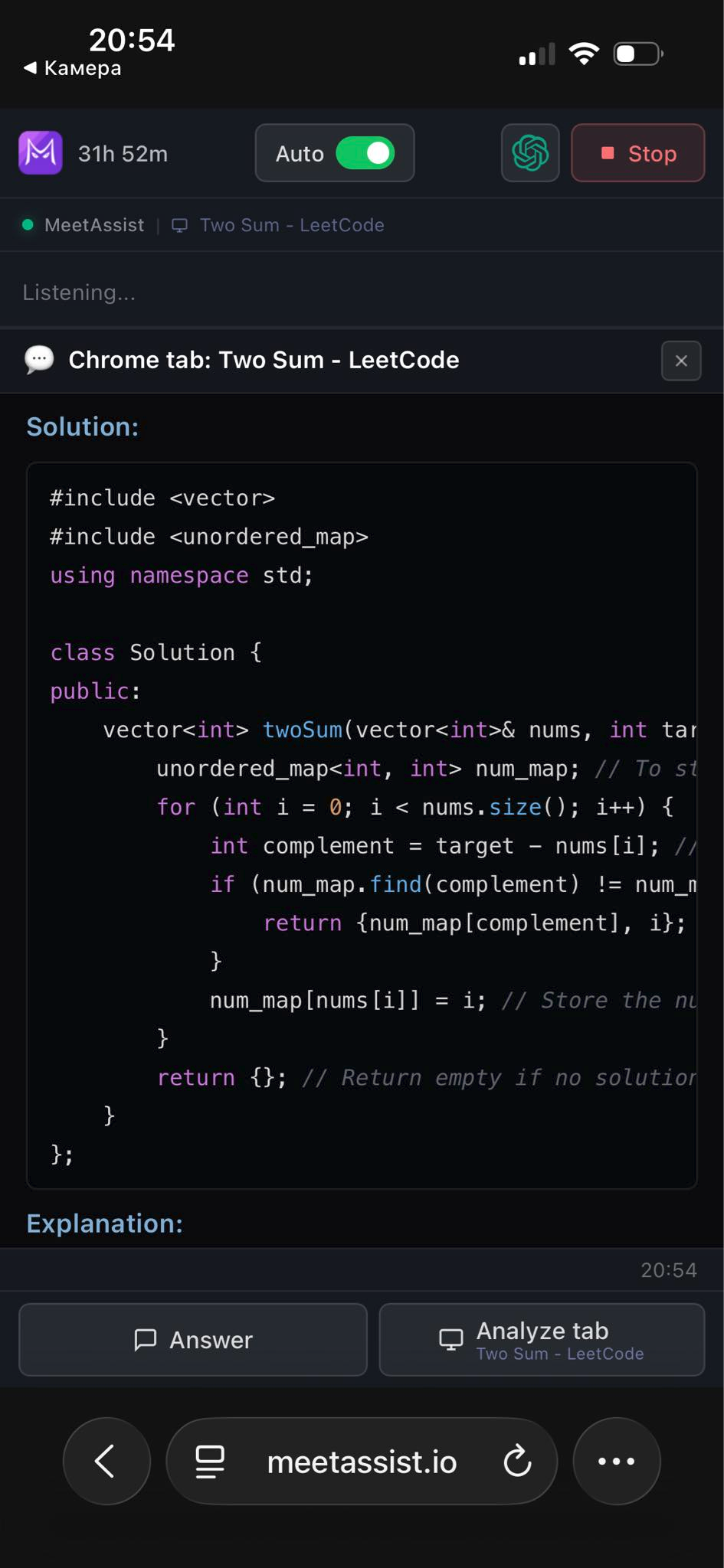
Analyze any tab
Capture content from any Chrome tab — LeetCode, HackerRank, or any coding platform — and get AI-powered suggestions directly on your phone.
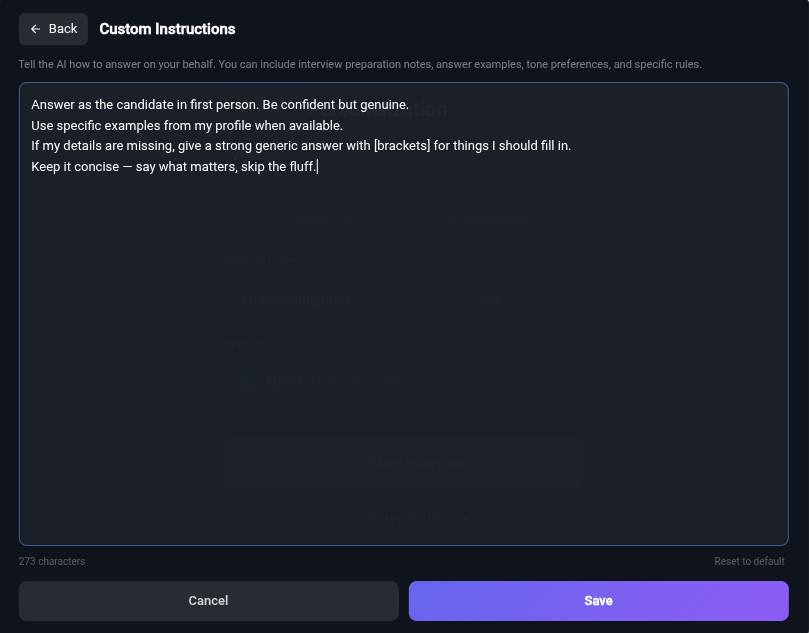
Custom Instructions
Use your own prompt
Add your own instructions to tailor AI suggestions. Upload your resume for personalized, experience-based responses that match your background.
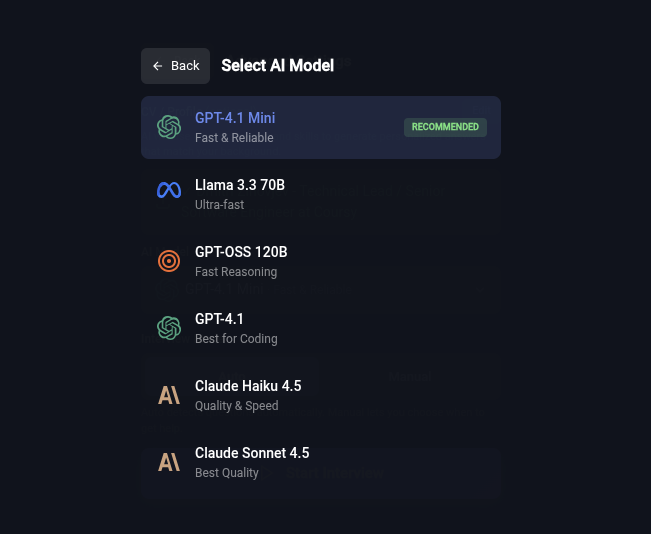
AI Models
Multiple AI models
Choose from GPT-4.1, Claude, Llama, Cerebras, and more. Pick the model that works best for your specific interview type.
Suggestion formats that fit how you think
Not everyone processes information the same way. Choose the suggestion format that helps you absorb and deliver responses naturally.
Keywords
Quick bullet points to glance at
With Details
Context and explanations included
Full Sentences
Natural text you can read word-for-word
Why Choose MeetAssist?
Built for people who take interviews seriously
Your screen.
Completely clean.
AI suggestions go to your phone — nothing appears on your meeting screen. No overlays, no pop-ups, no distractions.
One extension.
Every platform.
Works with any web-based video meeting — no platform lock-in.
Audio never stored.
Ever.
See It In Action
Simple, Transparent Pricing
One-time payments only — no subscriptions, no hidden fees
Full access included. Just choose how much time you need.
Free Trial
No card required
- 20 minutes real interview assistant
- AI bot practice interviews
- Screen analysis for coding challenges
- Full functionality
- No subscription
Pro Pass
One-time payment
- 180 minutes real interview assistant
- AI bot practice interviews
- Screen analysis for coding challenges
- Full functionality
- No subscription
Unlimited Month
One month · one-time payment
- Unlimited minutes for 30 days
- Screen analysis for coding challenges
- All premium features
- No subscription, no auto-renewal
- Perfect for job searching
Trusted by thousands of developers worldwide
Frequently Asked Questions
Everything you need to know about MeetAssist
Can the interviewer tell I'm using MeetAssist?
No. MeetAssist runs entirely in your browser and does not join the meeting or notify anyone. Your interviewer won't see or detect it.
Can I turn it off during the interview?
Yes. You can toggle MeetAssist on or off at any time by pressing the "H" key on your keyboard.
Does it answer all questions for me?
Not all questions. MeetAssist automatically detects technical and behavioral questions and provides helpful hints or full answer suggestions when appropriate.
What video platforms are supported?
MeetAssist supports Google Meet and Microsoft Teams. Support for Zoom is coming in December 2025.
Does MeetAssist work in other languages?
Yes. You can switch the transcription and AI response language at any time. By default, it matches your app language, and AI answers will respond in the selected language.
Do you record audio or video?
No. We don't record or store audio/video. MeetAssist works by capturing real-time captions directly from Google Meet through your browser.