
TL;DR:
- AI-assisted interview tools provide real-time support, practice, and behavioral coaching to enhance performance.
- Proper setup and regular practice with AI tools improve technical accuracy, communication, and interview confidence.
- Overusing AI without genuine understanding can reduce authenticity, so balance technology with real skill development.
Boost your interview performance with AI-assisted techniques
Remote technical interviews are ruthless. You have one shot to prove your skills, stay calm under pressure, and communicate clearly — all while staring at a screen. A single nervous stumble on a system design question or a behavioral prompt can cost you the offer. The good news is that a quiet revolution is happening among top candidates: AI-assisted interview tools are reshaping how people prepare and perform. This guide walks you through exactly how to choose, set up, and use these tools at every stage — from first prep session to post-interview analysis — so you can compete at the highest level.
Table of Contents
- Understanding AI-assisted interview tools
- How to set up for success: Prepping with AI
- Real-time strategies during your interview
- Measuring outcomes and refining your technique
- Perspective: Are AI-assisted interviews the ultimate advantage or a risky shortcut?
- Take the next step with MeetAssist
- Frequently asked questions
Key Takeaways
| Point | Details |
|---|---|
| Choose AI tools wisely | Select platforms that fit your target roles, and double-check privacy and compatibility before interviews. |
| Practice, don’t just rely | Use AI for realistic practice but prioritize learning to solve problems without constant prompts. |
| Blend guidance with authenticity | AI can boost confidence, but genuine skills and human judgment are what win lasting success. |
| Refine with feedback | Regularly review AI-generated reports to identify gaps and continuously improve. |
Understanding AI-assisted interview tools
Before you dive into downloading every shiny new app, it helps to understand what AI-assisted interview tools actually do and why they matter for technical job seekers in 2026.
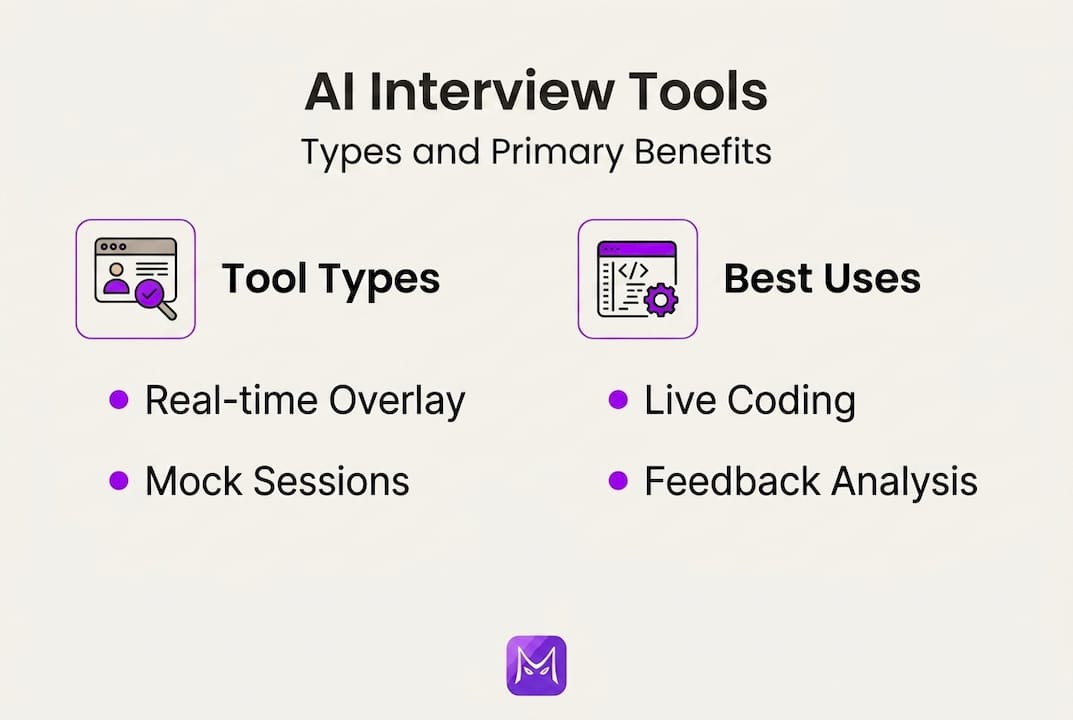
At their core, these tools use large language models to listen to your interview, analyze questions in real time, and surface relevant answer suggestions, code snippets, or behavioral frameworks directly on your screen. Think of them as a knowledgeable co-pilot sitting quietly beside you. You still drive; they just hand you the map.
Three main categories of tools exist:
- Real-time overlays: These run during the live interview, listening to audio and generating suggestions on a floating panel or a secondary device. They cover coding questions, system design scenarios, and behavioral prompts. As one independent review confirms, real-time coding assistance and system design guidance are now delivered during live sessions, with overlays designed to stay invisible during screen shares on Zoom and CoderPad.
- Preparation apps: Platforms that simulate interview environments, generate practice questions from your resume, and give you scored feedback on your answers before the real thing.
- Behavioral copilots: Tools focused on STAR method coaching, soft-skill prompting, and emotional tone feedback to sharpen how you tell your career story.
Core benefits candidates report:
- Reduced anxiety because you feel supported rather than alone
- Faster recall of technical concepts under pressure
- More structured behavioral answers without rambling
- Ability to practice at any hour without scheduling a human coach
Here is a quick comparison of popular tool types to help you pick the right fit:
| Tool type | Best for | Real-time support | Privacy risk |
|---|---|---|---|
| Real-time overlay | Live coding and system design | Yes | Medium |
| Prep simulator | Mock interviews, practice | No | Low |
| Behavioral copilot | STAR answers, soft skills | Sometimes | Low |
| Multi-model platform | All-round coverage | Yes | Low to medium |
For a broader look at how AI in job interviews is changing candidate strategy across industries, the landscape is evolving faster than most hiring managers realize.
Pro Tip: When evaluating any real-time overlay tool, test it specifically on your target interview platform (Zoom, Google Meet, CoderPad) before relying on it. Undetectability claims vary widely depending on screen share settings and browser permissions.
How to set up for success: Prepping with AI
Understanding the tools is step one. Actually building a structured prep routine with them is where candidates separate themselves from the crowd.
Here is a step-by-step setup process that works:
- Choose your platform based on interview type. If you are targeting FAANG-level engineering roles, prioritize tools with strong coding and system design modules. For product or business roles, lean toward behavioral copilots. If you need both, a multi-model platform like MeetAssist covers the full spectrum.
- Set up your workspace deliberately. Use a clean browser profile with only your interview tools installed. Test your microphone, camera, and internet speed. Close background apps that could trigger proctoring flags.
- Upload your resume and target job description. Many AI tools can personalize question sets based on your background. This makes practice sessions feel like the real interview rather than a generic quiz.
- Run at least three mock sessions before the actual interview. Treat each session as live. Time yourself. Record your answers if the tool allows feedback playback. Review what the AI flags as weak points.
- Integrate the tool with your meeting platform. Test the integration on a dummy call so you know exactly what appears on screen and what does not.
Here is a practical checklist for your prep setup:
| Requirement | Status to verify | Notes |
|---|---|---|
| Stable internet | 25 Mbps minimum | Use ethernet if possible |
| Browser permissions | Mic and tab access granted | Test in incognito too |
| Tool integration | Confirmed on target platform | Zoom, Meet, or Teams |
| Resume uploaded | Personalized Q&A active | Update for each role |
| Privacy settings reviewed | No audio recorded | Check vendor policy |
Anecdotal reports from candidates who landed FAANG offers consistently point to structured AI-assisted prep as a major factor. And while AI prep accelerates readiness with measurable confidence gains, employers are also adapting their assessments to filter out purely AI-coached answers.

This is why you should also explore using AI for interview success as a framework, not a crutch. Complement AI practice with reading actual engineering blogs, contributing to open-source projects, or doing whiteboard problems on paper. Pair those habits with AI interview prep tips that focus on building genuine depth, not just pattern-matching.
Pro Tip: After every AI mock session, spend 10 minutes answering the same question again without any AI support. This prevents you from memorizing AI-style phrasing that sounds robotic in real conversations and keeps your natural voice sharp.
Real-time strategies during your interview
Preparation sets the foundation, but what you do in the moment determines the outcome. Real-time AI assistance is powerful — and it comes with clear rules for using it responsibly and effectively.
Smart live tactics that work:
- Keep your AI overlay on a secondary device or phone rather than your main screen whenever possible. This keeps your eyes natural and focused toward your camera, not drifting to a side panel.
- Use AI suggestions as a prompt to trigger your own memory, not as a script to read verbatim. If the tool surfaces a system design pattern, say it in your own words immediately.
- When facing a coding challenge, let the AI flag relevant algorithms or edge cases, then walk through your reasoning out loud as if you thought of it independently. Interviewers care more about your process than your speed.
- Pause intentionally before answering complex questions. This looks like thoughtfulness to the interviewer and gives the AI a moment to process the question fully.
Here is where the risk picture becomes important. Real-time copilots like FinalRoundAI have earned strong user ratings (4.8 out of 5 in independent reviews), but the ethical concerns around copilots are real: employers have responded with more aggressive proctoring, follow-up technical screens, and skills-based assignments. Reported cheating in assessments has risen to 35%, and hiring teams are aware.
A word of caution: Using AI assistance to answer questions you genuinely cannot answer creates a mismatch between your interview performance and your on-the-job capability. The real cost is not getting caught — it is starting a job you are not ready for.
Common mistakes candidates make in live sessions:
- Reading AI suggestions too literally, producing unnatural, overly formal answers
- Relying on overlays for questions they already know well, slowing down response time
- Ignoring the emotional and relational cues from the interviewer while fixating on the AI panel
- Failing to test the tool on the exact platform before the interview, leading to setup panic
For real-time AI for interviews to actually help you, it has to blend into your performance naturally. You want the interviewer remembering your clarity and confidence, not wondering why your eyes keep darting to the right. A solid step-by-step interview preparation approach locks in the habits that make real-time AI feel like second nature rather than a distraction.
Measuring outcomes and refining your technique
Most candidates treat each interview as a discrete event. The ones who consistently land offers treat every interview as a data point in a continuous improvement loop.
AI tools give you more post-interview data than any previous generation of job seekers had access to. Here is how to use it:
After each interview or mock session:
- Review any transcripts or feedback reports your tool generates. Look for patterns: Are you consistently losing clarity on behavioral questions? Are your system design answers missing key components like scalability or failure modes?
- Score yourself on three axes: technical accuracy, communication fluency, and structure. Assign a 1 to 5 rating for each after every session.
- Compare your scores across sessions over two to three weeks. Improvement should be visible if you are practicing with intention.
- Note which question types triggered the most AI suggestions. Those are your genuine weak spots — prioritize them in your next prep cycle.
Here is a simple tracking table you can use:
| Interview round | Technical accuracy (1-5) | Communication (1-5) | Structure (1-5) | Key gap identified |
|---|---|---|---|---|
| Mock session 1 | 3 | 4 | 2 | STAR structure weak |
| Mock session 2 | 3 | 4 | 3 | Improved, need more examples |
| Live interview 1 | 4 | 3 | 4 | Rushed under pressure |
The evidence behind AI-assisted evaluation is compelling. AI-led assessment data shows candidates who passed an AI screening succeeded in human final interviews at a 54% rate, compared to 34% for resume-only candidates. The gap is significant. AI-driven prep and assessment create measurable lift, especially in competitive markets.
Refinement also means customizing your answer style over time. If you are interviewing at startups, practice concise, direct answers. For large enterprises, structured STAR responses tend to score better. Smart AI-driven assessments let you switch between styles easily, and pairing technical improvement with soft skills for tech interviews creates a well-rounded profile that interviewers remember.
The candidates who win are not the ones who practice the most hours. They are the ones who practice the right things, measure what changes, and adjust faster than everyone else.
Perspective: Are AI-assisted interviews the ultimate advantage or a risky shortcut?
Here is something most guides will not tell you: the candidates who use AI tools most aggressively are not always the ones who get the job — or keep it.
AI tools are genuinely powerful for preparation and real-time support. But they create a subtle trap. When every answer you practice is AI-shaped, you start to lose the rough edges that make you sound like a real human being. Interviewers are trained to notice when answers sound too polished, too structured, too identical to every other candidate they see.
The deeper truth is that AI excels at infinite practice but genuinely cannot replicate human judgment. It cannot tell you when to pivot your answer because the interviewer looks confused. It cannot read the room when a behavioral question is actually a culture-fit signal, not a competency test.
We believe the candidates who succeed long-term are the ones who use AI to amplify preparation and access — not to substitute for real understanding. Read through confident prep strategies that blend AI support with genuine skill-building, and you will see the pattern clearly.
The ultimate test is not passing the interview. It is thriving on the job on day 30, day 90, and year one.
Use every tool available. But build the real skill alongside it.
Take the next step with MeetAssist
If the strategies above resonate, MeetAssist is built to put them into practice without the setup friction. It provides real-time AI suggestions during live interviews on Google Meet, Zoom, and Microsoft Teams, with Phone Mode keeping everything off your screen entirely. Upload your resume, select your preferred AI model (GPT-4.1, Claude, Llama, or Cerebras), and get answers tailored to your actual background.

Explore top AI interview tools to see how MeetAssist compares, or jump straight into the MeetAssist tutorials to get up and running before your next interview. When you are ready to experience real-time AI assistance firsthand, the MeetAssist platform is one flat purchase away — no subscriptions, no recurring charges.
Frequently asked questions
Are AI interview assistants detectable by employers during remote interviews?
Some AI overlays claim to be invisible during screen shares on platforms like Zoom and CoderPad, but advanced proctoring systems can sometimes flag unusual activity patterns, so use any real-time tool carefully and test it on your target platform first.
Do AI-powered tools actually increase my chance of getting hired?
Yes — AI-supported candidates succeed in human final interviews at a 54% rate compared to 34% for candidates using only traditional resume-based prep, which is a meaningful advantage in competitive hiring pipelines.
Can relying on AI tools backfire in my interview performance?
Overreliance is a real risk because AI lacks human judgment and candidates who over-script their answers can sound unnatural; the best approach blends AI guidance with authentic communication and genuine problem-solving skills.
Are AI tools more useful for coding or behavioral interviews?
AI tools now support both formats well, but they deliver the sharpest edge in technical rounds where real-time coding assistance and system design guidance can surface relevant solutions and edge cases that candidates might miss under pressure.
Recommended
- Confident Interview Preparation Steps for Technical Success – MeetAssist | MeetAssist
- AI Interview Prep in 2026: Boost Confidence by 35% – MeetAssist | MeetAssist
- AI interview assistance: boost job success in 2026 – MeetAssist | MeetAssist
- How to improve interview performance in 2026: remote & AI | MeetAssist
Looking for help with your next interview? MeetAssist provides real-time AI assistance during your video interviews on Google Meet, Zoom, and Teams. Browse our interview preparation guides to get started.