
TL;DR:
- AI-assisted interviews often overestimate AI capabilities, which struggle with complex or ambiguous questions.
- Conversational AI uses context tracking and tool integration but faces limitations like hallucinations and semantic drift.
- Successful use requires critical review, preparation, and understanding AI’s strengths and weaknesses to enhance performance.
Most technical candidates walk into AI-assisted interviews with a fundamental misunderstanding: they assume the AI is close to human-level smart. The reality is more nuanced. AI coding benchmarks overstate real-world AI capabilities by 3 to 4 times in production tasks, meaning that what dazzles in a demo can stumble badly under the pressure of a live coding challenge or behavioral question. If you’re using conversational AI automation to prep for or assist in technical interviews, you need to know exactly what these tools can and cannot do. This guide cuts through the noise and gives you a clear, honest picture.
Table of Contents
- What is conversational AI automation?
- How does conversational AI automation work in interviews and meetings?
- Critical edge cases and real-world limitations
- Practical strategies for leveraging conversational AI in your career prep
- Why the AI interview assistant ‘magic’ is misunderstood and how to truly benefit
- Explore top interview AI tools for your next step
- Frequently asked questions
Key Takeaways
| Point | Details |
|---|---|
| Powerful, but imperfect | Conversational AI automation offers efficiency in interviews, but has critical gaps with edge cases and complex tasks. |
| Benchmark vs. reality gap | AI often performs much better in tests than in real-world interview scenarios requiring nuance. |
| Tool plus human | Combining AI with your own judgment and preparation delivers the strongest results. |
| Practice is essential | Understanding AI limitations through trial helps prevent surprises in high-stakes interviews. |
What is conversational AI automation?
Conversational AI automation is not just a smarter chatbot. It uses large language models (LLMs, which are AI systems trained on massive amounts of text to predict and generate language) paired with orchestration layers that coordinate tasks across multiple tools. The result is a system that can hold a back-and-forth dialogue, track the context of what was said earlier, and take actions like retrieving information or generating code, all in real time.
Here’s what sets it apart from older rule-based chatbots:
- Context tracking: It remembers what you said two minutes ago and adjusts its responses accordingly.
- Multi-turn interactions: It can handle a conversation that spans dozens of exchanges, not just one question and one answer.
- Tool integration: It can connect to external APIs, code editors, or databases to take actions beyond just talking.
- Personalization: With the right setup, it can tailor responses to your resume, role, or preferred communication style.
For job seekers, this translates into practical benefits. You can use AI for Microsoft Teams interviews to get live answer suggestions, or explore using AI in interviews to automate note-taking and feedback loops during practice sessions.
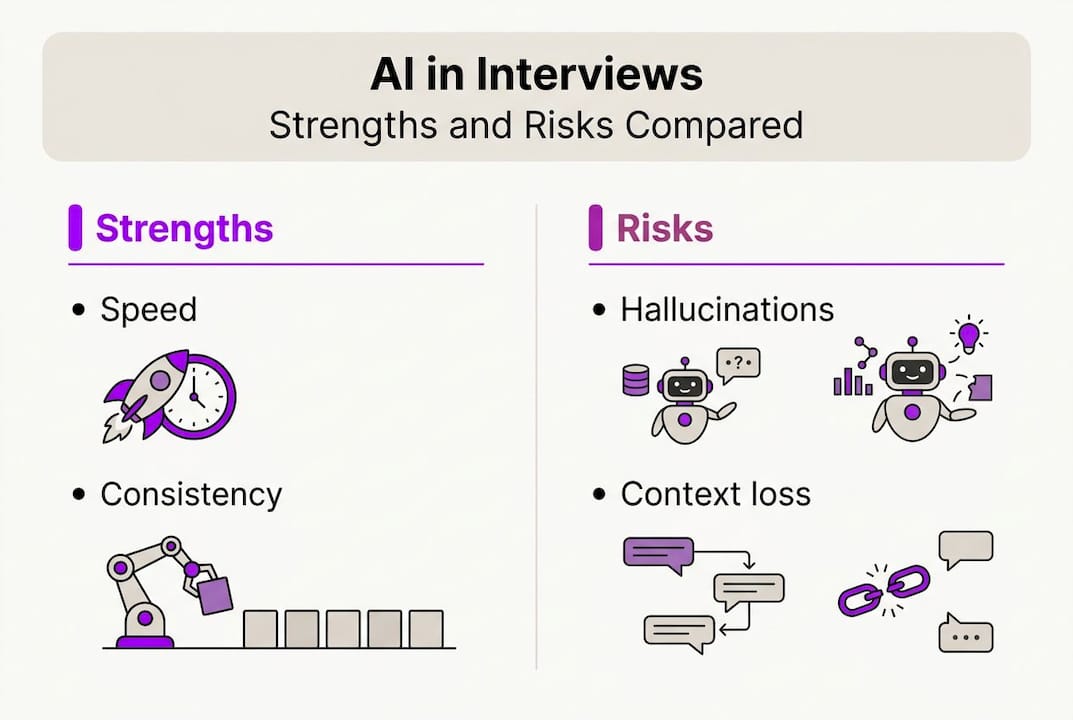
But there’s a catch. Even the best systems hit walls. Edge cases include context window limits, semantic drift in multi-turn dialogues, ambiguous inputs, hallucinations, and long-tail scenarios that the model was never trained to handle well. Context window limits mean the AI can only “remember” a fixed amount of conversation before older details drop off. Semantic drift happens when the dialogue slowly shifts meaning, and the AI starts responding to the wrong thing entirely.
Pro Tip: Before your interview, run at least 10 practice exchanges with your AI tool. Notice where it starts giving vague or off-topic answers. That’s your context window limit in action, and knowing it ahead of time saves you from trusting a bad response under pressure.
These limitations don’t make conversational AI automation useless. Far from it. They just mean you need to use it as an informed operator, not a passive passenger.
How does conversational AI automation work in interviews and meetings?
Understanding the mechanics helps you work with these tools instead of against them. Here’s a typical sequence during a live technical interview:
- Audio or text input is captured. The AI receives the interviewer’s spoken or typed question.
- Intent parsing. The LLM analyzes what the question is really asking, separating the topic from the phrasing.
- Context retrieval. The system checks earlier dialogue and any uploaded context (like your resume) to shape a relevant response.
- Response generation. The model crafts a suggestion, formatted to your preferred style, whether that’s concise, STAR method, or bullet points.
- Output delivery. You see the suggestion in real time, review it, and decide how to use it.
This all sounds seamless in a product demo. Real-world performance is a different story. Claude leads at 93.5% accuracy for retail agents on the tau2-bench benchmark, but actual production accuracy drops significantly when conversations get complex or ambiguous.
Here’s a quick comparison of what these tools handle well versus where they struggle:
| Task type | AI performance | Risk level |
|---|---|---|
| Standard behavioral questions | High | Low |
| Short coding problems | Moderate to high | Low to medium |
| Multi-step technical debugging | Moderate | Medium |
| Ambiguous or context-heavy questions | Low | High |
| Long multi-turn dialogues (20+ turns) | Low | High |
The real-time AI impact on interview outcomes is real, but it depends heavily on the type of question. For AI interview assistance to pay off, you need to match the tool’s strengths to the tasks where you actually need support.
Critical edge cases and real-world limitations
This is where things get honest. Most AI tools market themselves on benchmark results. Benchmarks, however, are controlled environments. Your interview is not.
The CONFETTI benchmark reveals that top models like Nova Pro (40%) and Claude (35%) show steep performance drops when dealing with more than 20 APIs or long dialogue contexts. PersonaLens data shows significant variability in how well these models personalize responses across different domains. That means an AI that aces a sales interview scenario might flounder during a systems design conversation.
“Production AI needs human-in-the-loop oversight, observability, and edge-case taxonomies far more than it needs raw model scale.” This finding from recent benchmark research reframes how you should think about AI interview tools entirely.
Here’s a direct comparison of benchmark reality versus real-world interview conditions:
| Factor | Benchmark environment | Real interview |
|---|---|---|
| Dialogue turns | Controlled, short | Unpredictable, long |
| Input clarity | Clean, structured | Ambiguous, conversational |
| API/tool chains | Single or few | Complex, chained |
| Personalization needs | Uniform | Domain-specific |
| Error tolerance | High | Very low |
For technical candidates, the most dangerous edge cases are hallucinations (where the AI confidently states something incorrect) and semantic drift in long conversations. Using customizable interview responses can reduce some risk by anchoring the AI’s output to your uploaded resume and role context. You should also learn to recognize the warning signs of a drifting response, such as generic phrasing, sudden topic shifts, or answers that don’t quite address the actual question.

The upshot: treat every AI output as a draft, not a final answer. AI answer suggestions work best when you verify before you speak.
Practical strategies for leveraging conversational AI in your career prep
Knowing the limitations actually makes you more effective, not less. Here’s how to use these tools strategically.
- Run dry runs before any live interview. Simulate your interview scenario with the AI tool so you learn its quirks, response patterns, and context limits before the stakes are real.
- Use it for answer structure, not raw content. AI is excellent at formatting a response in STAR method or bullet points. The domain knowledge and specific examples need to come from you.
- Set a review habit. Every AI suggestion gets a two-second mental check before you use it. Does it address the question? Is it accurate? Is it specific enough?
- Prepare fallback responses. For ambiguous or niche technical questions, have three or four pre-practiced responses you can deploy if the AI gives you something unhelpful.
- Use note-taking and feedback loops. After each practice session, use automating interview feedback tools to spot where AI suggestions helped versus where they led you off track.
The broader lesson here is about calibration. Real-world AI utility depends on how thoughtfully you use the tool, not just how powerful it is. A candidate who uses AI suggestions as a springboard and injects their own knowledge will consistently outperform someone who reads AI output verbatim.
Pro Tip: Before a technical interview, upload your resume and a detailed job description into your AI tool. This anchors the model’s context and dramatically reduces generic, off-target responses during practice.
Pairing confident interview preparation with AI automation and studying AI in remote meetings best practices gives you a layered advantage that no single tool provides on its own.
Why the AI AI interview assistant ‘magic’ is misunderstood and how to truly benefit
Here’s a perspective you won’t find in most product marketing: the candidates who get the most out of AI interview tools are the ones who trust them the least blindly. That sounds contradictory, but it makes complete sense once you’ve watched the technology fail in real time.
Marketing copy promises a seamless, intelligent AI copilot. What you actually get is a powerful but brittle system that excels in predictable, well-structured scenarios and struggles the moment the conversation goes sideways. Savvy candidates learn to spot hallucinations, watch for response drift, and keep their own thinking active throughout.
The real productivity boost comes from pairing automation with your domain expertise, not replacing one with the other. The most successful job seekers we hear from treat AI like a force multiplier for interviews: they experiment rigorously, set up their own edge-case checks, and approach every AI output with the same critical eye they’d apply to a colleague’s suggestion. That mindset, more than any feature or benchmark, is what separates candidates who use AI well from those who get burned by it.
Explore top interview AI tools for your next step
If you’re ready to move from theory to action, the right tool can meaningfully change how you perform under pressure. MeetAssist is built specifically for this: it listens to your interview in real time, generates contextual AI suggestions, and in Phone Mode moves everything off your screen entirely so nothing is visible to the interviewer.

You can compare AI interview tools across features, privacy standards, and pricing to find the best fit for your technical and remote interview needs. The MeetAssist platform supports GPT-4.1, Claude, Llama, and Cerebras, with customizable answer styles and one-time pricing. No subscriptions, no recurring fees. Just the assistance you need, when you need it.
Frequently asked questions
What exactly is conversational AI automation in interviews?
Conversational AI automation uses language models to respond, suggest answers, or perform actions during interviews or meetings, providing context-aware help that adapts to the flow of conversation.
How accurate are AI assistants in real interview scenarios?
Benchmarks often show 80 to 90% accuracy in controlled tasks, but real-world accuracy drops below 25% in complex production or multi-turn scenarios, making human review essential.
What are common edge cases that trip up AI during interviews?
Typical failures include ambiguous language, long multi-turn dialogues, and context window overflow. Edge cases like semantic drift and personalization conflicts are especially common in domain-specific technical interviews.
Can conversational AI automation replace human judgment for job seekers?
No. AI tools are effective aides, but your critical thinking, domain knowledge, and self-review are what turn AI suggestions into strong, accurate interview answers.