
Tech interviews often throw curveballs, with questions shifting unexpectedly and coding challenges differing from one session to the next. Adapting your responses on the fly is what separates confident candidates from those struggling to connect. Customizable interview answers empower you to stay flexible, sound genuine, and align your skills with what matters most to each interviewer. Discover how mastering these adaptive frameworks can help you perform naturally and confidently in remote technical assessments worldwide.
Table of Contents
- What Are Customizable Interview Responses?
- Types and Styles of AI-Powered Answers
- How Real-Time Integration Works with MeetAssist
- Benefits and Privacy of Personalized Responses
- Common Mistakes When Customizing Interview Answers
Key Takeaways
| Point | Details |
|---|---|
| Customizable Responses Enhance Interview Performance | Adapt your prepared answers in real time to match the specific context and interviewer, ensuring you sound genuine rather than scripted. |
| Understand the Importance of Flexibility | Respond to unexpected questions by adjusting the depth and focus of your answers based on the interviewer’s signals. |
| Utilize AI-Powered Tools Wisely | Use tools like MeetAssist to get tailored response suggestions without compromising your privacy or authenticity during the interview. |
| Avoid Common Mistakes | Focus on genuine, flexible responses tailored to the job requirements, and steer clear of over-rehearsing that leads to robotic delivery. |
What Are Customizable Interview Responses?
Customizable interview responses are pre-prepared answers you adapt in real time to match the specific question, situation, and interviewer context. They’re not rigid scripts—they’re flexible frameworks built on your actual experience that you can adjust on the fly.
Think of them like a musician’s chord progressions. A jazz musician doesn’t memorize one version of every song. Instead, they learn the core structure and improvise around it based on the venue, the audience, and what other musicians are playing. Your interview responses work the same way.
Why This Matters for Tech Interviews
Tech interviews are unpredictable. Interviewers ask the same behavioral question in different ways. A coding challenge might have a twist you didn’t anticipate. Remote technical assessments often shift their focus mid-interview.
Customizable responses let you:
- Deliver consistent messages while sounding spontaneous and genuine
- Stay flexible when questions veer in unexpected directions
- Highlight relevant skills without sounding rehearsed
- Adapt your explanation depth based on interviewer signals
- Keep your core narrative intact while adjusting details
Your goal is to sound prepared, not scripted—like you’re genuinely thinking through their question in the moment.
How Customization Works
Standardized interview protocols balance structure with flexibility, allowing you to maintain consistency while adapting responses to specific situations. This means building answer frameworks that stay grounded in the same core story, but let you emphasize different angles depending on what matters to that particular interviewer.
For example, when describing a technical problem you solved, you might:
- Adjust technical depth based on the interviewer’s experience level
- Emphasize collaboration for a team-focused company, leadership for a startup
- Highlight different outcomes—speed improvements for performance-focused roles, code quality for engineering-excellence teams
- Change your examples entirely if the interviewer works in a completely different domain
But the underlying experience—what you actually did, the challenge you faced, how you solved it—stays the same.
Key Components of Customizable Responses
Every strong customizable response contains these elements:
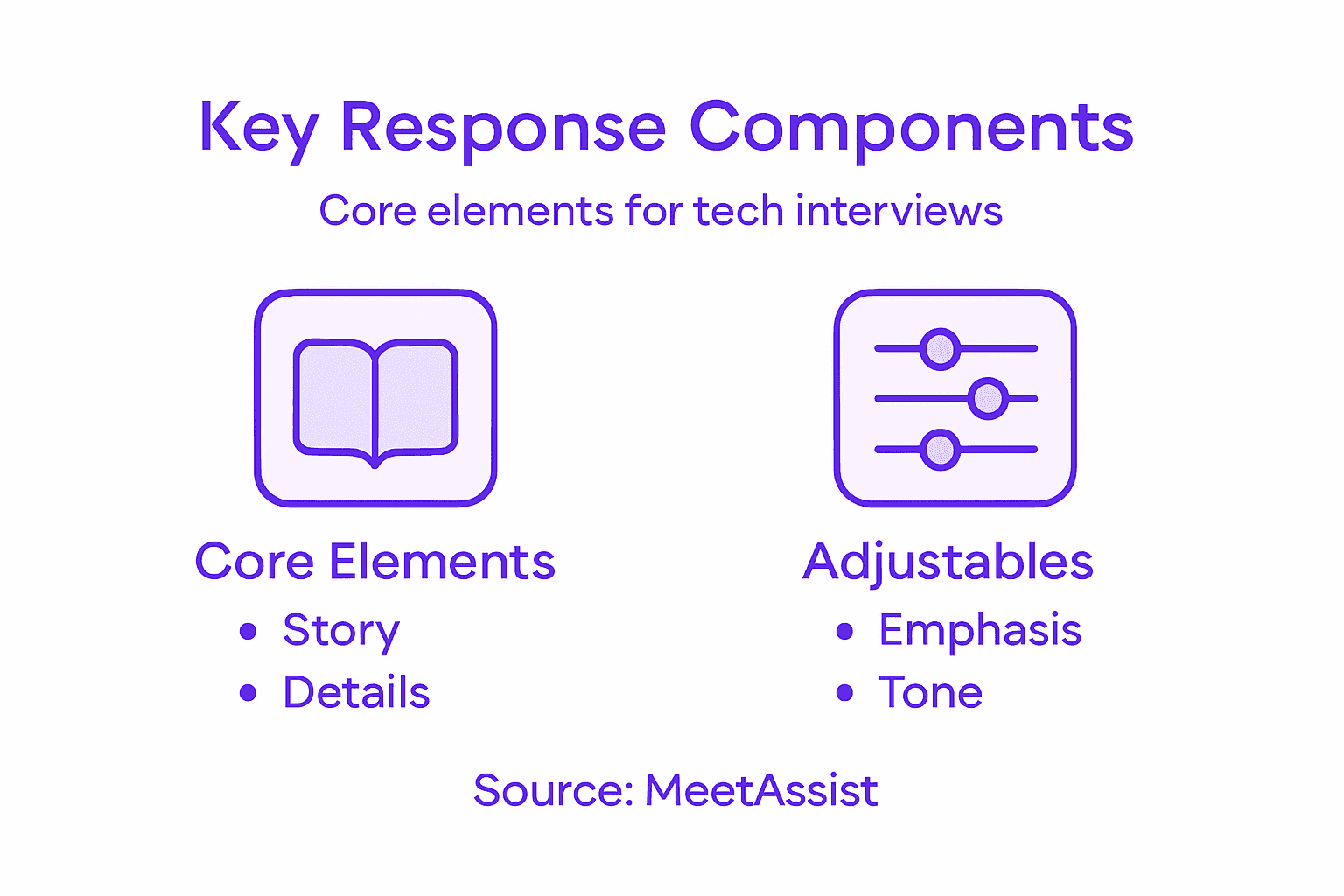
- Core narrative: The real experience or skill you’re highlighting (non-negotiable)
- Flexible details: Specific examples, metrics, or techniques you swap based on context
- Variable emphasis: Different angles you can stress depending on the question’s focus
- Scalable depth: Simple version for quick answers, detailed version for follow-ups
- Authentic voice: Phrasing that sounds like you, not like a memorized line
When you prepare responses this way, you can handle curveballs. If an interviewer asks something unexpected, you’re not frozen because you memorized one answer. You’re working from a framework you understand deeply.
Pro tip: Record yourself delivering the same core story three different ways—once emphasizing technical impact, once emphasizing teamwork, once emphasizing speed to market. This trains your brain to adapt naturally rather than forcing rigid answers.
Types and Styles of AI-Powered Answers
AI-powered answers come in different formats, each designed for specific interview contexts. The style you choose depends on the question type, the interviewer’s expectations, and how much time you have to respond.
Think of these styles as different communication modes. You wouldn’t answer a technical deep-dive question the same way you’d answer a quick behavioral question about a conflict. AI answer generators recognize this and let you choose the tone and structure that fits.
Five Core Answer Styles
Most AI systems offer these customizable formats:
- Concise: Short, punchy answers for rapid-fire questions or when time is tight. One or two sentences that hit the key point
- Detailed: Comprehensive responses with context, examples, and reasoning. Best for follow-up questions or when depth matters
- STAR method: Structured format using Situation, Task, Action, Result. Industry standard for behavioral interviews
- Bullet points: Scannable format with key takeaways listed separately. Works well when you need to cover multiple angles
- Conversational: Natural, spoken language that sounds like genuine thinking. Reduces the “rehearsed” feeling
AI answer customization adjusts tone, length, and industry-specific language to match your role level and the scenario. This means the same underlying answer adapts automatically based on whether you’re interviewing for a junior developer role or a staff engineer position.
Here’s how the five AI-powered answer styles differ for interviews:
| Answer Style | Best Used For | Tone | Typical Length |
|---|---|---|---|
| Concise | Rapid-fire or quick checks | Direct, focused | 1-2 sentences |
| Detailed | Deep technical explanations | Thorough, precise | Multiple paragraphs |
| STAR method | Behavioral stories | Structured, clear | 4 short segments |
| Bullet points | Covering multiple angles | Brief, organized | 3-6 bullets |
| Conversational | Culture-fit, informal settings | Natural, friendly | 2-5 sentences |
Matching Style to Question Type
Behavioral questions almost always benefit from the STAR method. Technical questions often need detailed explanations with code examples. Culture-fit questions work better in conversational style.
When an interviewer asks about a conflict you resolved, STAR gives you a clear structure:
- Describe the situation (context, who was involved)
- Explain your task (what you were responsible for)
- Detail your actions (what you specifically did)
- Share the result (what happened, what you learned)
For a question about your technical approach, detailed or bullet-point styles let you break down your thinking process without overwhelming them with information.
The right style isn’t about sounding impressive—it’s about making your answer easy to follow and remember.
Adapting for Experience Level
AI systems adjust answer depth based on your career stage. An intern’s answer about system design looks different from a senior engineer’s answer to the same question.

Junior-level responses emphasize learning and growth. Mid-level responses highlight problem-solving and collaboration. Senior-level responses stress impact, mentorship, and strategic thinking.
You provide your experience level once, and the AI tailors every response accordingly. No more second-guessing whether you sound overqualified or underqualified.
Here’s a summary of how AI interview response customization changes by experience level:
| Experience Level | Common Focus | Technical Depth | Leadership Emphasis |
|---|---|---|---|
| Junior | Learning & adaptation | Simple explanations | Minimal |
| Mid-level | Problem-solving skills | Detailed breakdowns | Occasional team examples |
| Senior | Strategy & mentoring | Advanced concepts | Strong focus, key results |
Pro tip: Test all five styles with one of your prepared stories before your interview, then commit to the two that feel most natural to you—usually STAR for behavioral questions and detailed for technical ones.
How Real-Time Integration Works with MeetAssist
MeetAssist operates as a Chrome extension that listens to your interview in real time and delivers AI-powered answer suggestions directly to your phone or a separate display. You never see the suggestions on your computer screen during the meeting, keeping your video feed clean and professional.
Here’s what happens behind the scenes: the extension captures what the interviewer says, analyzes the question, and generates a tailored response in seconds. All of this happens while you’re speaking, giving you confidence in real time.
The Three-Step Process
MeetAssist follows a simple workflow that keeps everything invisible during your interview:
- Audio transcription: The extension captures live audio during interviews and converts speech to text instantly
- Question analysis: AI extracts what the interviewer actually asked, not just the raw words
- Response generation: Personalized answers appear on your phone within seconds, customized to your background
You read the suggestion on your phone while maintaining eye contact with the interviewer. They see someone confident and thoughtful. They don’t see the technology working behind the scenes.
Phone Mode: Complete Invisibility
MeetAssist’s Phone Mode removes the extension from your computer entirely. After scanning a QR code, all transcripts, suggestions, and analysis move to your phone. Nothing remains visible on your computer screen.
This matters because:
- No accidental overlays or notifications visible on camera
- Your computer screen stays completely clean during recordings
- You control what information appears and when
- Remote interviewers see zero signs of AI assistance
The technology works best when it’s completely invisible to everyone but you.
How Customization Happens in Real Time
Real-time transcription and language models extract contextual information from your uploaded resume and generate responses tailored to your specific experience level. If you’ve uploaded your resume, MeetAssist references it automatically.
You’ve already told the system:
- Your desired answer style (STAR, bullet points, conversational, etc.)
- Your experience level (junior, mid, senior)
- Your target role and industry
- Any specific skills you want highlighted
When a question comes in, AI applies all these preferences instantly. A behavioral question about conflict gets delivered in STAR format. A technical question adjusts its depth based on your seniority.
Multi-Platform Support
MeetAssist works across Google Meet, Microsoft Teams, Zoom, and other web-based meeting platforms. You integrate it once, and it functions consistently wherever your interview happens.
The same real-time transcription and AI analysis works across all platforms. You don’t need different tools for different interview types.
Pro tip: Enable Phone Mode for any interview that’s being recorded or where video is prominent—the complete invisibility removes any anxiety about detection and lets you focus purely on your answers.
Benefits and Privacy of Personalized Responses
Personalized responses deliver real advantages: better answers, faster thinking, and genuine confidence during interviews. But these benefits only work when your data stays secure and under your control.
MeetAssist separates the two concerns. You get the power of AI personalization without handing over your interview transcripts, resume, or responses to third-party servers.
Why Personalization Matters for Your Performance
Personalized AI responses enhance engagement and relevance by adapting answers directly to your background, experience level, and target role. Instead of generic suggestions, you receive answers shaped by your actual career history.
This translates to concrete benefits:
- Faster answers: AI doesn’t suggest irrelevant approaches because it knows your skill set
- Better fit: Suggestions align with your target company’s values and role requirements
- Confidence boost: You’re not improvising—you’re delivering prepared, personalized thoughts
- Consistency: Core messages stay the same while details adapt to each question
- Learning: You internalize why these answers work for your specific situation
A mid-level backend engineer gets different technical depth suggestions than a junior developer answering the same question. A startup candidate gets different emphasis than someone interviewing at a Fortune 500 company.
Privacy: What Happens to Your Data
MeetAssist doesn’t record audio or video. Your data doesn’t stream to external servers. When you use Phone Mode, nothing remains visible on your computer—the extension completely disappears from your screen.
Here’s what actually happens with your information:
- Transcripts stay encrypted during processing
- Your resume data is used locally to customize responses
- Suggestions generate on-device or through private connections
- Nothing gets saved after your interview ends unless you explicitly choose to save it
- You maintain complete control over what data persists
Personalization requires knowing about you, but that knowledge shouldn’t require storing everything about you.
Trust Through Transparency
Privacy safeguards require secure data handling and clear consent protocols to maintain user trust in AI applications. MeetAssist shows you exactly what data it uses and when.
Before your interview:
- You upload your resume (you control whether to include it)
- You set your preferences (experience level, answer style, target role)
- You choose which platforms to enable
During your interview:
- You see what suggestions appear
- You decide whether to use them
- Nothing transmits without your explicit action
After your interview:
- You choose what to keep or delete
- Your transcripts don’t persist indefinitely
- Your data doesn’t train the system on your specific responses
This approach means personalization happens without surveillance. The system learns what you tell it, not what it observes about you.
Pro tip: Before your first interview using personalized responses, test the system with a practice question to verify the suggestion quality and confirm you’re comfortable with the customization level and privacy settings.
Common Mistakes When Customizing Interview Answers
Customizable answers only work when you avoid treating them like scripts. Many candidates prepare personalized responses, then deliver them word-for-word, sounding robotic and disconnected. That defeats the purpose entirely.
Here are the mistakes that trip up most candidates—and how to avoid them.
Mistake 1: Over-Rehearsing Until You Sound Scripted
Overly rehearsed responses lack authenticity and sound robotic, making interviewers question whether you’re genuinely thinking or just reciting. The goal isn’t to memorize answers. It’s to internalize them so you can adapt naturally.
When you practice too rigidly:
- You pause at the same spots every time
- You use identical phrasing regardless of how the question was asked
- Your eye contact gets awkward because you’re focused on the next line
- You stumble when the interviewer asks a slight variation
Instead, practice your core story three different ways. Tell it conversationally one day, formally the next, then with emphasis on different outcomes. This trains flexibility, not memorization.
Mistake 2: Ignoring What the Company Actually Values
You customize your answers to your experience, but forget to customize to the employer. A response about collaboration that works at a startup sounds weak at a company that values independent problem-solving.
Before your interview:
- Read the company’s mission statement and values page
- Look at job descriptions for repeated keywords
- Research recent news, products, or announcements
- Check Glassdoor for what current employees mention most
Then adjust which details you emphasize from your story. Same experience, different angle.
Mistake 3: Disconnecting Your Answer From the Job Requirements
You tell a great story, but it doesn’t connect to what they actually asked. A question about debugging approaches doesn’t need your startup origin story. It needs your debugging approach.
Failing to connect answers with job requirements is a critical pitfall. Always ask yourself: Why is this interviewer asking this question right now? What skill or quality do they want to understand?
Then customize your answer to address that specific gap.
Mistake 4: Not Preparing for Technical Depth Variations
You prepared a detailed technical explanation, but the interviewer asks you to explain it “simply.” You’re stuck because your customization only goes one direction.
Prepare multiple depth levels:
- Elevator version: 30 seconds, conceptual only
- Standard version: 2-3 minutes with implementation details
- Deep dive: 5+ minutes with architecture, trade-offs, alternatives
When the interviewer signals they want more or less detail, you adapt smoothly instead of freezing.
Customization means flexibility in every direction—deeper, simpler, broader, more specific.
Mistake 5: Sounding Like You Don’t Actually Believe Your Answer
You read the AI suggestion, and something feels off. You don’t use it, but now you’re second-guessing yourself and your confidence shows. Never deliver an answer you don’t genuinely own.
If an AI suggestion doesn’t feel authentic to you, edit it or skip it. Your confidence matters more than following the suggestion perfectly.
Pro tip: Record yourself delivering the same answer three different ways with varying emphasis, then listen back to which version sounds most natural and confident—use that version during your actual interview.
Master Customizable Interview Responses with MeetAssist
Preparing adaptable and authentic answers is essential for success in tech interviews. The article highlights common challenges like sounding rehearsed, managing technical depth, and responding naturally to unexpected questions. MeetAssist directly addresses these pain points by offering real-time AI-powered answer suggestions tailored to your experience, preferred answer style, and target role. Whether you need concise STAR responses for behavioral questions or detailed technical explanations, MeetAssist helps you stay flexible and confident.
Take control of your interview performance now by integrating MeetAssist with your video calls on platforms like Google Meet and Microsoft Teams. Use Phone Mode to keep AI suggestions completely invisible on your computer screen while syncing everything to your phone. Experience personalized, privacy-conscious assistance designed specifically for job seekers and technical candidates. Unlock your potential and make every answer count with MeetAssist. Learn more and get started today at MeetAssist or explore how MeetAssist’s real-time AI assistance can transform your interview preparation guides.
Frequently Asked Questions
How can customizable interview responses help in tech interviews?
Customizable interview responses are essential in tech interviews as they allow candidates to adapt their answers in real-time, ensuring they address the specific nuances of each question and the interviewer’s context, leading to a genuine and engaging interaction.
What are the key components of a customizable interview response?
Key components include a core narrative based on real experience, flexible details that can be adjusted, variable emphasis to highlight different aspects based on the question, scalable depth for different levels of explanation, and an authentic voice to sound natural.
How does AI assist in generating interview responses?
AI helps by quickly analyzing interview questions and providing tailored responses that align with the candidate’s experience level and the desired answer style. This real-time assistance helps candidates respond confidently without sounding rehearsed.
What mistakes should I avoid when customizing my interview answers?
Avoid over-rehearsing to the point of sounding scripted, neglecting the company’s specific values, disconnecting your answer from the job requirements, not preparing for variations in technical depth, and delivering responses that don’t feel authentic to you.