
TL;DR:
- Gemini AI offers live, voice-driven interview practice with personalized feedback.
- It supports role-specific questions, coding, and system design for technical candidates.
- While effective, it has limitations like surface-level technical feedback and hardware issues.
Remote interview prep has a real problem: most tools hand you a list of questions and leave you to figure out the rest. You rehearse alone, get no feedback, and walk into the actual interview unsure if your answers land. Gemini AI changes that dynamic by offering live, voice-driven mock interviews that adapt to your role and respond to what you actually say. This article breaks down exactly what Gemini AI for interviews does, how each feature works in practice, where it falls short, and how technical candidates can get the most out of it before their next remote assessment.
Table of Contents
- Understanding Gemini AI for interviews
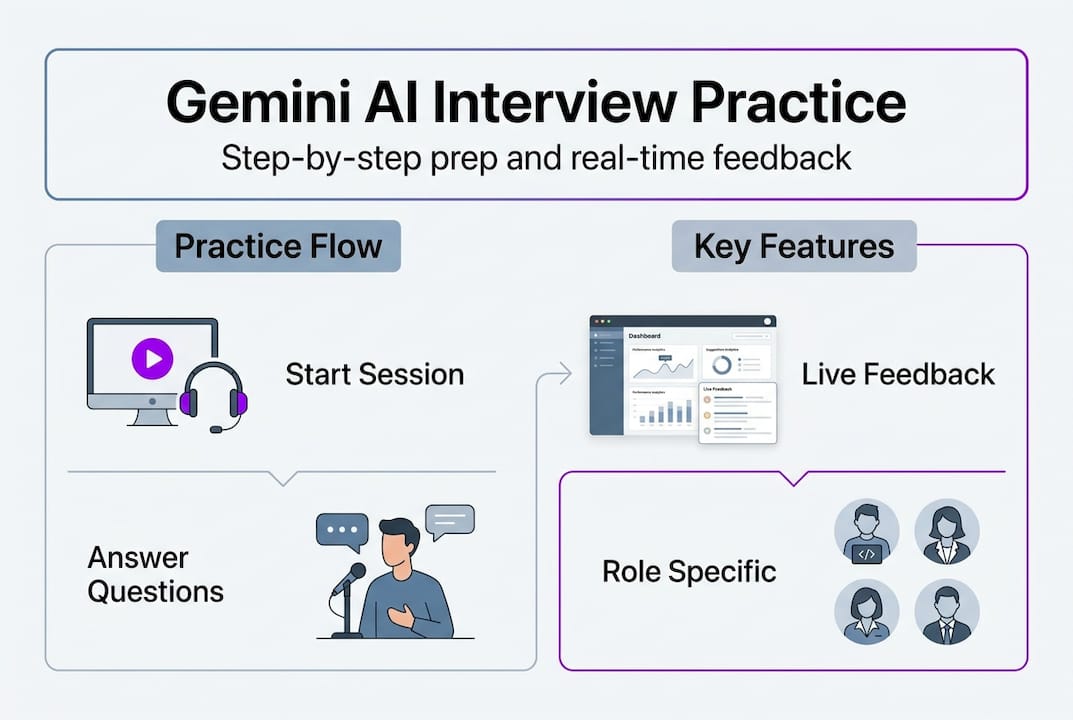
- How Gemini AI interview practice works step-by-step
- Advanced features for technical candidates
- Limitations, practical issues, and real-world feedback
- Why Gemini AI is a solid (but not perfect) remote interview prep companion
- Get more from your AI-powered interview preparation
- Frequently asked questions
Key Takeaways
| Point | Details |
|---|---|
| Personalized AI mock interviews | Gemini AI delivers live, interactive interviews based on your exact job role. |
| Real-time feedback | You receive instant, actionable feedback—including STAR method summaries—for every answer. |
| Ideal for tech preparation | Gemini’s custom prompts and coding features help technical candidates practice with realistic scenarios. |
| Know the limitations | Use Gemini alongside human feedback and be aware of technical or feature gaps in some cases. |
Understanding Gemini AI for interviews
Gemini AI for interviews is not a separate product. It is a use case built on top of Google’s Gemini platform, specifically through a feature called Gemini Live. Gemini Live enables real-time AI-powered interview practice with natural feedback, meaning the AI listens to your spoken answers, responds like a real interviewer, and adjusts its follow-up questions based on what you say.
What makes it different from a static prep tool? A few things stand out:
- Live voice interaction: You speak, it listens, and it responds in natural conversation, not scripted prompts.
- STAR-method feedback: Gemini can evaluate your answers against the Situation, Task, Action, Result framework and tell you what was missing.
- Personalized question flow: When you specify your target role and company, questions shift to match that context.
- Barge-in support: You can interrupt mid-response, just like a real interviewer would.
- Multilingual support: The platform supports over 70 languages, making it accessible for international candidates.
Compare that to what most people use for prep:
| Prep method | Real-time feedback | Voice interaction | Role-specific questions | Technical support |
|---|---|---|---|---|
| Static question lists | No | No | Limited | No |
| Human mock interviews | Yes | Yes | Yes | Yes |
| Other AI chat tools | Partial | No | Partial | Limited |
| Gemini Live | Yes | Yes | Yes | Yes (with setup) |
On the technical side, Gemini’s coding benchmarks are strong. It scores
For job seekers exploring AI in job interviews, Gemini Live sits in a different category than resume scanners or flashcard apps. It is closer to a practice partner than a study guide. If you want to boost interview confidence through repetition and real feedback, this is worth understanding deeply.
How Gemini AI interview practice works step-by-step
Knowing the features is one thing. Knowing how a session actually unfolds is what helps you use it well. Here is the practical flow from start to finish.
- Set your job context: Open the Gemini app and tell it your target role, company type, and what you want to practice, such as behavioral questions, technical depth, or communication clarity.
- Activate Live mode: Tap into Live mode to start the real-time voice session. The AI shifts into interviewer mode and opens with a warm-up question.
- Answer naturally: Speak your answer out loud. Gemini tracks your tone, pacing, and content simultaneously. It follows up based on what you said, not a preset script.
- Receive adaptive questions: If your answer was vague, it probes deeper. If you covered the topic well, it moves on. This mirrors how real interviewers behave.
- Get end-of-session feedback: Users set job context, activate Live mode, answer AI questions, and receive personalized feedback including STAR summaries, pacing notes, and clarity tips.
- Review and repeat: You can replay the session, adjust your prompts, and run the mock interview again with a different angle or difficulty level.
For technical candidates, the Gemini Live Audio walkthrough shows how screen sharing and coding challenge review can be layered into the session. You can walk through a live coding problem while narrating your thought process, and Gemini responds to both your code logic and your verbal explanation.
Pro Tip: Before starting a session, write a one-paragraph brief about the role you are targeting. Paste it as your opening context message. This gives Gemini enough specificity to ask questions that actually match the job description, not generic interview filler.
If you want a structured approach, the step-by-step interview prep framework pairs well with Gemini’s session flow. And if nerves are your main challenge, pairing Gemini practice with confident interview prep strategies builds the muscle memory you need.
Advanced features for technical candidates
General mock interview practice is useful. But if you are going for a backend engineering, software architecture, or system design role, Gemini’s API-level customization is where things get genuinely powerful.

Custom prompts support role-specific questioning and feedback for backend and software engineering interviews, and Gemini can act as both interviewer and reviewer. That means you can run a session where Gemini first challenges you with a system design problem, then switches perspective to critique your answer from a hiring manager’s point of view.
Here is a breakdown of the core modes and what each one supports:
| Mode | Primary use | Technical tasks supported |
|---|---|---|
| Interviewer mode | Simulates hiring conversation | Role-specific questions, follow-ups |
| Reviewer mode | Evaluates your answers | STAR scoring, communication feedback |
| Coding mode | Live problem-solving | Code review, logic walkthrough |
| System design mode | Architecture discussion | Trade-off analysis, diagram narration |
For developers building on top of this, Gemini Live for developers covers how to extend the API for custom interview agents. You can set difficulty levels, define evaluation rubrics, and even inject company-specific context into the prompt.
Pro Tip: For system design prep, open your prompt with a specific constraint, such as “Design a rate limiter for 10 million requests per day with low latency.” Vague prompts produce vague questions. Specific constraints force Gemini to ask the kind of deep follow-ups you will actually face in a real technical round.
For more on this angle, Google interview AI tips covers how to structure your sessions for maximum signal. And if you are curious about where the field is heading, technical interview automation gives useful context on how AI is reshaping hiring pipelines.
Limitations, practical issues, and real-world feedback
Gemini AI for interview prep is genuinely useful. But treating it as a complete solution would set you up for a rude surprise. Here is an honest look at where it falls short.
What works well:
- Solo practice on demand, any time, without scheduling
- Natural conversation flow that feels less robotic than older AI tools
- Multilingual support for candidates preparing in their second language
- Adaptive follow-ups that catch weak answers
Where it struggles:
- Feedback on advanced technical topics can be surface-level without careful prompt engineering
- Edge cases include prompt size limits, echo cancellation issues, emotion adaptation gaps, and missing features in non-real-time apps
- Audio feedback loops can disrupt sessions in certain hardware setups
- Emotion-aware responses help but cannot fully replicate human intuition about hesitation or confidence
On the community side, the picture is encouraging but not yet validated at scale. No large-scale public benchmarks for Gemini interview preparation exist yet, though anecdotal user success is widely reported. One Reddit thread includes a user who credited Gemini practice sessions with helping them land a role after months of rejections, but that is one data point, not a study.
“I used Gemini Live every day for two weeks before my final round. The feedback on my pacing alone changed how I came across.” — Community user, r/GeminiAI
For a broader look at how AI tools perform in real hiring contexts, the Gemini 3.1 review covers capability benchmarks that matter for technical candidates. And if you want tools that go beyond practice into live interview support, AI-powered interview guidance and boosting job success with AI are worth reading alongside this.
Why Gemini AI is a solid (but not perfect) remote interview prep companion
Here is the honest take: Gemini AI is one of the best on-demand practice tools available right now, but its value depends entirely on how you use it. Candidates who treat it like a search engine, asking generic questions and accepting surface answers, will get mediocre prep. Candidates who invest in crafting specific prompts, running repeated sessions, and actively analyzing feedback will see real improvement.
The gap between an AI interviewer and a human one is shrinking fast. But it is not closed. Human coaches catch the subtle things, the pause before a hard question, the slight defensiveness in your tone, the moment you lost the thread of your own answer. Gemini accelerates your skills; it does not guarantee offers.
The strongest candidates we see are the ones who use AI for interview success as one layer of a broader strategy. Gemini for daily reps. Real mock interviews for calibration. Self-review for honest assessment. That combination is hard to beat.
Get more from your AI-powered interview preparation guides
Gemini AI gives you a strong foundation for mock interview practice, but it is one piece of a larger puzzle. If you want real-time AI support during the actual interview, not just in prep, that is where purpose-built tools make a real difference.

MeetAssist is a Chrome extension that listens to your live interview and generates AI-powered answer suggestions in real time, directly on your screen or privately on your phone via Phone Mode. It supports coding challenges, behavioral rounds, and technical assessments across Google Meet, Microsoft Teams, and other platforms. You can explore top Gemini AI alternatives or go straight to MeetAssist’s AI interview tools to see how real-time assistance during the interview itself changes the game.
Frequently asked questions
How does Gemini AI for interviews work?
Gemini Live enables real-time AI-powered interview practice through voice conversation, adapting questions to your role and giving personalized feedback on your answers as you speak.
Can Gemini AI help with technical interview questions?
Yes. Custom prompts support role-specific technical interviews including coding, system design, and backend engineering rounds, with feedback on both your technical logic and communication clarity.
What are the main limitations of Gemini AI for interview prep?
Feedback can be generic and technical issues exist with certain API integrations, so pairing Gemini with human practice or specialized tools gives you more complete preparation.
Is Gemini AI better than using a human coach?
Gemini AI is excellent for on-demand repetition and structured feedback, but it does not fully replace human coaches when it comes to nuanced behavioral reading and personalized career strategy.
Recommended
- How to Prepare for a Google Interview Using Real-Time AI Assistance
- AI Interview Assistant Alternatives — Compare Top Tools (2026) | MeetAssist
- AI-powered interview guidance: confidence boost for 2026 – MeetAssist | MeetAssist
- MeetAssist
- Master interview practice with AI: confident English 2026 | Pavone Academy