
Remote technical interviews bring their own set of challenges for software developers aiming for competitive positions. Instead of presenting yourself in a conference room, you rely on your voice to deliver technical clarity through platforms like Google Meet and Zoom. Using structured phone-based communication techniques transforms your preparation by focusing on clear, confident responses. This introduction uncovers how phone-assisted interview prep and real-time AI feedback can help you stand out in your next interview while protecting your privacy.
Table of Contents
- What Is Phone-Assisted Interview Prep?
- Major Types and Key Technologies Explained
- How Real-Time Assistance Improves Outcomes
- Privacy, Security, and Compliance Features
- Common Mistakes and Best Practice Tips
Key Takeaways
| Point | Details |
|---|---|
| Phone-Assisted Interview Prep Is Unique | This method focuses on the specific dynamics of remote interviews, enhancing communication through audio and video platforms. |
| AI Feedback Is Essential | Real-time AI feedback helps identify weaknesses and improve articulation during practice sessions, leading to better performance in actual interviews. |
| Practice Environment Matters | Candidates should simulate their interview setup to avoid technical issues and distractions during practice, ensuring readiness for the real environment. |
| Emphasize Structured Practice | Iterative, targeted practice with varied difficulty improves interview skills and confidence, helping candidates succeed in a competitive job market. |
What Is Phone-Assisted Interview Prep?
Phone-assisted interview prep is a specialized training approach designed to help tech candidates succeed in remote technical interviews conducted over the phone or video calls. Unlike traditional in-person interview preparation guides, this method focuses on the unique dynamics and challenges of communicating through audio or screen-based platforms.
The concept builds on the foundation of structured phone-based communication techniques. Telephonic interviews require special techniques to build rapport and maintain effectiveness across distance, which means your preparation strategy must account for factors like audio quality, pacing, and response clarity that matter differently than face-to-face interactions.
Core Components
Phone-assisted interview prep combines several key elements:
- Real-time AI feedback during practice sessions, identifying weak points in your technical explanations
- Audio-focused communication drills that emphasize clarity and conciseness over written responses
- Platform-specific preparation for tools like Google Meet, Microsoft Teams, and Zoom
- Response optimization tailored to how interviewers actually hear and process your answers
- Behavioral script refinement adapted for phone dynamics where non-verbal cues are limited or invisible
When you practice with phone-assisted methods, you’re training your brain to deliver information differently than you would on paper or in person. Your tone carries more weight. Pauses feel longer. Technical jargon needs clearer explanation because the interviewer can’t see your code or diagram alongside your words.
How It Works
The process leverages AI-assisted techniques for real-time collaboration between you and intelligent coaching systems. These systems listen to your responses, analyze your word choice and pacing, and generate immediate suggestions for improvement—all without appearing on your screen during the actual interview.
You upload your resume and specify your target role. The AI learns your background and tailor answers to match your experience level. When you practice a mock interview, you receive suggestions that align with frameworks you select: STAR method for behavioral questions, bullet points for technical explanations, or detailed narratives for situational scenarios.
Phone-assisted prep transforms invisible communication barriers into preparation advantages—you identify gaps before the real interview counts.
Why It Matters for Tech Hires
Recruiting managers increasingly conduct initial technical screens over the phone. They listen for signal in how you articulate algorithms, explain trade-offs, and communicate debugging processes. These skills rarely come naturally; they require deliberate practice in the exact format you’ll face.
Traditional prep focuses on answering questions correctly. Phone-assisted prep focuses on answering them in a way that sounds confident, organized, and technically precise when heard rather than read.
Pro tip: Record yourself answering three technical questions without AI assistance first, listen back without judgment, then compare your delivery to AI-generated suggestions—this exposes your baseline communication gaps before coaching begins.
Major Types and Key Technologies Explained
Phone-assisted interview prep operates across multiple technological platforms, each designed to address different aspects of candidate preparation. Understanding which technologies work best for your situation helps you choose the right tool for targeted skill development.
Interview Technology Categories
There are several distinct approaches to phone-assisted preparation:
- Computer-assisted telephone interviews (CATI) where AI reads questions, tracks your responses, and adapts follow-ups in real time
- Video-based mock interviews that simulate actual hiring manager interactions with recorded feedback
- Audio-only assessment systems focusing purely on how you sound and communicate verbally
- Hybrid platforms combining phone screens with screen-sharing for coding challenges
- Natural language processing tools that analyze your word choice, filler words, and technical accuracy
Each category addresses a specific weakness. If you stumble over technical explanations, audio-focused systems pinpoint where you lose clarity. If your behavioral answers ramble, CATI-style systems force conciseness by simulating real interviewer constraints.
Here’s how different interview preparation technologies address key candidate challenges:
| Technology Type | Key Focus | Ideal For |
|---|---|---|
| CATI (Computer-Assisted) | Conciseness, rapid follow-up | Candidates needing succinct answers |
| Video-Based Mock Interviews | Visual presence, complex interaction | Visual communicators |
| Audio-Only Assessment Systems | Verbal clarity, pacing | Candidates refining articulation |
| Hybrid Platforms | Coding and communication | Tech-focused interviewees |
| Natural Language Processing Tools | Filler word reduction, technical accuracy | Improving technical language |
AI-Powered Mock Interview Systems
AI-powered mock interview systems use machine learning and natural language processing to generate realistic technical questions tailored to your target role. These platforms don’t just play pre-recorded questions—they adapt based on your answers.
The technology works through three core mechanisms:
- Dynamic question generation that builds follow-ups based on your response quality and depth
- Spoken feedback mechanisms providing immediate audio coaching on delivery and content
- Cloud-based scalability allowing unlimited practice without scheduling constraints
You answer a question about optimizing database queries. The system evaluates whether you explained trade-offs clearly. If you glossed over performance implications, the follow-up question probes that exact weakness. This adaptive approach compresses months of traditional interview prep into weeks of targeted practice.
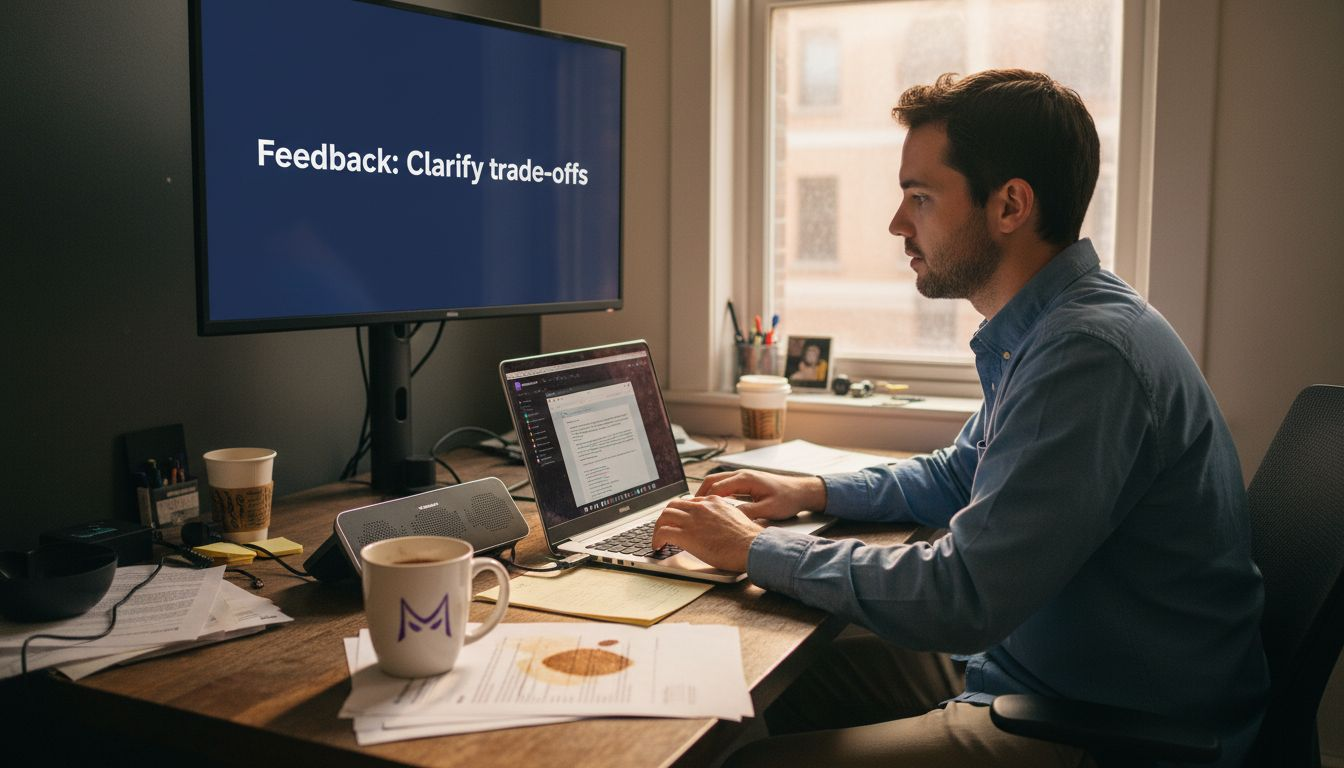
Real-Time Data Processing
Modern phone-assisted platforms analyze several dimensions simultaneously while you speak. They track your pace—are you rushing through explanations or leaving awkward silences? They monitor technical accuracy without requiring transcription. They assess confidence markers in your tone.
The best phone-assisted tech stacks process your response in real time, not hours later, so you can immediately apply feedback to your next practice attempt.
This real-time dimension separates effective phone prep from traditional mock interviews where you wait days for feedback from a human mock interviewer.
Customization and Integration
Different platforms integrate with different tools. Some work through Google Meet and Teams natively. Others use dedicated interview simulation environments. The best platforms let you upload your resume so suggestions reference your actual background and experience level.
You can specify your target company culture too. Startups value concise, direct communication. Enterprise tech shops expect more structured, detailed explanations. Good phone-assisted systems adjust answer styles accordingly.
Pro tip: Start with audio-only drills before attempting full video mock interviews—this isolates communication clarity as a variable and prevents you from relying on facial expressions or hand gestures that won’t appear on a phone screen.
How Real-Time Assistance Improves Outcomes
Real-time assistance fundamentally changes how you perform under interview pressure. Instead of hoping your preparation transfers to the actual moment, you get live coaching that adapts as the interview unfolds. This immediate feedback loop creates measurable improvements in both confidence and technical accuracy.
When you practice with real-time assistance, your brain learns differently than traditional mock interviews. You don’t wait days for feedback on your rambling explanation of system design. You hear it instantly and adjust your approach on the next question. This compression of feedback cycles accelerates skill development dramatically.
Immediate Feedback Loop
Real-time AI assistance reduces cognitive load by adapting questions dynamically and providing relevant contextual support during your response. You’re no longer trying to guess what the interviewer thinks about your answer. The system tells you immediately.
This creates several concrete benefits:
- Spot weak explanations before they become ingrained habits
- Identify filler words (“um,” “like,” “basically”) that undermine credibility
- Adjust pacing when you rush through technical details
- Refine examples that don’t land with clarity
- Build pattern recognition for question types you struggle with
You finish explaining a networking concept. The system flags that you used jargon without defining it. Next technical question, you unconsciously define terms upfront. That’s learning at scale.
Personalized Question Adaptation
AI-based interview platforms provide dynamic real-time feedback and custom question sets that adapt to your specific responses. The system doesn’t follow a fixed script. It genuinely responds to what you say.
This personalization matters enormously. If you excel at system design but stumble on behavioral questions, the platform learns this and weights behavioral prep accordingly. If you explain algorithms well but miss edge cases, follow-up questions target that exact gap.
You’re not practicing in a generic way. You’re building skill exactly where you need it most.
Confidence Building Through Progress
Practicing alone often feels discouraging. You answer a question and have no idea if you nailed it or missed the mark. Real-time assistance removes this ambiguity. You see measurable improvement across sessions.
The platform tracks your progress metrics:
- Response clarity score improving session to session
- Reduction in filler words and awkward pauses
- Faster recovery when you’re unsure about an answer
- Better structure in technical explanations
Real-time feedback builds genuine confidence—you know exactly what you’ve improved because the system shows you the data.
This isn’t false confidence from generic praise. You see the actual improvements in your delivery and technical depth.
Stress Inoculation in Real Conditions
The more you practice with tools that mimic actual interview conditions, the calmer you feel when it matters. Real-time assistance in a simulated phone or video setting desensitizes you to the pressure. When your actual interview happens, you’ve already experienced similar dynamics dozens of times.
Your nervous system learns that you can handle rapid-fire questions and on-the-spot feedback. This translates directly to reduced anxiety and clearer thinking during real interviews.
Pro tip: Review your real-time feedback immediately after each practice session while details are fresh, then implement one specific change before your next session—this maximizes how quickly improvements compound.
Privacy, Security, and Compliance Features
When you use phone-assisted interview prep tools, you’re sharing sensitive information—your resume, your interview responses, potentially your screen during coding challenges. The tools you choose must protect this data rigorously. Security isn’t a nice-to-have feature; it’s fundamental to using these platforms responsibly.
Tech candidates rightly worry about data privacy. You don’t want your interview practice sessions showing up in training datasets for competitors’ tools. You don’t want your personal information exposed if a platform gets breached. Quality phone-assisted prep tools address these concerns directly through multiple security layers.
Encryption and Data Protection
End-to-end encryption of audio and video data, secure cloud storage, and audit trails ensure your interview practice sessions stay private. When you speak into your microphone, that audio gets encrypted immediately. It stays encrypted in transit and encrypted at rest on servers.
This means even platform employees can’t listen to your practice sessions without explicit authorization. The encryption happens automatically—you don’t need to configure anything. It’s how the system works by default.
Key protection mechanisms include:
The following table summarizes essential privacy and security features for responsible interview prep:
| Security Feature | Why It Matters | Example in Interview Prep |
|---|---|---|
| End-to-End Encryption | Prevents data interception | Protects audio during transmission |
| Secure Cloud Storage | Controls information access | Stores practice sessions safely |
| Audit Trails | Tracks account access | Logs who viewed recordings |
| Data Minimization | Reduces privacy risks | Only keeps necessary session info |
| Automatic Deletion | Limits retention window | Removes old recordings by default |
- End-to-end encryption preventing interception during transmission
- Secure cloud storage with access controls limiting who views your data
- Audit trails logging every access to your account and information
- Data minimization storing only what’s necessary for your preparation
- Automatic deletion of session recordings after specified retention periods
Regulatory Compliance Standards
Interview preparation tools must comply with data privacy laws such as GDPR and HIPAA, ensuring that candidate data is securely stored and processed. GDPR applies to any tool processing data from European Union residents. HIPAA applies if health information is involved, which is less common in interview prep but worth understanding.
Compliance means the platform has been audited by third parties to verify security claims. It means legal agreements protect your rights to your own data. It means you can request deletion of your information and the company must comply within specific timeframes.
When evaluating a phone-assisted platform, look for explicit compliance certifications from recognized auditors. These certifications signal that security isn’t theoretical—it’s been independently verified.
Consent and Control
Legitimate platforms ask permission before using your data in any way beyond your immediate interview prep. They don’t sell anonymized session data to training companies. They don’t use your practice recordings to improve their AI models without explicit consent.
You should always:
- Read the privacy policy before signing up
- Understand what data the platform collects
- Review consent checkboxes—uncheck boxes you disagree with
- Know your data deletion rights
- Verify whether audio recordings are actually stored or just processed in real time
Strong privacy protection isn’t just legal compliance—it’s respect for your preparation being yours alone, not owned by the platform.
Transparent Data Practices
Resputable platforms are transparent about their data practices. They explain how they handle your resume. They clarify whether AI feedback is generated locally on your device or sent to servers. They specify data retention—how long they keep your session history and whether you can delete it.
Some platforms use Phone Mode specifically to minimize what data leaves your device. Interview suggestions get generated on your phone; the extension disappears from your screen entirely. This approach maximizes both security and test integrity—nothing visible on your computer that could alert an interviewer.
Pro tip: Before your first practice session, download and read the platform’s privacy policy, specifically checking data retention policies and deletion procedures—this takes five minutes and prevents future surprises about what’s stored.
Common Mistakes and Best Practice Tips
Phone-assisted interview prep is powerful, but only if you use it correctly. Most candidates make predictable mistakes that undermine their preparation. Knowing what to avoid saves you weeks of wasted practice and helps you get maximum value from your preparation time.
The difference between candidates who succeed with these tools and those who don’t comes down to deliberate practice habits. You need structure, consistency, and honesty about your weaknesses. Random practice sessions won’t cut it.
Common Pitfalls
The biggest mistake is treating phone interviews like in-person conversations. Phone-specific communication style requires special techniques to establish rapport and maintain effectiveness across distance. You can’t rely on hand gestures, facial expressions, or whiteboard sketches. Your voice carries everything.
Other frequent mistakes include:
- Ignoring audio quality and practicing in noisy environments
- Not managing technical setup proactively before real interviews
- Overrelying on AI without critically evaluating suggestions
- Practicing the same questions repeatedly instead of varying difficulty
- Skipping rapport-building and launching directly into technical answers
- Not confirming understanding when questions seem ambiguous
These aren’t abstract problems. They directly sink interview performance. A noisy background makes you sound unprofessional. Technical problems create anxiety. Overreliance on AI suggests you haven’t internalized answers. Variety in practice prevents memorization without genuine understanding.
Best Practice Framework
Iterative practice sessions with real-time AI feedback and simulated live interview conditions optimally improve interview readiness. This means structured, repeated practice—not haphazard sessions whenever you feel like it.
Your preparation should follow this progression:
- Baseline assessment of current performance on mixed difficulty questions
- Targeted drilling on weak areas with AI feedback
- Progressive difficulty increasing question complexity as you improve
- Full mock interviews simulating real conditions (time pressure, varied questions)
- Performance review analyzing what improved and what still needs work
Each session builds on previous ones. You’re not practicing in isolation; you’re tracking measurable progress toward interview readiness.
The Hybrid Advantage
Don’t trust AI feedback alone. After AI suggests improvements, ask yourself whether the suggestion makes sense given your actual background and communication style. Some AI suggestions miss context that only you understand about your experience.
Ideal preparation combines AI’s real-time analysis with your human judgment. AI flags that your explanation of a technical concept was unclear. You then decide whether to simplify terminology or add more concrete examples—that decision requires your expertise, not the AI’s.
The most effective phone interview preparation uses AI as a coach, not an oracle—feedback is valuable, but your judgment about how to implement it matters more.
Environment and Setup
Never practice in your actual interview environment. Test your audio setup separately. Know your backup internet connection. Practice with the exact tools you’ll use in real interviews.
Before each session:
- Close all notifications
- Use a quiet, closed room
- Test microphone and speakers
- Have water nearby
- Keep your resume visible
- Remove distractions from your desk
These small details prevent technical disasters that would derail your actual interview.
Pro tip: Record one practice session without watching the AI feedback in real time, then review the recording and feedback together—this shows you how your performance actually sounds versus how the AI analyzes it, revealing gaps in your self-awareness.
Elevate Your Phone-Assisted Interview Prep with MeetAssist
Navigating the challenges of phone-assisted interviews means mastering clear, confident communication without relying on visual cues. This article highlights the importance of real-time feedback, adaptive AI coaching, and privacy-conscious tools to sharpen your technical explanations and behavioral responses on audio-only or video platforms. If you want to overcome issues like pacing, filler words, and lack of immediate guidance, MeetAssist brings these essential features to your fingertips.

Experience the power of real-time AI assistance during technical interviews and coding assessments with MeetAssist, a Chrome extension designed specifically for platforms like Google Meet and Microsoft Teams. Use Phone Mode to keep AI suggestions and transcripts completely off your computer screen, enhancing privacy and focus during your prep sessions. Upload your resume to receive personalized, role-tailored answers and customize your response style for maximum effect. Take control of your interview readiness today by visiting MeetAssist and discover how AI-powered support redefines phone-assisted interview success.
Frequently Asked Questions
What is phone-assisted interview prep?
Phone-assisted interview prep is a specialized training method that helps tech candidates prepare for remote technical interviews conducted over the phone or via video calls, focusing on the unique dynamics of audio communication.
How does phone-assisted interview prep differ from traditional interview prep?
Unlike traditional prep, which often relies on in-person practice, phone-assisted prep emphasizes verbal clarity, pacing, and strategies for effective communication in a remote environment, where non-verbal cues are limited or invisible.
What technologies are used in phone-assisted interview prep?
Key technologies include computer-assisted telephone interviews (CATI), video-based mock interviews, audio-only assessment systems, hybrid platforms for coding challenges, and natural language processing tools that analyze communication effectiveness.
Why is real-time assistance important during interview preparation?
Real-time assistance provides immediate feedback and adaptive questioning, allowing candidates to refine their delivery and technical accuracy on the spot, significantly enhancing both confidence and interview readiness.