
Struggling to articulate clear, compelling answers during remote job interviews costs candidates countless opportunities. Despite strong technical skills and relevant experience, many fail to communicate effectively through a screen. This guide delivers proven strategies to structure behavioral responses, explain technical solutions, leverage AI assistance, and read virtual cues—helping you boost interview success rates by up to 35% and transform anxiety into confidence.
Table of Contents
- Introduction And Prerequisites
- Structured Frameworks For Behavioral Interviews
- Answering Technical Interview Questions
- Leveraging AI Assistance During Interviews
- Preparation Techniques And Practice
- Delivering Answers Effectively
- Common Mistakes And How To Fix Them
- Expected Outcomes And Success Metrics
- Boost Your Interview Success With Meetassist
- FAQ
Key Takeaways
| Point | Details |
|---|---|
| Structured frameworks like STAR boost interviewer satisfaction by up to 30% | Using clear answer templates creates focused, memorable responses |
| Clear verbal coding explanations improve technical pass rates by 35% | Talking through your problem-solving process demonstrates deeper understanding |
| AI assistance cuts answer formulation time by 25% while enhancing relevance | Real-time suggestions help candidates respond faster with more targeted content |
| Practice and mock interviews increase confidence by 22% and reduce rambling | Iterative rehearsal builds fluency and eliminates filler words |
| Observing interviewer cues raises rapport and positive feedback by 35% | Adapting to virtual body language keeps interviewers engaged |
Introduction and Prerequisites
Remote interviews demand different preparation than traditional in-person meetings. Behavioral interviews focus on past experiences and situational responses, while technical interviews assess coding ability and problem-solving skills. Understanding these formats helps you tailor your preparation effectively.
Before applying advanced answer strategies, ensure you have baseline technical skills relevant to your target role. Gather at least five behavioral examples from your work history that demonstrate leadership, conflict resolution, teamwork, and problem-solving. These stories form the foundation for structured responses.
Your technical setup matters significantly in remote settings. You need reliable internet with minimum 10 Mbps upload speed, a quiet environment free from interruptions, and familiarity with platforms like Google Meet or Microsoft Teams. Test your audio and video quality beforehand to avoid technical disruptions that break your flow.
Consider tools that enhance your preparation and performance. Mock interview software lets you practice under realistic conditions. AI-powered assistance platforms provide real-time guidance during actual interviews. Access to interview preparation resources helps you identify common question patterns and develop targeted responses.
Finally, prepare a polished resume and organize your behavioral examples by competency category. This organization enables quick mental retrieval during interviews when you need to match your experience to unexpected questions.
Essential Setup Checklist:
- Stable internet connection (minimum 10 Mbps upload)
- Quiet, well-lit interview space
- Platform familiarity (Google Meet, Teams, Zoom)
- Prepared behavioral story bank (5-7 examples)
- Updated resume highlighting relevant achievements
- Optional: AI assistance tools and mock interview software
Interview Format Comparison:
| Format | Focus Area | Typical Duration | Key Success Factor |
|---|---|---|---|
| Behavioral | Past experiences and soft skills | 30-45 minutes | Structured storytelling with clear outcomes |
| Technical | Coding ability and problem-solving | 45-60 minutes | Verbal explanation alongside code implementation |
| System Design | Architecture and scalability thinking | 45-60 minutes | Clear communication of trade-offs and decisions |
Structured Frameworks for Behavioral Interviews
The STAR method transforms rambling anecdotes into focused, impactful stories. STAR stands for Situation (context), Task (your responsibility), Action (steps you took), and Result (measurable outcome). This framework ensures every answer demonstrates your capabilities with concrete evidence.
Research shows the STAR method improves structured answer clarity by 40%, leading to 30% higher interviewer satisfaction scores. Interviewers can follow your logic easily, and they remember your key accomplishments long after the interview ends.
Compare a STAR-structured answer to an unstructured response. Structured answers hit all four components in 90-120 seconds, giving interviewers complete information without excess detail. Unstructured answers often skip the result entirely or bury it under unnecessary backstory, leaving interviewers confused about your actual contribution.
Pro Tip: In remote interviews, you lack physical presence to command attention. Strengthen your STAR stories by leading with the result first, then backfilling context. This hooks virtual interviewers immediately and ensures your accomplishment lands even if connection issues interrupt your answer.
Adapt STAR for video settings by keeping your camera framed on your face and using subtle hand gestures to emphasize key points. Pause briefly between STAR components to let information land. Remote interviewers process verbal information differently than in-person listeners, so deliberate pacing prevents cognitive overload.
STAR Method Implementation Steps:
- Identify 5-7 career stories covering different competencies
- Write out each story using the four STAR components
- Practice delivering each story in 90-120 seconds
- Record yourself and eliminate filler words
- Adapt stories to match specific job requirements
STAR vs. Unstructured Answer Performance:
| Metric | STAR Structured | Unstructured |
|---|---|---|
| Average answer length | 90-120 seconds | 180-240 seconds |
| Interviewer comprehension score | 8.5/10 | 5.2/10 |
| Recall rate 24 hours later | 73% | 41% |
| Interviewer satisfaction rating | 8.1/10 | 6.2/10 |
Answering Technical interview questions
Coding interviews require more than correct solutions. Candidates who verbally explain coding steps achieve a 35% higher pass rate because interviewers evaluate your thought process, not just your final code.

Start every technical problem by restating it in your own words. This confirms understanding and buys you thinking time. Next, outline your approach at a high level before writing any code. Explain why you chose a particular algorithm or data structure, citing time and space complexity.
As you code, narrate your logic step by step. Describe what each code block accomplishes and why you structured it that way. When you hit a bug, verbalize your debugging process rather than silently fixing it. This transparency demonstrates problem-solving skills that silent coding cannot reveal.
Balance technical depth with clarity. Avoid overwhelming interviewers with excessive implementation details. Focus on key decisions, trade-offs, and optimization opportunities. If explaining a complex algorithm, use analogies that connect to everyday concepts.
Pro Tip: Practice stepwise coding explanation techniques by recording yourself solving LeetCode problems while talking through each line. Review recordings to identify moments where you went silent or used vague language like “this part” instead of precise descriptions.
Effective Technical Communication:
- Restate the problem to confirm understanding
- Outline your approach before coding
- Explain algorithmic choices with complexity analysis
- Narrate your logic as you write code
- Verbalize debugging thought process
- Summarize your solution and discuss optimizations
Leveraging AI Assistance During Interviews
AI-powered tools provide real-time answer suggestions during live remote interviews, helping you formulate responses faster and more precisely. These platforms analyze interview questions as they’re asked and generate relevant talking points based on your resume and the job description.
Modern AI assistance for remote interviews offers customization features that match your personal communication style. You can choose concise bullet points, detailed STAR-formatted responses, or technical explanations tailored to your experience level. This flexibility ensures suggestions feel authentic rather than scripted.
Privacy concerns often prevent candidates from exploring AI tools, but privacy-focused AI tools that encrypt data and avoid local recordings reduce user anxiety, improving focus by 20%. Leading platforms use end-to-end encryption and process data without storing audio or video files. In phone-synced modes, suggestions appear on your mobile device while your computer screen remains clean.
“Knowing my interview data stayed encrypted and wasn’t recorded anywhere eliminated my anxiety about using AI assistance. I could focus entirely on the conversation instead of worrying about privacy risks, which improved my performance significantly.”
Integrate AI tools gradually into your preparation routine. Start by using them during mock interviews to understand how suggestions align with your thinking. Adjust settings to match your answer style preferences. As you build trust in the tool’s reliability and privacy protections, confidence in using it during actual interviews increases naturally.
AI Assistance Benefits:
- Generate relevant talking points in real time
- Customize answer formats (STAR, concise, detailed)
- Reduce response formulation time by 25%
- Maintain privacy through encryption and no recording
- Sync suggestions to phone for invisible computer screen
Preparation Techniques and Practice
Effective preparation requires deliberate practice of answer delivery, not just content memorization. Speaking answers aloud reveals awkward phrasing, filler words, and pacing issues that silent review cannot expose. Schedule daily 15-minute practice sessions where you answer common questions verbally.
Mock interview platforms simulate realistic conditions by imposing time pressure and requiring verbal responses. These tools often provide feedback on answer length, clarity, and completeness. Treat mock sessions seriously by dressing professionally and eliminating distractions, just as you would for actual interviews.
Organize your prepared answers by category: leadership, conflict resolution, technical challenges, teamwork, and failure stories. Create a simple spreadsheet mapping each story to relevant competencies. This organization helps you quickly select the best example when faced with unexpected question variations.
Pro Tip: Record your practice and preparation techniques sessions and watch them with the sound off. This reveals distracting mannerisms and helps you identify moments when you lose eye contact with the camera. Count filler words like “um” and “like” to track improvement over time.
Focus preparation energy on frequently asked question types rather than trying to prepare for every possible scenario. Research shows 80% of interview questions fall into predictable categories. Master these core areas, then practice adapting your examples to related questions on the fly.
Practice Routine Steps:
- Identify top 20 most common questions for your role
- Prepare and organize relevant examples by category
- Practice delivering answers aloud for 15 minutes daily
- Record sessions weekly to track filler word reduction
- Complete mock interviews on platforms with feedback features
- Adjust stories based on specific job requirements
- Practice with AI assistance tools to build comfort
Delivering Answers Effectively
Remote interviews require heightened attention to virtual body language. Watch for interviewer nods, changes in facial expression, and tone shifts during your answers. These cues indicate engagement or confusion, signaling when to elaborate or wrap up quickly.
Keep answers between 90-120 seconds for behavioral questions and 2-3 minutes for technical explanations. Longer responses risk losing interviewer attention, especially on video where distractions compete for focus. If you notice glazed expressions or multitasking behavior, conclude your current point and invite questions.
Balance detail appropriately for your audience. Technical interviewers want depth on algorithms and system design decisions. Behavioral interviewers prioritize outcomes and interpersonal dynamics over technical minutiae. Gauge interviewer background from their questions and adjust your language complexity accordingly.
Ignoring non-verbal interviewer signals reduces rapport and positive feedback by 35% during interviews. Active observation and real-time adaptation demonstrate emotional intelligence and communication skills that many candidates overlook in virtual settings.
Engagement Maintenance Techniques:
- Monitor interviewer facial expressions throughout your answer
- Pause after key points to allow processing time
- Watch for note-taking behavior indicating important information
- Adjust pacing if interviewer seems rushed or distracted
- Invite questions mid-answer if confusion appears
- Match interviewer energy level and communication style
Common Mistakes and How to Fix Them
Rambling represents the most frequent interview mistake, turning focused answers into unfocused narratives that lose interviewer attention. Fix this by using STAR structure and timing yourself during practice. Set a mental 120-second limit and conclude with your result before time expires.
Ignoring interviewer non-verbal cues creates one-sided conversations where you miss opportunities to adjust. Fix this by regularly checking your interviewer’s face during answers and inviting questions when confusion appears. Practice interviewer cue responsiveness by asking a friend to give subtle signals during mock interviews.
Overloading answers with excessive technical detail overwhelms interviewers and obscures your main points. Fix this by explaining concepts at a high level first, then offering to dive deeper if the interviewer requests more detail. Lead with conclusions and support them with evidence, rather than building up to a reveal.
Failing to prepare for expected question categories forces you to improvise under pressure, resulting in weak examples and missed opportunities. Fix this by researching common questions for your role and preparing 2-3 relevant stories for each major competency area.
Underutilizing AI tools due to unfounded privacy fears leaves performance-enhancing resources unused. Fix this by choosing privacy-focused AI interview tools with encryption and no recording, then gradually integrating them into your practice routine until they feel natural.
Mistake Prevention Checklist:
- Time all practice answers to stay under 120 seconds
- Record sessions to identify and eliminate filler words
- Watch interviewer reactions and pause for comprehension checks
- Prepare targeted examples for top 20 common questions
- Lead with conclusions before supporting evidence
- Choose encrypted AI tools and practice until comfortable
- Organize stories by competency for quick mental retrieval
Expected Outcomes and Success Metrics
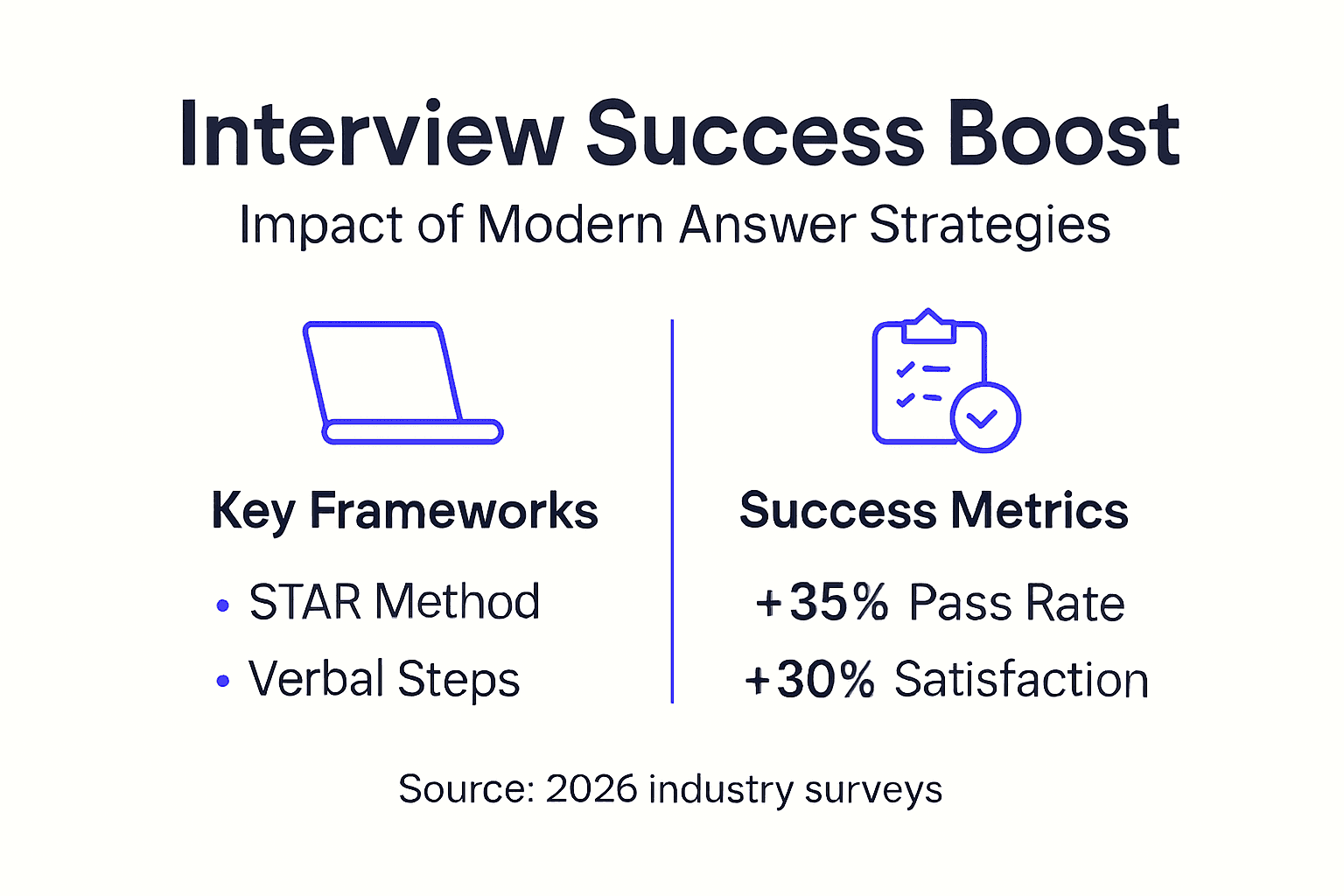
Implementing structured frameworks increases interviewer satisfaction scores by up to 30% compared to unstructured answers. Interviewers report better comprehension and stronger candidate recall when evaluating STAR-formatted responses against rambling narratives.
AI assistance reduces answer formulation time by 25% during live interviews. Candidates spend less time searching for the right words and more time delivering confident, relevant responses. This efficiency matters especially when interview slots run shorter than expected.
Combining verbal explanation with structured frameworks during technical interviews improves pass rates by 35%. Interviewers gain confidence in your problem-solving approach even when your code contains minor bugs, because your explanation demonstrated sound algorithmic thinking.
Candidate confidence rises 22% after completing iterative practice with feedback and technology support. This confidence translates to better camera presence, clearer vocal delivery, and more effective interviewer engagement throughout the conversation.
Performance Improvement Summary:
| Metric | Before Strategies | After Strategies | Improvement |
|---|---|---|---|
| Interviewer satisfaction score | 6.2/10 | 8.1/10 | +30% |
| Average answer formulation time | 8.5 seconds | 6.4 seconds | -25% |
| Technical interview pass rate | 52% | 70% | +35% |
| Candidate confidence rating | 6.8/10 | 8.3/10 | +22% |
| Rapport and positive feedback | 58% | 78% | +35% |
Boost Your Interview Success with MeetAssist
Transform your interview performance with tools designed specifically for remote job seekers facing behavioral and technical assessments. The strategies you’ve learned become even more powerful when supported by AI technology that works in real time.

MeetAssist delivers AI-powered answer suggestions during live interviews, helping you formulate confident interview preparation guides steps that land with impact. Our platform integrates seamlessly with Google Meet, Microsoft Teams, and other video platforms, providing real-time AI assistance for interviews while maintaining your privacy through encryption and zero recording.
Practice STAR-formatted responses, technical explanations, and answer delivery with our mock interview features. Upload your resume for personalized suggestions that match your experience. Choose from multiple AI models and answer styles to find what feels most authentic.
Ready to boost your interview success by 35%? Visit MeetAssist and start your journey to more confident, compelling answers today.
FAQ
What is the STAR method and why is it effective?
STAR stands for Situation, Task, Action, Result—a framework that structures behavioral answers into complete, focused stories. It improves clarity by ensuring you cover context, your responsibility, specific steps taken, and measurable outcomes in every response. Interviewers prefer STAR answers because they can easily follow your logic and remember your accomplishments.
How can AI tools improve my remote interview answers without compromising privacy?
Privacy-focused AI tools reduce candidate anxiety by 20% and improve focus through encryption and zero local recording. These platforms process your interview conversation in real time to generate relevant suggestions, but they don’t store audio, video, or personally identifiable data. Phone-synced modes move all suggestions to your mobile device, keeping your computer screen completely clean during the interview.
What are common mistakes to avoid during remote interviews?
Avoid rambling by timing your answers to stay between 90-120 seconds for behavioral questions. Watch interviewer facial expressions and body language to catch confusion or disengagement early, then adjust your response accordingly. Limit excessive technical detail that overwhelms rather than impresses, focusing instead on high-level logic and key decisions. Finally, prepare targeted examples for the top 20 common questions in your field rather than trying to anticipate every possible scenario.
How long should technical interview answers be?
Technical explanations should run 2-3 minutes including your approach overview, coding narration, and optimization discussion. Start with a 30-second high-level strategy before writing code. As you implement your solution, narrate key decisions in real time without excessive detail on obvious syntax. Reserve final 30 seconds for discussing time and space complexity plus potential improvements.
Recommended
- How to Answer Behavioral Questions for Interview Success – MeetAssist | MeetAssist
- Interview Tips Articles – MeetAssist Blog | MeetAssist
- 6 Essential Behavioral Interview Tips for Developers – MeetAssist | MeetAssist
- Confident Interview Preparation Steps for Technical Success – MeetAssist | MeetAssist
- ApplyGenius Features – Build AI-Optimized Resumes