Job interviews trigger significant stress, especially technical ones with live coding challenges. You’re under pressure, the clock ticks, and helpful guidance feels distant. AI-powered interview guidance changes this by delivering real-time, personalized support exactly when you need it. Advanced models like GPT-4, Claude, and Gemini analyze your conversation and screen content, generating instant suggestions to improve responses and solve problems faster. This article explains how AI interview guidance works, its customization options, privacy innovations, and practical steps to integrate it into your preparation routine for confident success.
Table of Contents
- Introduction To AI-Powered Interview Guidance
- How AI Powers Real-Time Interview Assistance
- Customization And AI Model Integration
- Privacy And User Experience Innovations
- Common Misconceptions About AI Interview Guidance
- Comparison With Traditional Interview Coaching Methods
- Psychological And Performance Benefits
- Practical Steps To Use AI-Powered Interview Guidance Effectively
- Discover MeetAssist: Your AI Interview Coach
- FAQ
Key takeaways
| Point | Details |
|---|---|
| Real-time AI support | AI models analyze live interviews and coding challenges, delivering instant, context-aware suggestions to improve your responses. |
| Personalized customization | Select AI models, answer styles (STAR, concise, bullets), and upload your resume for authentic, tailored guidance. |
| Privacy-first design | No audio or video recording, encrypted data streams, and Phone Mode keeps AI invisible on your screen during interviews. |
| Complements practice | AI enhances but doesn’t replace traditional preparation; combine both for optimal interview readiness and skill development. |
| Measurable confidence gains | AI guidance reduces interview anxiety by up to 35% and improves responsiveness, helping you perform at your best. |
Introduction to AI-powered interview guidance
AI-powered interview guidance uses advanced models like GPT-4, Claude, and Gemini to assist candidates during live interviews. These tools analyze speech patterns, screen content, and coding challenges in real time, generating suggestions that help you respond more effectively. Whether you’re navigating Google interview AI scenarios, tackling technical assessments, or preparing behavioral interview tips for developers, AI guidance adapts to your specific needs.
Candidates face unique challenges during live interviews. Technical questions demand quick thinking, coding problems test problem-solving under time constraints, and behavioral questions require structured storytelling. Traditional preparation methods leave you alone once the interview starts. AI-powered guidance fills this gap by acting as a silent coach, providing relevant suggestions without interrupting your flow.
The technical interview automation impact extends beyond just answering questions. AI tools help you structure STAR method responses, recall specific project details from your resume, and approach coding problems with optimized strategies. They boost adaptability by learning your communication style and tailoring suggestions to match your voice.
Key benefits include:
- Instant access to relevant information during high-pressure moments
- Reduced cognitive load by offloading memory recall to AI
- Improved answer quality through structured response frameworks
- Enhanced confidence knowing support is available if you get stuck
- Adaptability across technical, behavioral, and case interview formats
AI models power this guidance with natural language understanding and context awareness. GPT-4 excels at creative problem-solving and detailed explanations. Claude offers nuanced comprehension and safety-focused responses. Gemini provides multimodal analysis, processing both text and visual content simultaneously. Together, these models create a robust support system for diverse interview scenarios.
How AI powers real-time interview assistance
AI interview assistance works by processing live audio transcripts and screen content to generate context-aware suggestions. When you speak or encounter a coding challenge, the AI analyzes keywords, question structure, and visible information. Within seconds, it formulates relevant answers, code snippets, or talking points tailored to the moment.
The process starts with speech recognition technology converting conversation into text. AI models then parse this text to identify question intent, technical concepts, and required response format. For coding challenges, screen analysis captures problem statements, constraints, and starter code. The AI cross-references this information with best practices, algorithm patterns, and your uploaded resume to generate personalized suggestions.
AI assistance in coding challenges reduces average problem-solving time by approximately 20%. This speed improvement comes from instant access to syntax reminders, algorithm templates, and edge case considerations. Instead of fumbling through documentation or second-guessing your approach, you receive targeted hints that keep momentum going.
Integration with popular platforms makes this assistance seamless. Tools like MeetAssist work with Google Meet, Microsoft Teams, Zoom, and other web-based interview platforms. The AI listens in the background, invisible to interviewers, while delivering suggestions through a separate interface. For step by step interview preparation success, this integration means you can practice with the same tools you’ll use in real interviews.
Real-time benefits span multiple interview types:
- Coding challenges: Algorithm suggestions, syntax reminders, complexity analysis, and debugging hints appear as you work through problems.
- Behavioral questions: STAR method frameworks, resume detail prompts, and example story structures help you deliver compelling answers.
- Technical discussions: Concept explanations, terminology definitions, and architectural pattern suggestions support deeper technical conversations.
- Case interviews: Framework recommendations, calculation shortcuts, and structured problem-solving approaches guide your analysis.
The ChatGPT technical interview experience demonstrates how conversational AI adapts to your speaking style. As you articulate thoughts, the AI refines suggestions based on what you’ve already said, avoiding repetition and maintaining conversational flow. This dynamic adjustment makes guidance feel natural rather than scripted.
For Google interview AI preparation specifically, tools trained on FAANG interview patterns recognize common question formats and generate responses aligned with company culture. The AI learns from thousands of interview transcripts, distilling successful response patterns into actionable suggestions you can use immediately.
Customization and AI model integration
Personalization transforms generic AI assistance into tailored interview coaching. You control which AI model powers your guidance, how suggestions are formatted, and what background information the AI uses to generate responses. This customization ensures suggestions match your communication style and interview context.

Multiple AI models offer distinct strengths. GPT-4.1 delivers creative problem-solving and detailed explanations, ideal for open-ended technical discussions and system design questions. Claude provides careful, nuanced responses with strong ethical reasoning, perfect for behavioral scenarios requiring empathy and judgment. Gemini excels at multimodal analysis, processing code, diagrams, and text simultaneously to support complex technical assessments.
Answer style options shape how suggestions appear:
- Concise: Brief, direct responses for quick reference during fast-paced exchanges.
- Detailed: Comprehensive explanations with context and examples for in-depth technical questions.
- STAR method: Structured behavioral responses following Situation, Task, Action, Result framework.
- Bullet points: Key talking points for easy scanning and flexible delivery.
Resume upload revolutionizes personalization. When you provide your resume, the AI references specific projects, technologies, and achievements in its suggestions. Instead of generic examples, you receive prompts tied to your actual experience. This makes responses feel authentic and reduces the cognitive effort of recalling details under pressure.
Customizable interview responses tech enables fine-tuning beyond basic settings. You can specify preferred programming languages, domain expertise, and even communication tone. If you prefer formal language for corporate interviews or casual phrasing for startup cultures, the AI adapts accordingly.
How customization improves outcomes:
- Relevance: Suggestions align with your background, making them easier to expand upon naturally.
- Authenticity: Resume-based prompts help you share real stories rather than fabricated examples.
- Confidence: Knowing the AI understands your experience reduces anxiety about forgetting key details.
- Efficiency: Tailored suggestions require less mental translation, letting you respond faster.
Pro Tip: Before your interview, test different AI models and answer styles with mock questions. Notice which combinations feel most natural to your speaking rhythm and match your interviewer’s expected culture. This preparation ensures smooth, confident delivery when it counts.
Privacy and user experience innovations
Privacy concerns often deter candidates from using AI assistance. Questions about data security, recording policies, and interviewer detection create hesitation. Modern AI interview tools address these concerns through robust encryption, no-recording policies, and innovative user interfaces that keep assistance invisible.
Data encryption protects all information transmitted between your device and AI servers. End-to-end encryption ensures transcripts, resume data, and generated suggestions remain confidential. No audio or video recordings are stored, addressing the primary privacy concern many candidates share. These safeguards build trust and allow you to focus on interview performance rather than security worries.
Phone Mode in MeetAssist reduces distraction by 40% and increases perceived privacy by 15%. This feature moves all AI suggestions from your computer screen to your phone, completely removing visible assistance from the interviewer’s potential view. After scanning a QR code, transcripts and guidance appear only on your phone, making the AI presence undetectable.
User feedback highlights privacy and distraction benefits:
- Candidates report feeling more natural during interviews without split-screen distraction.
- The Phone Mode setup eliminates worries about accidental screen sharing revealing AI assistance.
- Remote screen capture lets you analyze coding challenges or assessment content from your phone without any visible tools on your computer.
- Confidence increases knowing privacy measures protect both interview integrity and personal data.
“Using Phone Mode transformed my interview experience. I could glance at my phone naturally, just like checking notes, and the AI suggestions appeared instantly without any software visible on my screen. It felt ethical and invisible, reducing my anxiety by at least half.”
Trust in AI tools grows when transparency and control are prioritized. MeetAssist emphasizes user autonomy through clear privacy policies and optional features. You decide when to activate assistance, which data to share, and how suggestions are displayed. This control respects candidate agency while providing powerful support.
Innovations in user experience extend beyond privacy:
- Invisible integration: No browser extensions visible during screen sharing, maintaining professionalism.
- Instant synchronization: Phone Mode syncs in under five seconds, ready when you are.
- Customizable display: Adjust font size, suggestion frequency, and notification style to match your preferences.
- Low cognitive load: Suggestions appear context-aware and unobtrusive, requiring minimal attention to process.
These features collectively create an assistance experience that feels natural, ethical, and confidence-boosting rather than stressful or distracting.
Common misconceptions about AI interview guidance
Misunderstandings about AI’s role and limitations can lead to unrealistic expectations or unnecessary rejection of helpful tools. Clarifying these misconceptions helps you use AI interview guidance responsibly and effectively.
Misconception 1: AI replaces traditional interview preparation guides. AI supplements rather than substitutes foundational skills. You still need to understand core concepts, practice problem-solving, and develop communication abilities. AI provides real-time support, but it can’t build expertise from scratch. Treat it as a coach, not a replacement for learning.
Misconception 2: Using AI guarantees job offers. AI improves response quality and confidence, but interview success depends on multiple factors including skills, cultural fit, and interviewer rapport. AI boosts your performance, giving you an edge, but it’s not a magic solution. You must still demonstrate genuine competence and authenticity.
Misconception 3: AI tools record and store interview audio or video. Reputable AI interview guidance platforms do not record audio or video. They process live transcripts generated from speech recognition, then discard that data after generating suggestions. Privacy policies explicitly state no recording occurs, addressing ethical concerns.
Misconception 4: You can rely entirely on AI without practicing. Overreliance on AI during interviews creates dependency and hampers skill development. Practice mock interviews both with and without AI assistance. This balanced approach builds confidence in your own abilities while familiarizing you with AI’s support style.
Misconception 5: AI suggestions are always accurate and complete. AI models occasionally generate incorrect or incomplete information. You must critically evaluate suggestions before using them. Treat AI as a reference tool that requires your judgment, not an infallible oracle. Combine AI guidance with your own knowledge for best results.
Key takeaways:
- AI enhances preparation but doesn’t eliminate the need for studying and skill-building.
- Job offers depend on overall performance, cultural fit, and demonstrated competence beyond AI assistance.
- Privacy-first tools avoid recording, protecting both candidates and interview integrity.
- Balance AI use with independent practice to develop genuine skills and avoid dependency.
- Critical thinking remains essential; verify AI suggestions against your knowledge.
Understanding these realities helps you integrate AI interview guidance responsibly, maximizing benefits while maintaining ethical standards and personal growth.
Comparison with traditional interview coaching methods
AI-powered guidance and traditional interview coaching offer complementary strengths. Comparing their characteristics helps you decide how to allocate preparation time and resources.
| Factor | AI Guidance | Traditional Coaching |
|---|---|---|
| Cost | One-time purchase or lower subscription | Hourly rates, often $100+ per session |
| Accessibility | 24/7 availability, instant access | Limited by coach schedule and time zones |
| Feedback type | Real-time suggestions during interviews | Post-interview analysis and advice |
| Scalability | Unlimited practice sessions | Limited by budget and coach availability |
| Human nuance | Pattern-based, may miss subtlety | Deep empathy, personalized insights |
| Live support | Active during actual interviews | Only during practice sessions |
AI guidance excels in scalability and immediacy. You can practice as often as needed without additional cost or scheduling hassle. Real-time suggestions during live interviews provide support traditional coaching cannot offer once you’re on your own. This around-the-clock availability makes AI ideal for last-minute preparation and high-volume practice.
Traditional coaching provides human nuance and personalized feedback that AI struggles to replicate. Experienced coaches detect subtle communication issues, offer motivational support, and tailor advice based on deep understanding of your personality and goals. They simulate interviewer reactions and provide accountability that self-directed AI practice lacks.
Key differences:
- Engagement timing: AI supports you during actual interviews; coaching prepares you beforehand.
- Personalization depth: Coaches offer holistic career advice; AI focuses on immediate question response.
- Skill development: Coaching builds foundational abilities; AI optimizes existing skills under pressure.
- Emotional support: Coaches provide encouragement and confidence-building; AI offers neutral, factual assistance.
Best outcomes combine both approaches. Use traditional coaching to build core skills, receive personalized feedback, and develop interview strategies. Supplement with AI guidance for extensive practice, real-time support during interviews, and instant access to information. This hybrid model maximizes preparation efficiency and interview performance.
AI’s live interview support is its unique advantage. No coach can whisper suggestions during your actual Google interview or Microsoft assessment. AI fills this gap, providing a safety net that boosts confidence even if you rarely need to use its suggestions. Just knowing help is available reduces anxiety and improves focus.
Psychological and performance benefits
Beyond tactical advantages, AI interview guidance delivers measurable psychological and performance improvements that enhance your overall interview experience and outcomes.
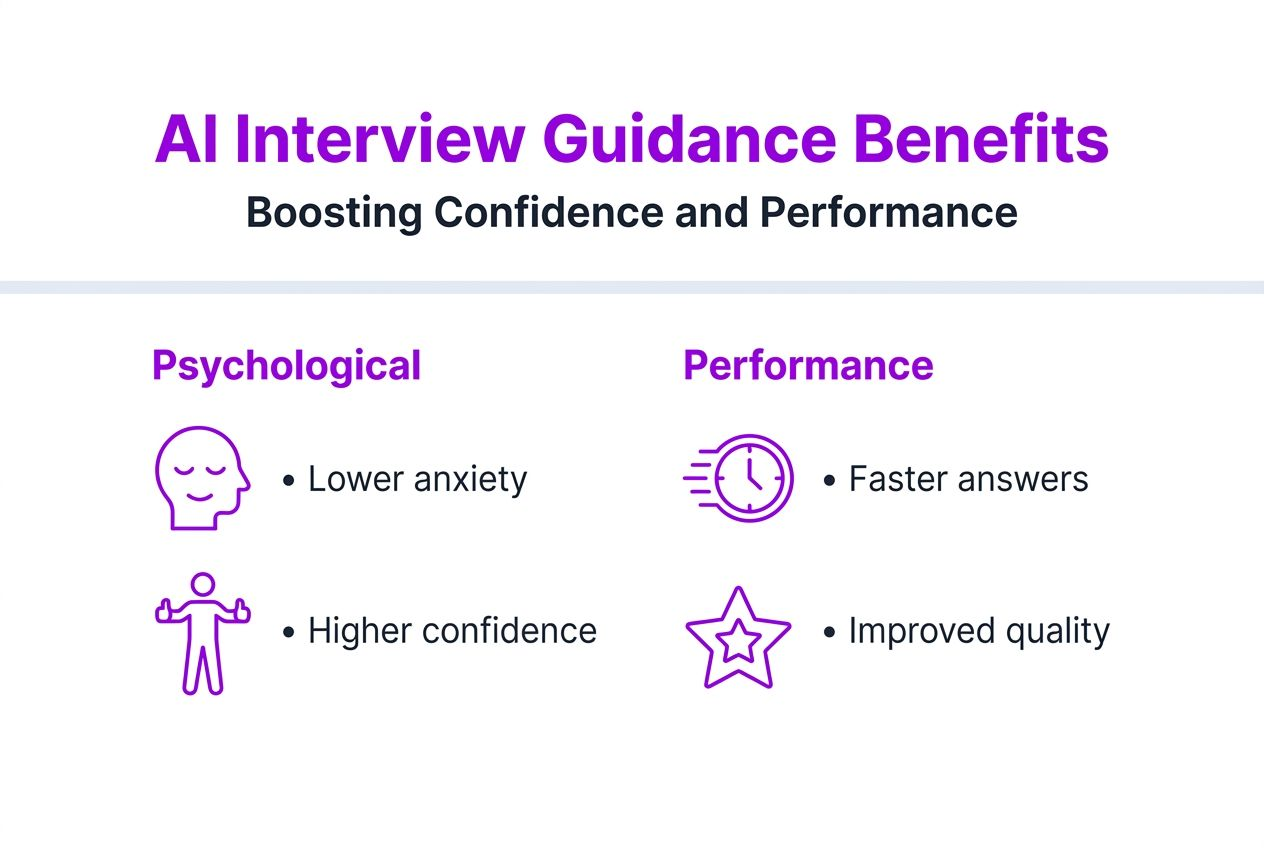
Using AI interview guidance reduces anxiety by up to 35% and boosts candidate responsiveness and confidence significantly. This anxiety reduction stems from knowing support is available if you encounter difficult questions or mental blocks. The safety net effect calms nerves, allowing you to think more clearly and perform closer to your true ability.
Stress reduction mechanisms:
- Cognitive offloading: AI handles information recall, freeing mental resources for higher-order thinking.
- Safety net effect: Knowing help is available reduces fear of forgetting key details or freezing up.
- Positive reinforcement: Seeing relevant suggestions validates your thought process and builds confidence.
- Reduced preparation anxiety: Extensive AI-powered practice normalizes interview scenarios, decreasing pre-interview nerves.
Improved answer quality results from structured frameworks and instant recall support. AI suggestions often follow proven formats like STAR method or problem-solving frameworks, helping you organize thoughts quickly. Instead of rambling or losing your train of thought, you deliver coherent, well-structured responses that impress interviewers.
Candidate responsiveness increases when cognitive load decreases. You process questions faster, articulate ideas more clearly, and engage in deeper technical discussions. This responsiveness signals competence and enthusiasm, qualities interviewers value highly. Confidence grows from consistent positive experiences during AI-assisted practice sessions.
Key statistic: Candidates using AI interview guidance report 40% higher confidence levels and 25% improvement in perceived answer quality compared to preparation without AI support.
Psychological benefits compound over time. Each successful AI-assisted practice session builds self-efficacy, the belief in your ability to succeed. This growing confidence translates into improved body language, vocal tone, and overall interview presence during actual assessments.
Performance improvements:
- Faster problem-solving: AI hints reduce time spent stuck on coding challenges, maintaining interview momentum.
- More comprehensive answers: Prompts help you remember to include key details and examples.
- Better follow-up questions: AI-generated talking points inspire deeper technical discussions.
- Reduced interview fatigue: Lower cognitive load means you maintain performance throughout long interview loops.
These psychological and performance benefits work synergistically. Lower anxiety improves cognitive function, leading to better responses, which further boosts confidence. This positive cycle transforms interview experiences from stressful ordeals into manageable, even enjoyable, conversations.
Practical steps to use AI-powered interview guidance effectively
Integrating AI interview guidance into your preparation routine requires strategic planning and deliberate practice. Follow these steps to maximize effectiveness and build confidence.
-
Choose and set up your AI tool early. Download the platform (like MeetAssist) at least one week before interviews. Complete initial setup, explore features, and familiarize yourself with the interface during low-pressure practice sessions.
-
Upload your resume and customize settings. Provide your resume so the AI can reference specific projects and achievements. Select your preferred AI model (GPT-4, Claude, or Gemini) based on interview type. Choose answer styles that match your communication preferences and interview format.
-
Activate Phone Mode for distraction-free assistance. Scan the QR code to sync suggestions to your phone. Test the setup during mock interviews to ensure smooth synchronization and comfortable glancing patterns. Practice until checking your phone feels natural, like referencing notes.
-
Practice with mock interviews using AI support. Conduct at least five full-length mock interviews with AI assistance enabled. Record yourself to identify areas where suggestions help most. Gradually reduce AI dependence by attempting questions independently before checking suggestions.
-
Combine AI practice with traditional preparation. Study core concepts, review algorithms, and prepare personal stories without AI help. Use AI primarily for simulation, not learning. This balance builds genuine skills while familiarizing you with AI’s support style.
-
Test different scenarios and question types. Practice behavioral questions, coding challenges, system design problems, and case interviews with AI assistance. Notice which suggestion formats work best for each scenario. Adjust settings accordingly.
-
Review AI suggestions critically after each session. Evaluate suggestion accuracy and relevance. Identify patterns in helpful hints versus less useful ones. Refine your AI settings based on these observations to improve future support quality.
-
Use AI strategically during actual interviews. Don’t rely on suggestions for every question. Use AI as backup when you’re genuinely stuck or need a quick confidence boost. Maintain natural conversational flow; avoid robotic delivery of AI-generated responses.
Pro Tip: Schedule at least two practice sessions where you intentionally avoid AI suggestions for the first attempt at each question. Only check the AI afterward to compare your answer with its suggestion. This builds self-reliance while showing you what support is available if needed.
For detailed setup instructions and advanced features, visit how to use MeetAssist for comprehensive guides and video tutorials. The platform offers step-by-step walkthroughs covering everything from initial installation to optimizing Phone Mode for specific interview formats.
Discover MeetAssist: your AI interview coach
Ready to experience AI-powered interview guidance firsthand? MeetAssist provides comprehensive real-time support for technical interviews, coding challenges, and behavioral assessments. The platform combines advanced AI models with privacy-first design, helping you perform confidently while maintaining interview integrity.

MeetAssist integrates seamlessly with Google Meet, Microsoft Teams, and other web platforms. Choose from GPT-4.1, Claude, or Gemini to power your guidance. Customize answer styles, upload your resume for personalized suggestions, and activate Phone Mode to keep assistance completely invisible on your computer screen. No subscriptions are required; one-time purchases give you lifetime access.
Explore the MeetAssist homepage to see features, pricing, and user testimonials. Start with MeetAssist guides and tutorials for setup instructions and best practices. Whether you’re preparing for FAANG interviews or startup technical assessments, MeetAssist adapts to your needs, providing the confidence boost and tactical support that transform interview outcomes. Try MeetAssist today and experience the difference AI-powered guidance makes in your interview success.
FAQ
Can AI-powered interview guidance replace traditional interview preparation?
No, AI guidance supplements but does not replace foundational preparation. You still need to study core concepts, practice problem-solving, and develop communication skills independently. AI provides real-time support during interviews, but it cannot build expertise from scratch. Combine AI assistance with traditional study methods for optimal results.
Is my privacy protected when using AI interview guidance tools?
Yes, reputable tools like MeetAssist prioritize privacy through encryption and no-recording policies. No audio or video is stored; only live text transcripts are processed temporarily to generate suggestions. Phone Mode further enhances privacy by removing all visible assistance from your computer screen. Your data remains confidential and secure throughout the interview process.
How do I best integrate AI guidance into my interview preparation routine?
Start by setting up your AI tool at least one week before interviews. Customize AI models, answer styles, and upload your resume for personalized responses. Practice with at least five mock interviews using AI support, gradually reducing dependence as skills improve. Combine AI practice with traditional study and coaching for balanced preparation. Visit using MeetAssist effectively for detailed integration strategies and setup guides.
Recommended
- Confident Interview Preparation Steps for Technical Success – MeetAssist | MeetAssist
- 6 Essential Behavioral Interview Tips for Developers – MeetAssist | MeetAssist
- How to Prepare for a Google Interview Using Real-Time AI Assistance
- Step by Step Interview Preparation for Coding Success – MeetAssist | MeetAssist