Nearly 69% of employers now incorporate video interviews into their hiring process, making remote interview performance a critical skill for job seekers. Video interviews present unique challenges unlike traditional in-person meetings, from technical glitches to unfamiliar communication dynamics. This guide delivers actionable strategies across technical setup, environment optimization, communication techniques, anxiety management, and interview format variations to help you excel in any video interview scenario.
Table of Contents
- Selection Criteria For Video Interview Success Tips
- Technical Setup And Troubleshooting
- Optimizing Physical Environment
- Communication And Body Language For Video Interviews
- Answer Structuring Techniques For Video Interviews
- Anxiety Reduction And Mental Preparation For Video Interviews
- Differences Between Live, Recorded, And AI-Powered Video Interviews
- Post-Interview Follow-Up Best Practices
- Summary Comparison And Situational Recommendations
- Boost Your Video Interview Success With MeetAssist
- Frequently Asked Questions
Key Takeaways
| Point | Details |
|---|---|
| Technical Preparation | Proper equipment checks reduce technical failure rates by over 80%, ensuring smooth interview execution. |
| Environment Setup | Well-lit, distraction-free spaces with neutral backgrounds boost interviewer ratings by up to 30%. |
| Professional Presentation | Full professional attire increases confidence and conveys seriousness, even when only partially visible on camera. |
| Structured Responses | The STAR method helps deliver focused, compelling answers that highlight relevant competencies effectively. |
| Follow-Up Communication | Thank-you messages sent within 24 hours referencing specific interview topics increase job offer rates by 18%. |
Selection Criteria for Video Interview Success Tips
Understanding what drives video interview success helps you prioritize your preparation efforts effectively. Since 69% of employers now use virtual interview hiring methods, mastering this format has become essential rather than optional.
Several key factors determine whether candidates succeed or struggle in video interviews:
- Technical Reliability: Equipment failures create immediate negative impressions and can derail entire interviews before substantive conversations begin.
- Environmental Quality: Your physical setup communicates professionalism and attention to detail before you speak a single word.
- Video-Optimized Communication: Body language and vocal delivery require different calibration for camera-based interactions versus in-person meetings.
- Anxiety Management: Remote settings introduce unique stressors that demand specific coping strategies beyond traditional interview preparation guides.
- Format Awareness: Live, pre-recorded, and AI-powered interviews each require distinct approaches to maximize performance.
Addressing these criteria systematically transforms video interviews from anxiety-inducing obstacles into manageable, repeatable processes. The following sections break down each factor with concrete actions you can implement immediately.
Technical Setup and Troubleshooting
Technical preparation forms the foundation of video interview success. Candidates who perform proper technical checks reduce failure chances due to equipment or connectivity errors by over 80%, making this the highest-impact preparation step available.
Start your technical preparation at least 24 hours before your scheduled interview. Test your camera angle, microphone clarity, and internet stability using the specific platform your interviewer will use. Zoom, Microsoft Teams, and Google Meet each offer test call features that simulate real interview conditions.
Internet speed requirements matter more than most candidates realize. Optimal internet performance requires minimum speeds of 1 Mbps upload and 1.5 Mbps download, though preferred speeds reach 10 Mbps download and 3 Mbps upload for consistently smooth video quality.
Implement these technical safeguards:
- Use wired ethernet connections instead of WiFi whenever possible to eliminate wireless interference and dropouts.
- Close all unnecessary applications, browser tabs, and background programs that consume bandwidth or processing power.
- Disable notifications across all devices and applications to prevent distracting popups during your interview.
- Position your laptop on a stable surface rather than holding it or placing it on uneven furniture.
- Keep phone chargers, backup devices, and the interviewer’s contact information readily accessible for emergency backup communication.
Pro Tip: Restart your computer 10 minutes before your interview begins. This simple action clears memory caches, closes hidden background processes, and ensures your system operates at peak performance when it matters most.
Follow comprehensive interview preparation steps to address both technical and content readiness systematically. Understanding various tech hiring screening methods helps you anticipate what interviewers prioritize during technical assessments.
Optimizing Physical Environment
Your physical environment creates immediate impressions that influence interviewer perceptions before substantive conversation begins. Well-lit, distraction-free environments with neutral backgrounds improve interviewer ratings by up to 30%, making environmental optimization a high-value preparation activity.
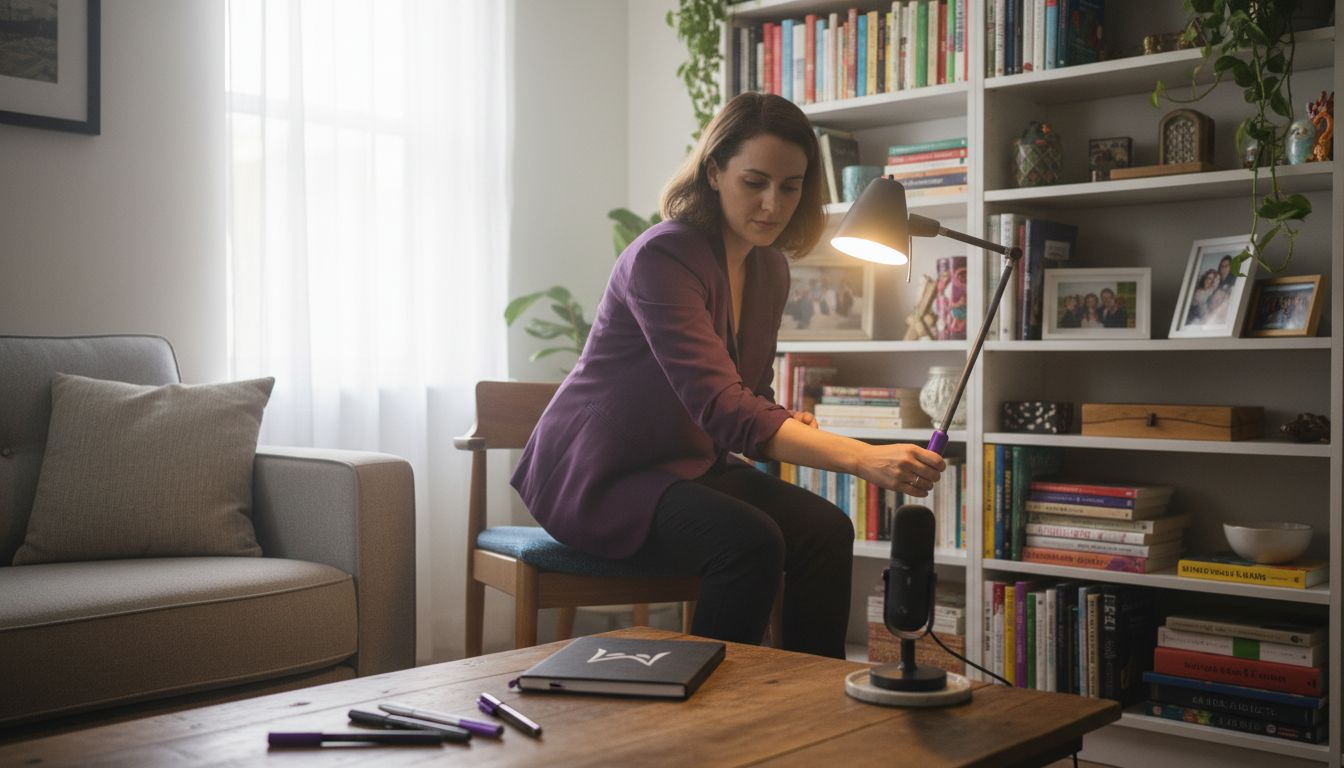
Lighting dramatically affects how professional and engaged you appear on camera. Position your primary light source in front of you, facing your face directly. Window light works excellently during daytime hours, though ring lights or desk lamps provide consistent illumination regardless of time or weather conditions. Never sit with windows or bright lights behind you, as backlighting creates silhouettes that obscure your facial expressions and make eye contact impossible for interviewers.
Your background communicates attention to detail and professionalism. Choose neutral, uncluttered spaces free from distracting objects, personal items, or movement. Blank walls work perfectly, though tasteful bookshelves or minimal artwork add warmth without distraction. Virtual backgrounds can substitute for less-than-ideal physical spaces, but test them thoroughly beforehand as they sometimes glitch, blur, or appear artificial in ways that undermine professionalism.
Noise control requires proactive planning:
- Select the quietest room available and close all doors and windows to minimize external sounds.
- Silence phones, disable doorbell notifications, and place “Do Not Disturb” signs where household members or roommates will see them.
- Use headphones with built-in microphones to reduce ambient noise pickup and improve audio clarity for both parties.
- Schedule interviews during times when surrounding activity (traffic, construction, household routines) reaches minimum levels.
Pro Tip: Inform everyone in your household about your interview schedule at least 24 hours in advance. Explicitly request they avoid entering your room, making loud noises, or creating any disturbances during your scheduled time block, including a 15-minute buffer before and after.
Explore additional interview environment tips to refine your setup further. Proper video interview setup eliminates controllable variables that might otherwise derail your performance.
Communication and Body Language for Video Interviews
Video interviews demand communication adjustments that differ significantly from in-person interactions. Understanding these nuances helps you project confidence and engagement despite the physical distance separating you from your interviewer.
Eye contact becomes tricky on video because looking at the interviewer’s face on your screen means you’re not looking at your camera. Train yourself to look directly into your camera lens when speaking, treating it as the interviewer’s eyes. This creates the perception of direct eye contact for the person watching you. When listening, you can watch their face on screen, but shift your gaze back to the camera when you begin speaking.
Vocal delivery requires extra intentionality through video. Speak slightly slower than your natural pace to ensure clear audio transmission and easier comprehension. Vary your tone to convey enthusiasm and avoid monotone delivery that reads as disinterested through video compression. Project your voice clearly without shouting, ensuring your microphone captures every word without distortion.
Professional attire from head to toe correlates with increased self-confidence and perceived professionalism by interviewers. Dress fully even though only your upper body appears on camera. Complete professional attire puts you in the right mindset and prepares you for unexpected situations where you might need to stand or adjust your camera angle.
Nonverbal communication translates differently through video:
- Sit up straight with shoulders back to project confidence and alertness rather than slouching or leaning casually.
- Use facial expressions actively, including smiling and nodding, to show engagement and active listening since subtle cues often get lost in video compression.
- Keep your hands visible and use moderate gestures to emphasize points without making exaggerated movements that distract from your words.
- Avoid multitasking, looking away from the camera frequently, or appearing to read notes obviously as these behaviors signal disengagement.
Practice your body language during mock video interviews with friends or mentors. Record yourself to identify unconscious habits like excessive blinking, fidgeting, or awkward pauses that you can correct before your actual interview. Refine your approach using targeted video interview communication strategies and understand how professional attire for video calls influences both your mindset and interviewer perceptions.
Answer Structuring Techniques for Video Interviews
Structured responses separate strong candidates from those who ramble or lose focus during video interviews. The STAR method provides a proven framework for delivering compelling, organized answers that highlight your qualifications efficiently.
STAR stands for Situation, Task, Action, Result. This four-part structure guides you through behavioral questions systematically:
- Situation: Briefly describe the context or challenge you faced, providing just enough background for your interviewer to understand the scenario without unnecessary detail.
- Task: Explain your specific responsibility or objective within that situation, clarifying what you needed to accomplish or solve.
- Action: Detail the concrete steps you took to address the task, emphasizing your personal contributions and decision-making process rather than team efforts unless specifically relevant.
- Result: Share measurable outcomes that demonstrate the positive impact of your actions, using numbers, percentages, or other quantifiable metrics whenever possible.
Conciseness matters even more in video interviews than in-person meetings. Video fatigue sets in faster, and interviewers often conduct multiple remote interviews consecutively. Keep individual responses between 90 and 120 seconds for most questions, reserving longer answers for complex technical explanations when warranted.
Tailor your prepared answers to highlight competencies matching the specific role requirements. Review the job description carefully and identify which skills and experiences the employer prioritizes. Structure your STAR examples to showcase those exact qualifications rather than generic accomplishments.
Practice eliminates filler words and awkward pauses that become magnified on video. Rehearse your core stories aloud until you can deliver them smoothly without referring to notes constantly. Record yourself to identify verbal tics like “um,” “like,” or “you know” that undermine your authority and polish.
Master behavioral question answering techniques to handle unexpected questions confidently. Developers and technical candidates benefit from specialized behavioral tips for developers that address technical role scenarios specifically.
Anxiety Reduction and Mental Preparation for Video Interviews
Video interviews introduce unique anxiety triggers that traditional in-person meetings don’t create. The unfamiliar technology, inability to read room energy, and awkwardness of talking to a camera rather than a person all contribute to heightened nervousness that can undermine your performance.
Time management reduces anxiety significantly. Log in 15 to 20 minutes before your scheduled start time. Use this buffer to test your technology one final time, acclimate to the virtual environment, and calm your nerves without rushing. Early login also signals professionalism and prevents the panic of last-minute technical issues.
Practicing video interviews with friends or coaches improves confidence by 35% and reduces verbal fillers. Realistic practice normalizes the video format and helps you identify improvement areas in a low-stakes setting. Ask your practice partners for honest feedback about your eye contact, energy level, and answer clarity.
Breathing techniques provide immediate anxiety relief:
- Practice box breathing before your interview: inhale for four counts, hold for four counts, exhale for four counts, hold for four counts, and repeat four times.
- Take deliberate breaths between questions to reset your nervous system and collect your thoughts before responding.
- If anxiety spikes during the interview, pause briefly, take one deep breath, and continue rather than pushing through with shallow breathing that exacerbates nervousness.
Control every variable within your power to minimize uncertainty. Triple-check your technical setup, confirm your interview time accounting for time zones, prepare your environment completely the night before, and create a pre-interview routine that puts you in a confident mindset.
Pro Tip: Spend five minutes before your interview visualizing yourself succeeding. Imagine answering questions smoothly, connecting well with your interviewer, and finishing the conversation feeling accomplished. Visualization primes your brain for success and reduces the fear response that fuels anxiety.
Explore proven video interview anxiety tips for additional coping strategies. General anxiety reduction techniques also apply effectively to interview settings with minor adaptations.
Differences Between Live, Recorded, and AI-Powered Video Interviews
Interview format significantly affects how you should prepare and perform. Understanding the distinctions between live, pre-recorded, and AI-powered video interviews helps you adapt your strategy appropriately for maximum effectiveness.
Live video interviews most closely resemble traditional in-person meetings. You interact with a real person in real time, answering questions as they’re asked without opportunities for do-overs. These interviews reward natural conversation skills, quick thinking, and authentic engagement. Focus on building rapport, reading interviewer reactions, and adjusting your approach based on the conversational flow.
Pre-recorded video interviews require you to answer predetermined questions while recording yourself, often with limited time per response and sometimes with multiple take options. These formats reward preparation, conciseness, and polished delivery. Practice your core answers extensively since you won’t have interviewer cues to guide your responses. Review recordings if the platform allows retakes, but avoid excessive perfectionism that makes you seem rehearsed rather than genuine.
AI-powered video interview systems analyze facial expressions, micro-expressions, and speech patterns alongside your actual words. These platforms assess factors like enthusiasm, confidence, and stress levels through algorithmic analysis. Heighten your awareness of nonverbal communication, maintain consistent energy throughout your responses, and avoid behaviors like looking away frequently or displaying closed body language that algorithms might flag negatively.
| Interview Type | Key Characteristics | Optimal Strategy | Common Pitfalls |
|---|---|---|---|
| Live Video | Real-time with human interviewer | Build rapport, read reactions, conversational tone | Talking too fast, poor eye contact with camera |
| Pre-recorded | Timed responses to preset questions | Concise preparation, multiple takes if allowed | Over-rehearsing, running out of time |
| AI-Powered | Algorithmic analysis of verbal and nonverbal cues | Heightened nonverbal awareness, consistent energy | Seeming artificial, ignoring micro-expressions |
Your preparation intensity should match the interview format. Live interviews benefit most from conversational practice and rapport-building skills. Pre-recorded formats reward script refinement and delivery practice. AI-powered interviews demand careful attention to every aspect of your presentation since algorithms weigh factors humans might unconsciously forgive.
Prepare specifically for AI interview scenarios when you know algorithmic analysis will evaluate your performance. Understanding how AI video interview systems assess candidates helps you optimize your presentation for both human and machine evaluation.
Post-Interview Follow-Up Best Practices
Your interview doesn’t end when the video call disconnects. Thoughtful follow-up communication strengthens your candidacy and keeps you top of mind as hiring decisions progress. Sending a thank-you message within 24 hours referencing specific interview points increases job offer rates by 18%.
Timing matters critically for follow-up effectiveness. Send your thank-you email within 24 hours of your interview, ideally within 12 hours if possible. Prompt communication demonstrates enthusiasm and professionalism while ensuring your message arrives before hiring managers make preliminary decisions.
Personalization separates memorable follow-ups from generic templates. Reference specific topics, questions, or discussions from your interview to prove you were engaged and attentive. Mention something you learned about the company or role during your conversation that increased your interest. This specificity shows genuine enthusiasm rather than obligatory courtesy.
Structure your follow-up message effectively:
- Open with sincere thanks for their time and the opportunity to discuss the role.
- Reference 2 to 3 specific points from your conversation that resonated with you or sparked particular interest.
- Briefly reinforce why you’re an excellent fit for the position, connecting your background to needs they expressed during the interview.
- Express continued enthusiasm for the opportunity and indicate your availability for next steps.
- Close professionally with appreciation and a forward-looking statement about potential collaboration.
Maintain a professional yet personable tone. Avoid overly formal language that seems stiff or insincere, but don’t become so casual that you undermine the professional relationship. Strike a balance that reflects warmth and authenticity while respecting professional boundaries.
Never send generic, template-style thank-you messages that could apply to any interview. Interviewers recognize boilerplate language immediately, and impersonal follow-ups damage rather than enhance your candidacy. Invest the time to craft a thoughtful, customized message that reflects your genuine interest and the specific conversation you shared.
Understand the broader importance of thank-you message timing in influencing hiring decisions and maintaining positive impressions throughout the selection process.
Summary Comparison and Situational Recommendations
Consolidating video interview success factors into actionable guidance helps you prioritize preparation based on your specific circumstances. Different candidates face different challenges, and customizing your approach maximizes preparation efficiency.
| Preparation Area | Critical Actions | Best For | Time Investment |
|---|---|---|---|
| Technical Setup | Test equipment 24 hours early, wired connection, close apps | All candidates, especially those with unstable internet | 1-2 hours |
| Environment | Front lighting, neutral background, noise control | Candidates without dedicated quiet space | 30-60 minutes |
| Communication | Camera eye contact, vocal variation, full professional attire | First-time video interviewees | 2-3 hours practice |
| Answer Structuring | STAR method, concise responses, role-specific examples | Behavioral and competency-based interviews | 3-4 hours prep |
| Anxiety Management | Early login, breathing techniques, visualization | Anxiety-prone candidates | 15-30 minutes daily |
Situational recommendations guide your specific preparation focus:
For candidates with anxiety: Prioritize mental preparation techniques, practice extensively with peers, and log in very early to reduce rushed feelings. Focus on controlling every variable within your power to minimize uncertainty.
For candidates with unstable internet: Invest in wired connections, identify backup locations with reliable internet, prepare a mobile hotspot as emergency backup, and notify interviewers proactively about potential connectivity challenges.
For AI-analyzed interviews: Heighten awareness of facial expressions and micro-expressions, maintain consistent energy levels throughout responses, avoid excessive movement or looking away, and practice with recording software to review your nonverbal communication.
For pre-recorded formats: Prepare concise, polished answers in advance, practice with timers to ensure responses fit time limits, eliminate filler words through rehearsal, and leverage multiple take options strategically without over-perfecting.
Create a personalized checklist addressing your highest-risk areas. If technical issues concern you most, dedicate extra preparation time to testing equipment and creating backup plans. If communication anxiety dominates your worries, invest heavily in practice interviews and breathing techniques. Customizing your preparation based on honest self-assessment yields better results than generic preparation that treats all challenges equally.
Boost Your Video Interview Success with MeetAssist
Mastering video interview techniques requires both preparation and confidence. MeetAssist provides real-time AI assistance during interviews, helping you structure responses using proven frameworks like the STAR method while maintaining natural conversation flow.

Our platform offers comprehensive preparation resources including step-by-step interview preparation guides and specialized strategies for challenging scenarios. The Phone Mode feature keeps AI assistance completely invisible on your screen, moving all transcripts and suggestions to your phone for maximum privacy. Whether you’re facing behavioral questions, technical assessments, or AI-powered interview platforms, MeetAssist helps you respond confidently with personalized, resume-based suggestions that highlight your unique qualifications.
Frequently Asked Questions
What equipment do I absolutely need for a video interview?
You need a reliable computer with a functioning webcam and microphone, stable internet meeting minimum speed requirements, and a quiet, well-lit space free from interruptions. Testing all equipment at least 24 hours before your interview is critical to identify and resolve issues before they affect your performance.
How can I reduce anxiety specific to video interviews?
Log in 15 to 20 minutes early to test your technology and acclimate to the environment without rushing. Practice with friends or mentors to normalize the video format, and use breathing techniques like box breathing immediately before and during your interview to maintain calm and focus.
What are key differences between live and pre-recorded video interviews?
Live interviews require real-time engagement, quick thinking, and conversational rapport-building with human interviewers. Pre-recorded interviews allow multiple takes in some cases and reward concise, polished answers to predetermined questions without the benefit of reading interviewer reactions or adjusting your approach mid-conversation.
Should I dress fully professional if only my face is on camera?
Yes, full professional attire from head to toe increases your confidence and helps you maintain the proper mindset throughout your interview. Camera angles can shift unexpectedly, you might need to stand, or technical issues could require camera adjustments that reveal more of your appearance than initially visible.
How soon should I send the thank-you email after a video interview?
Send your thank-you message within 24 hours of your interview, referencing specific discussion points to demonstrate engagement and genuine interest. Prompt, personalized follow-up increases job offer rates significantly and keeps you top of mind as hiring managers make decisions.
Recommended
- How to Use ChatGPT in Technical Interviews to Boost Your Success
- Step by Step Interview Preparation for Coding Success – MeetAssist | MeetAssist
- Technical Interview Automation: Real-Time AI Impact – MeetAssist | MeetAssist
- Interview Tips Articles – MeetAssist Blog | MeetAssist
- What Is Web Hosting – Powering Business Online Success - ThunderHosting